63
7
8
1
hyperion X5 3D CEPH/CEPH Ready - TECHNICAL MANUAL
EN
DEVICE INSTALLATION AND CALIBRATION » Software installation
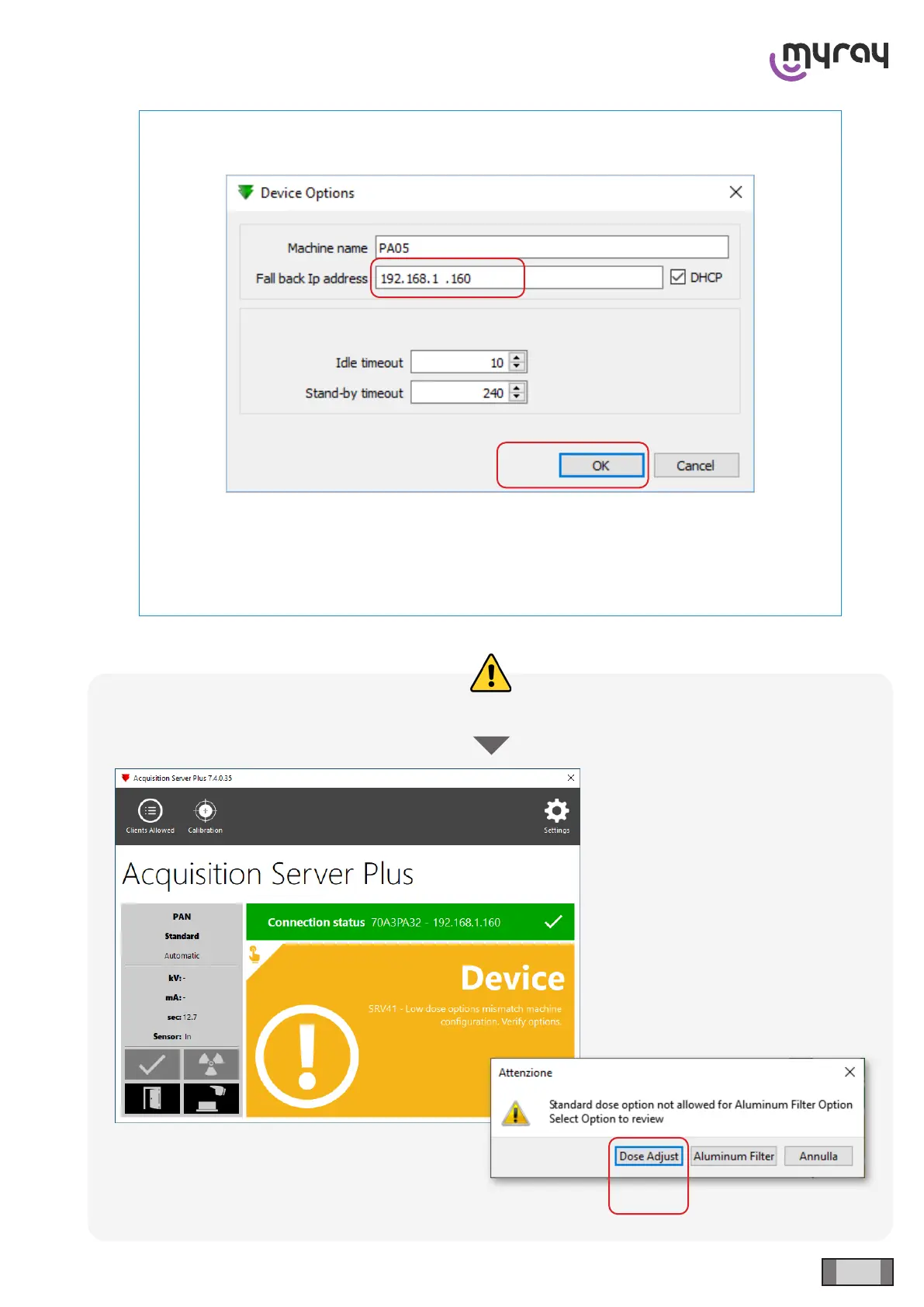
NOTE: should it be necessary to change the device IP address for any need, it is possible to
change it from the menu “Settings -> Device Options”
A xed IP can be set in this window in the eld “Fall back Ip address”. Removing the tick from
“DHCP” will make it impossible for the device to obtain a dynamic address by a router.
Click on “OK”. The IP change becomes eective when the device is restarted.
It is necessary to repeat the device search and connection procedure.
IF



 To Next Page