39
EN
hyperion - OPERATING INSTRUCTION
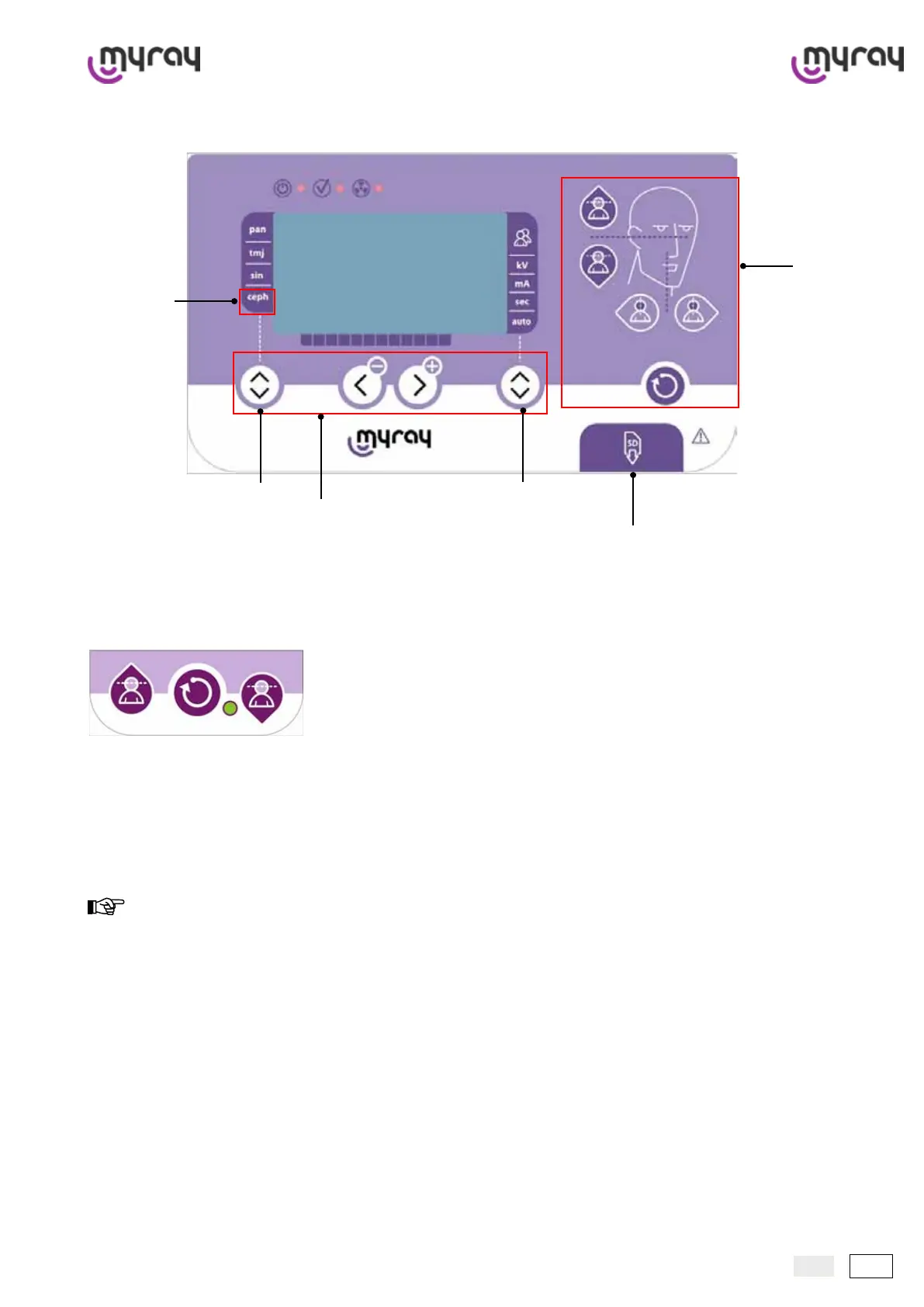
3.1 Control panels
On CEPH arm:
The control panel, attached to the column with an arm, allows the unit to be fully and efciently controlled. The controls
are arranged in two areas on the control panel in order to make use of hyperion more intuitive and user-friendly. The
“Procedure programming” area is found on the left side from which the user selects the type of procedure to be per-
formed and technical settings. The “Assisted positioning” area is found on the right side which contains the controls to
move the unit to position the patient.
In addition, a port for an SD card (Secure Digital Memory Card) is provided at the bottom. If this card is inserted, the
images can be saved without having to connect the unit to a computer.
To save press the “B” keys and “Reset” simultaneously.
For the hyperion units equipped with remote X-ray arm, the control panel is positioned on the arm so that hyperion can
be vertically translated and reset.
To set the unit in “parking” position, hold the button A pressed down.
A
hyperion
model only
B
“Assisted
positioning”
area
Port for SD card
“Procedure programming” area



 To Next Page