46 EN
hyperion - OPERATING INSTRUCTION
5.4 Selecting the patient size (and technical factors)
Once the patient has been properly positioned, hyperion automatically determines the size by reading morphometric
data. hyperion then calculates the recommended technical factors according to the selected procedure.
If the factors need to be modied, press the right-hand button
to select the desired one.
After the factor has been selected its value can be modied with buttons
and .
To go back to the settings recommended by hyperion, select item “Auto” with the right-hand button and then press
or
.
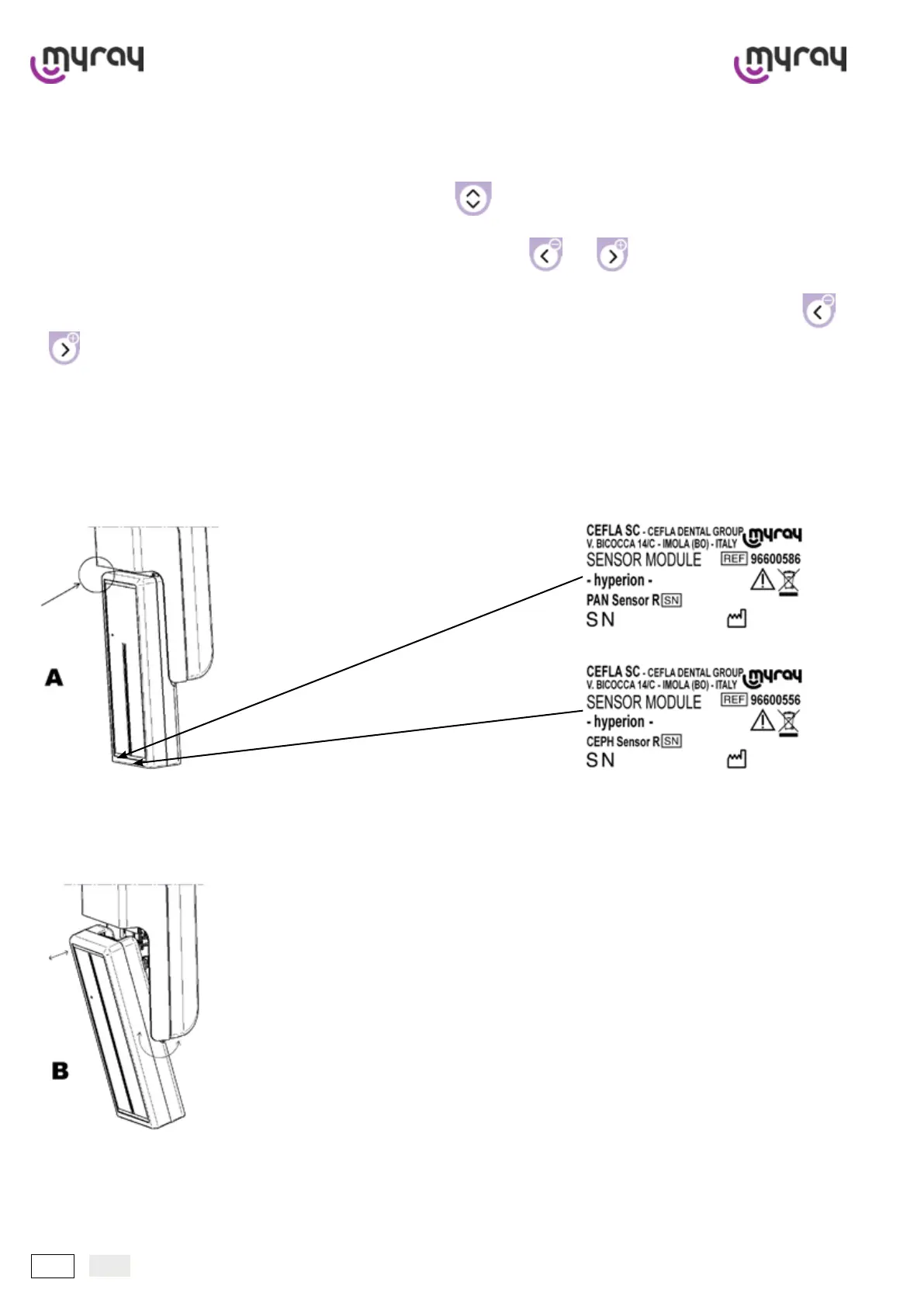
5.5 Removing the sensor
During operation the sensor is secured mechanically and cannot be removed.
hyperion automatically goes to the removal/insertion position when a type of examination different from the current one
is selected.
The sensor automatically descends when necessary. The position is easily recognisable in that the sensor is freed from
the upper zone (A).
Grip the sensor with both hands and exert a rotary movement (B) to free or insert it. A mechanical ‘click’ conrms that
the task has been completed properly.
Warning: when moving the sensor grip it rmly with both hands; do not drop or knock it hard.
Once the task has been completed press the “reset” key and the sensor will go to the working position. If the sensor is
correctly installed the green “ready ”LED on the control panel comes on.



 To Next Page