4.6 Output signal “Fieldbus acting correctly”
4-29
4.6 Output signal “Fieldbus acting correctly”
Output signal (signal name s “Fieldbus act.”) is prepared to confirm that robot controller is communicating
correctly with external device in EtherNet/IP system. This output signal turns to OFF when EtherNet/IP is
disconnected.
Please utilize this output signal by referring to the procedure written below, if needed.
How to assign “Fieldbus act.” Output signal
1
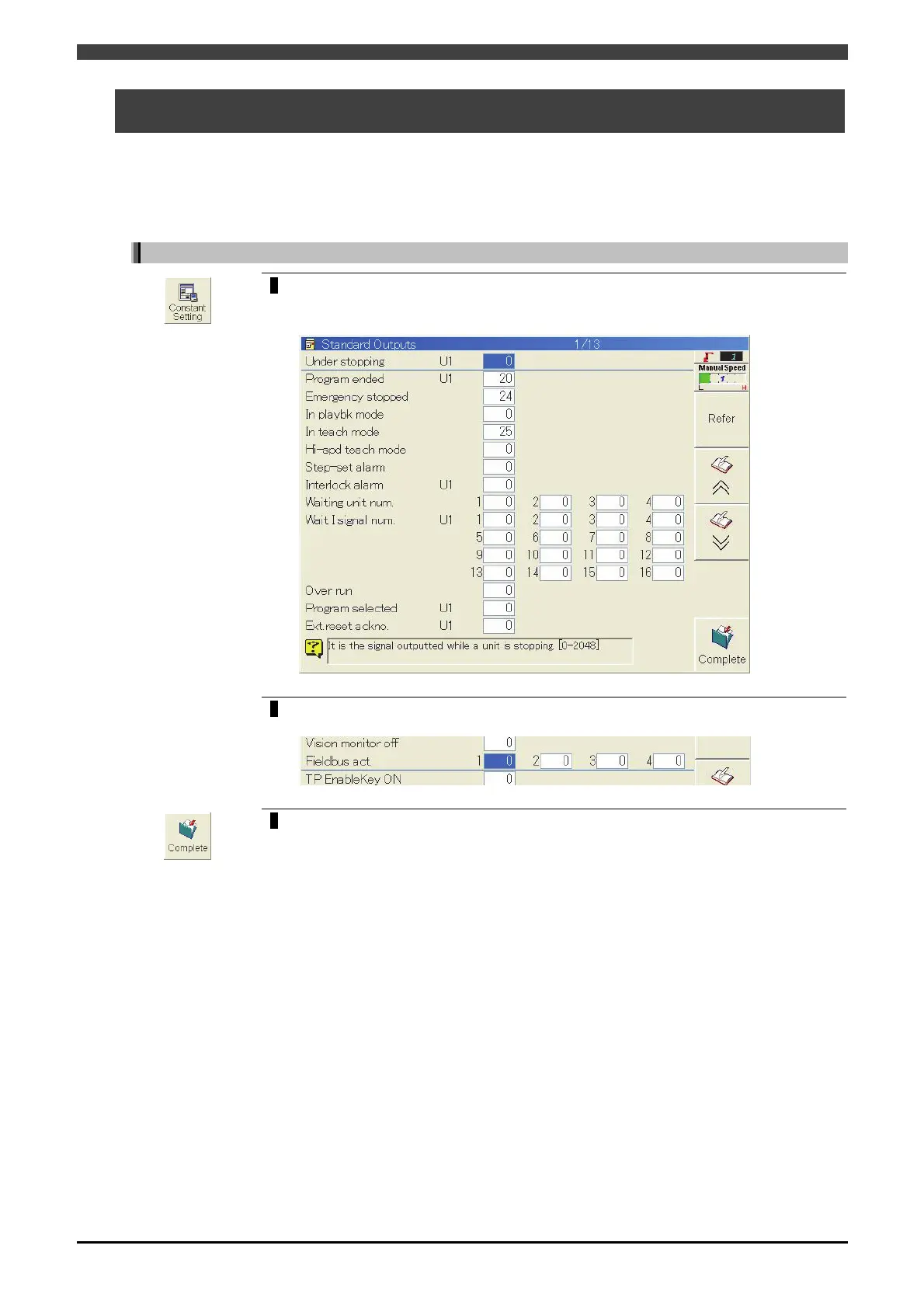
Open <Constant Settings>-[6 Signals]-[3 Output Signal Assignment]-[1 Standard
Outputs].
>> The following screen will appear.
2
Align the cursor with the “Fieldbus act.” edit box of the same number as the
Ethernet/IP channel number. Then input the signal number and press [Enter] key.
3
Press the f key <Complete>.



 To Next Page