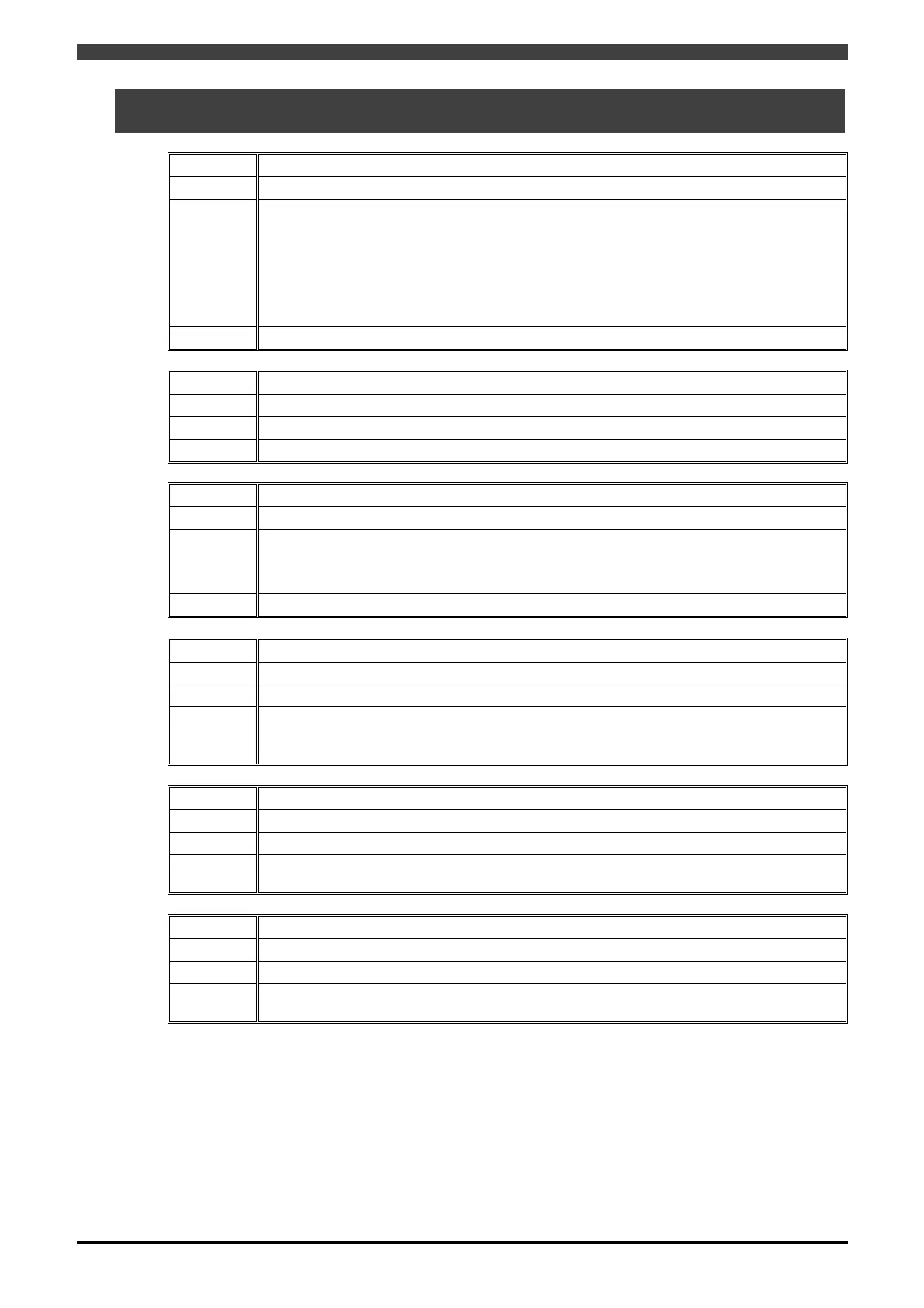
5.2 Error Detection on this Controller
5-3
5.2 Error Detection on this Controller
No. E0956
Message Communication error.
Cause
A list of possible causes is given below.
・field bus base board error
・Broken cable
・Baud rate mismatch
・Incorrect node address setting
・Network power failure
Remedy The system will recover once the problems listed above are resolved.
No. E0957
Message System error detected.
Cause Either the EtherNet/IP setting file does not exist or its contents are invalid.
Remedy Check that EtherNet/IP settings are correct on the Fieldbus Hardware Setting window.
No. E0958
Message Error detected by communication board self-check.
Cause
A list of possible causes is given below.
・Faulty field bus base board
・Incorrect detailed EtherNet/IP settings (E.g. The last number of the IP address is “0”)
Remedy The system will recover once the problems listed above are resolved.
No. E0959
Message Cannot find communication board.
Cause The field bus base board specified on the Constant Settings window cannot be found.
Remedy
Confirm the slot ID of the fieldbus hardware setting.
Even if the field bus base board is correctly connected, the field bus base board itself may
have failed if this error occurs. Replace the field bus base board.
No. E0960
Message Some or all I/O links are currently stopped.
Cause I/O links have stopped.
Remedy
The system automatically recovers once the problem is resolved. (It may be necessary in
some cases to turn power off and on again in order to resolve this problem.)
No. I3960
Message Some or all I/O links are currently stopped.
Cause I/O links have stopped.
Remedy
The system automatically recovers once the problem is resolved. (It may be necessary in
some cases to turn power off and on again in order to resolve this problem.)
In the case of E0960 and I3960, E0960 and I3960 are selected based on settings made on the [Detailed Field
Bus Error Settings] screen. For details, see “5.3 Detailed Field Bus Error Settings”.



 To Next Page