18
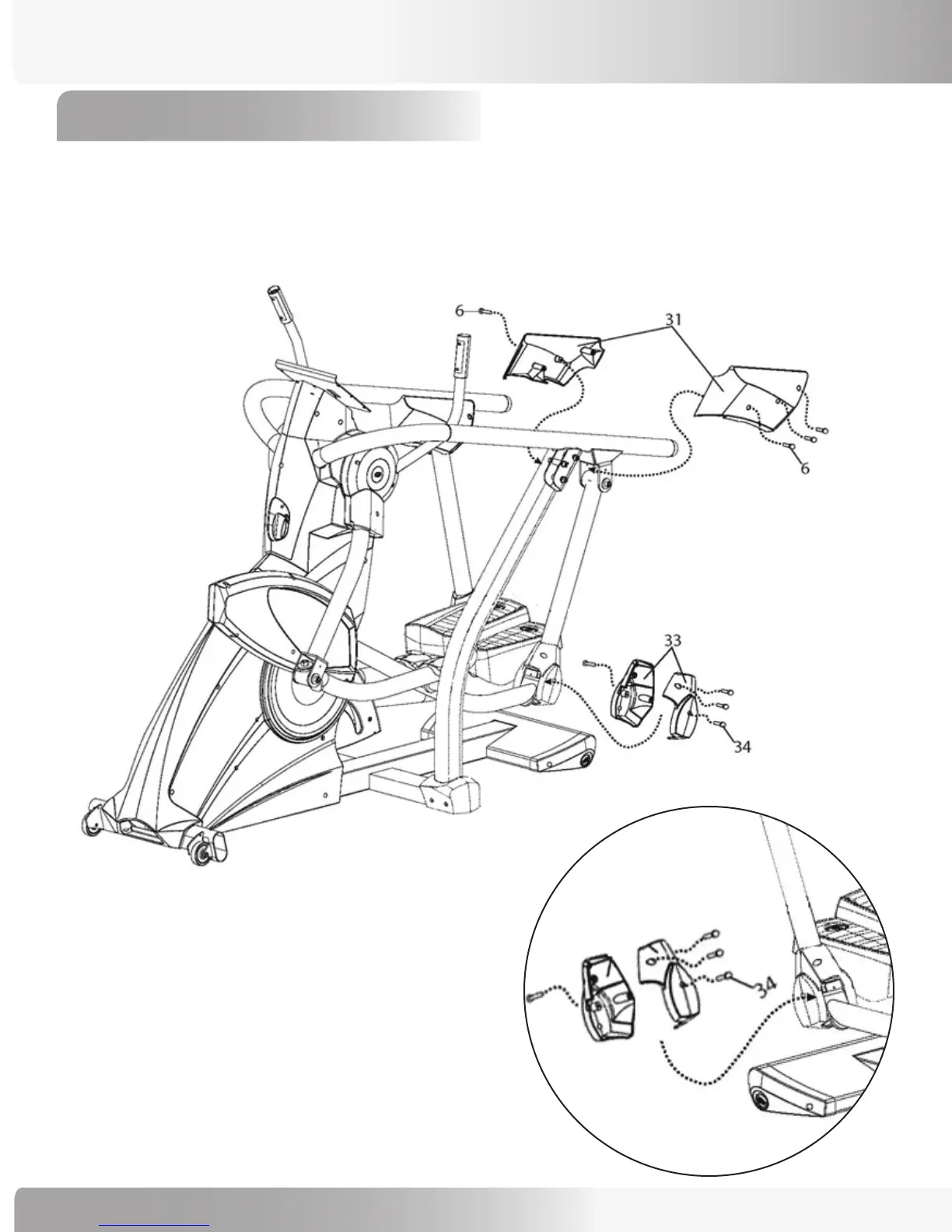
11-1 Use (8) 15mm Phillips Head Screws (Ref #6) to install the Left and Right Swing Arm Covers (Ref #3).
11-2 Use (8) 10mm Phillips Head Screws (Ref #34) to install the Left and Right Rear Pivot Covers (Ref #33).
NOTE: Install the center screws first on each side, then the remaining screws.
ASSEMBLY PROCESS
Step 11: Install Pivot Covers
NOTE: Right and left side covers are interchangeable.
One side of machine will use one screw on the
outside of the cover and three on the inside,
while the other side will have three on the
outside and one on the inside.


 To Next Page