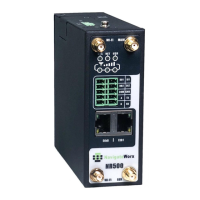
Industrial Cellular VPN Router NR500 Series User Manual
Page 36 / 78
Ethernet->WAN->Static IP or PPPoE
• IP Address
Static address for this interface. It must be on the same subnet as the gateway.
• Netmask
Will be assigned by the gateway.
• Gateway
IP address of the Gateway (DHCP Host). If not known this can be left as all zeros.
• Primary DNS
IP address of the primary DNS server.
• Secondary DNS
IP address of the secondary DNS server.
• Authentication Type
Authentication method used by the carrier. Possible selections are Auto, PAP, CHAP.
• Username
Username to provide when connecting.
• Password
Password to provide when connecting.
• Interface
Displays current name of LAN subnet.
• IP Address
Displays LAN IP address of this subnet.
• Netmask
Displays subnet mask for this subnet.


 To Next Page
 Loading...