NComputing M300 User Manual rev.02.21.12
Page 29 of 78
Using Your M-series Access Device
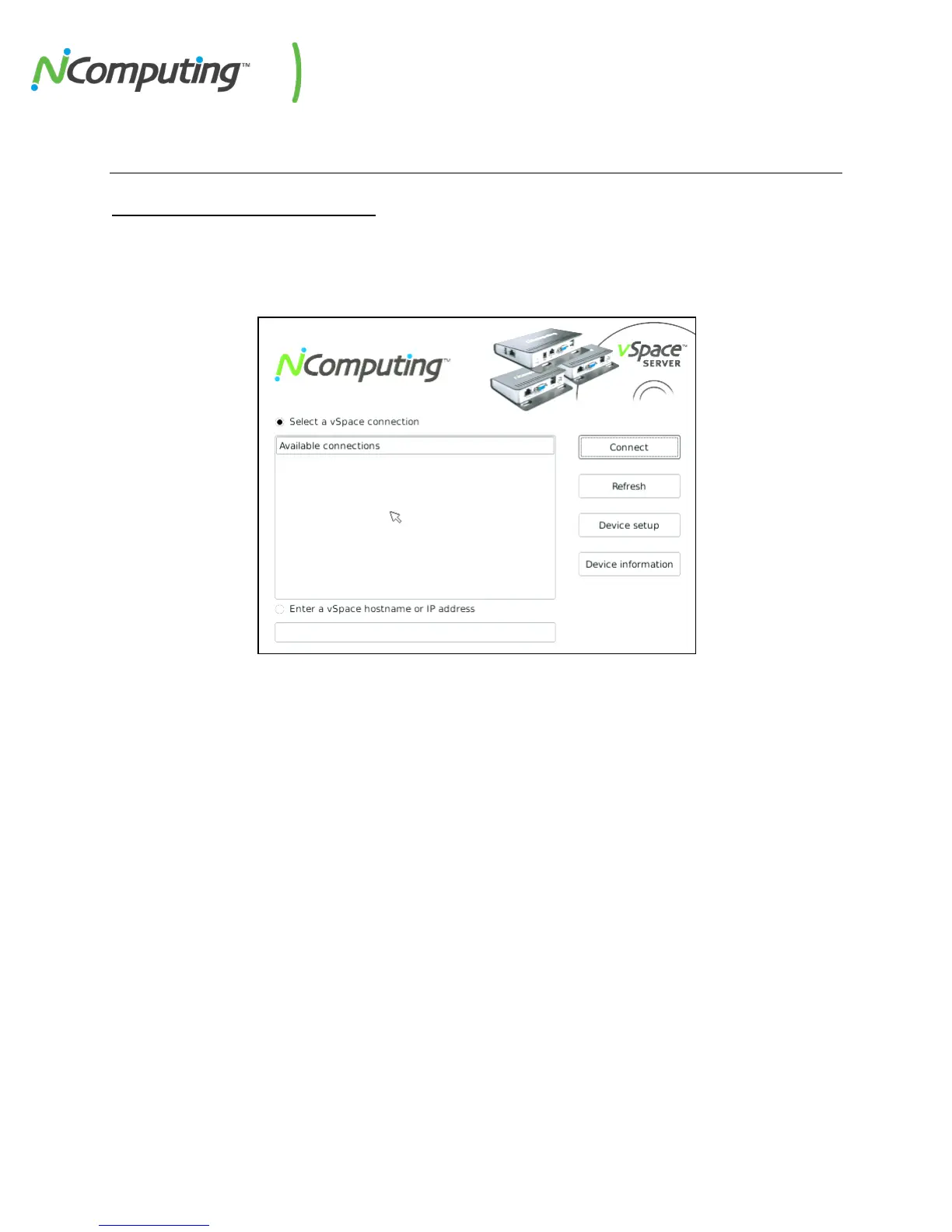
The “Server Selection” Screen
The “Server Selection” screen is the first to appear when the M300 device starts. From here, you can
connect to a host, refresh the Available Connections list, view Device Information, or enter the Device
Setup menu.
All available servers (running compatible versions of vSpace) on the terminals subnet will be displayed
by default in the Available Connections list. You can also connect directly to a specific host by entering
its hostname or IP address in the field at the bottom of the Server Selection screen, or enter the Device
Setup menu to create groups of servers that the client can automatically connect to.


 To Next Page