Appendix
174 EasyOne Pro™ / EasyOne Pro™ LAB
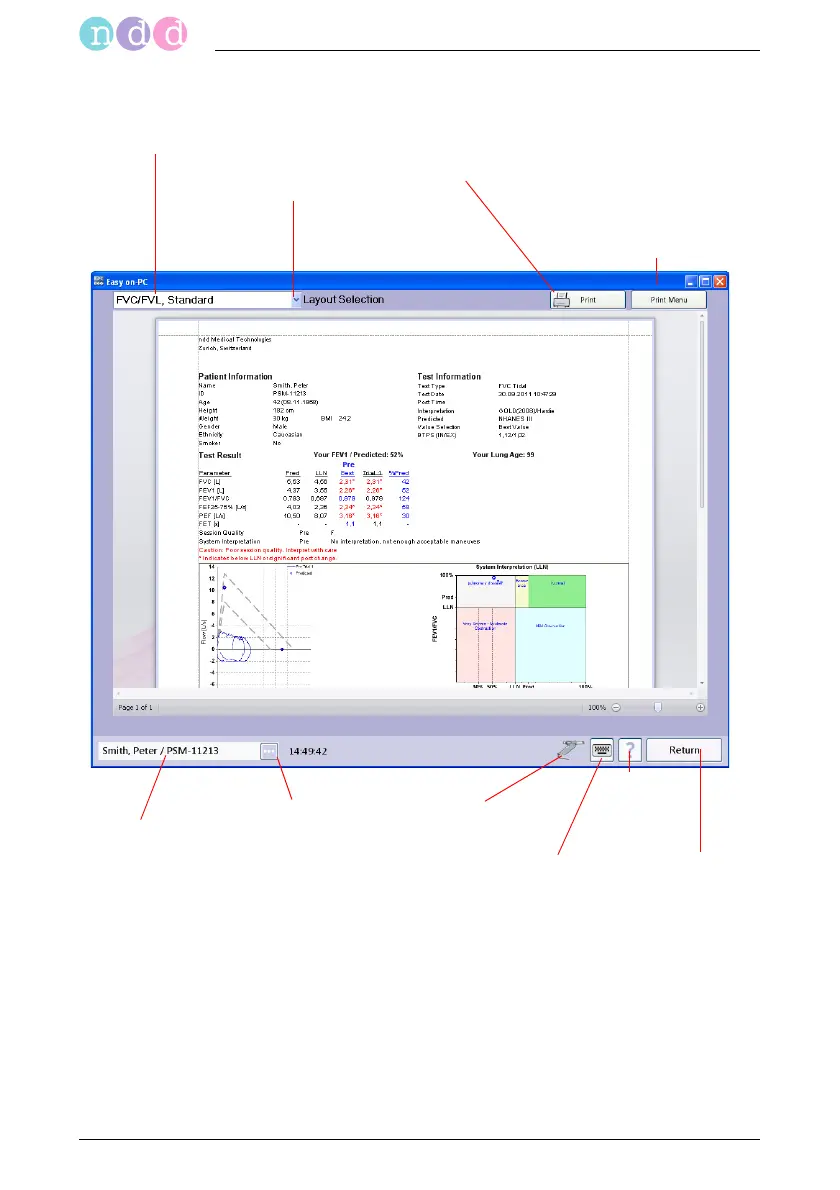
Print Preview
Also refer to
"Retrieving/Printing Stored Tests" on page 75
"System Settings" on page 110
"Quality Messages and Quality Grades" on page 84
"Connecting the Printer" on page 31
"Index" on page 185
Selected
patient
'Sensor connected'
indicator
Click to view
patient data
Selected test report
Click to select other
report layouts
Click to print the report
Click to display a submenu
with zoom, export, viewing
and print functions
Back to
main menu
Help
button
Click to show/hide
the keypad


 To Next Page