30
2. Projecting an Image (Basic Operation)
Adjusting the vertical position of a projected image (Lens shift)
NOTE:
• Shiftingthelenstothemaximumintwodirectionscombinedwillcausetheedgesoftheimagetobecomedarkorwillcause
someshadows.
Adjustingwithbuttonsonthecabinet
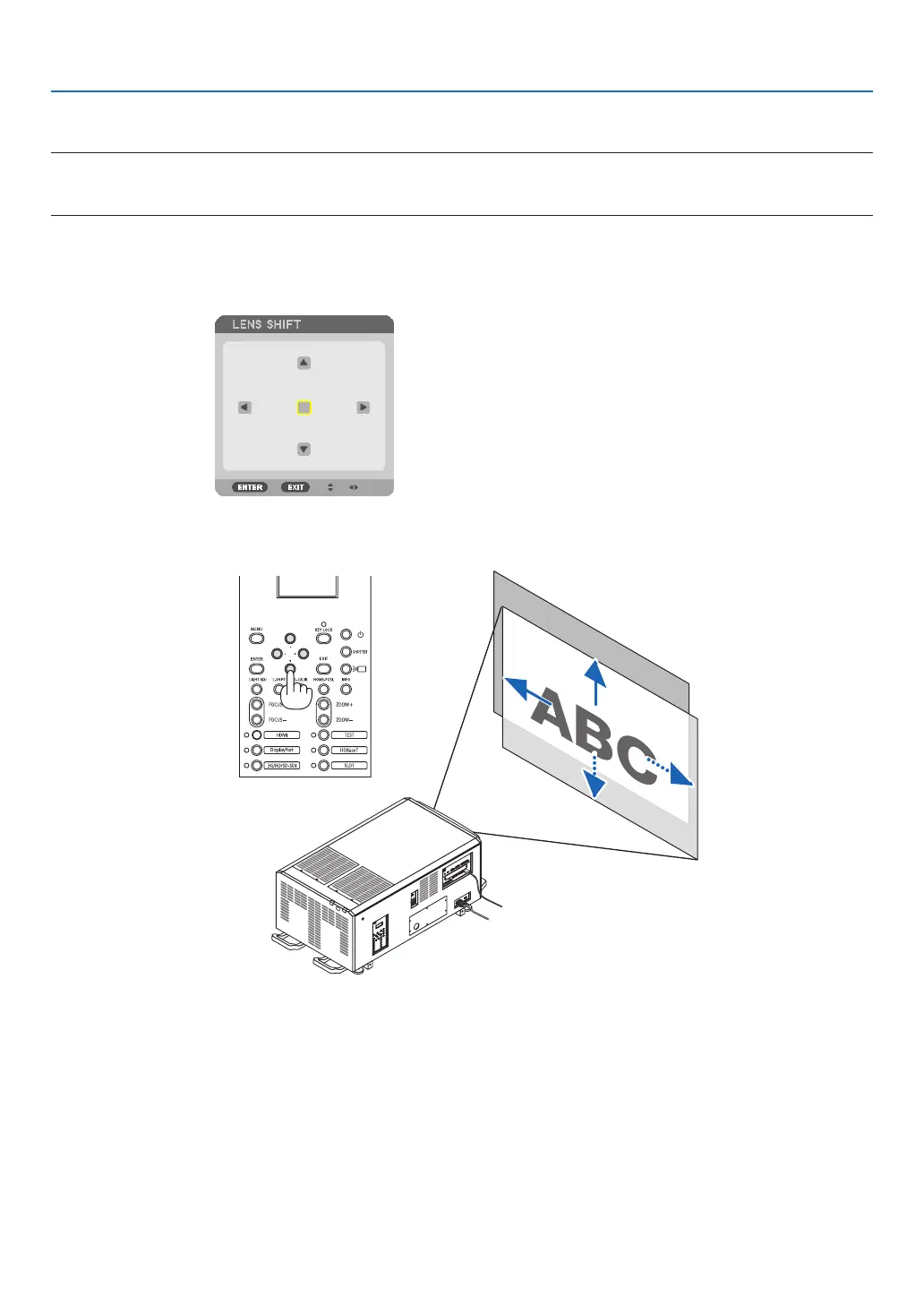
1. PresstheL-SHIFTbutton.
The[LENSSHIFT]screenwillbedisplayed.
2. Press the ▼▲◀ or ▶ button.
Usethe▼▲◀▶ buttons to move the projected image.
• Returningthelensshiftpositiontothehomeposition
PresstheHOME-POSI.buttontoreturnthelensshiftpositiontothehomeposition(nearlycenterposition)



 To Next Page