EasyManua.ls Logo

NEC Storage Manager - Page 70

NEC Storage Manager
340 pages
Print Icon
To Next Page IconTo Next Page
To Previous Page IconTo Previous Page
Loading...
Chapter 6 Parameters
IV-4
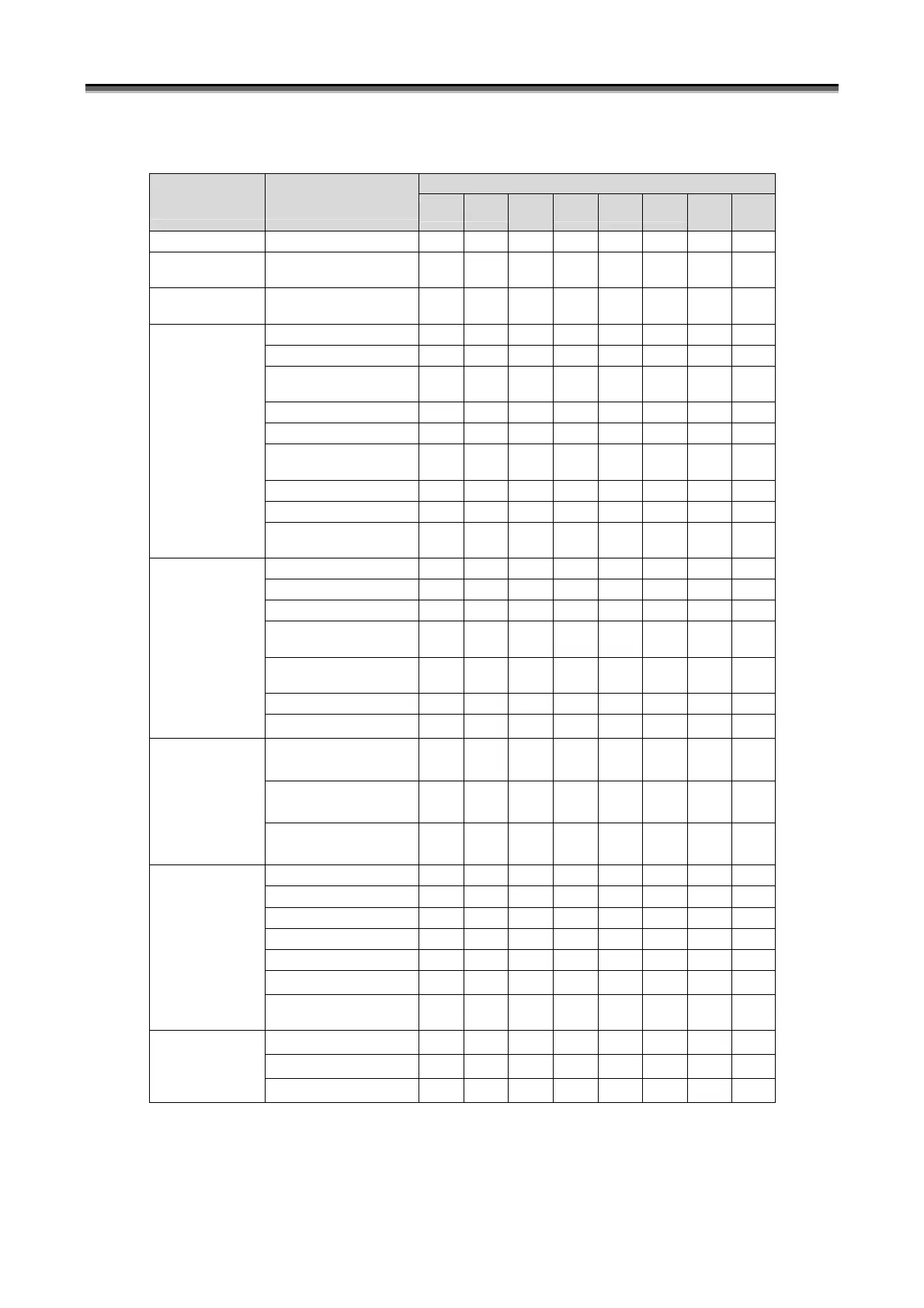
Table 6-1 Setting/Display Parameter List (3/4)
Disk Array Series Name
Setting/Display
Screen
Setting/Display
Parameter *1
1100 1200
100/
1300
2100 2200 2300
3100/
4100
3300/
4300
LD Batch Binding LD Batch Binding
√ √ √ √ √ √ − −
Nickname Batch
Setting
Nickname Batch Setting
√ √ √ √ √ √ √ √
Replication Batch
Setting
Replication Batch Setting
− − − √ √ √ √ √
RANK Bind
√ √ √ √ √ √ − −
RANK Unbind
√ √ √ √ √ √ − −
RANK Information
Display
√ √ √ √ √ √ √ √
Capacity Expansion
√ √ √ √ √ √ − −
Change Rebuild Time
√ √ √ √ √ √ − −
Rebuild Start Instruction
*2
√ √ √ √ √ √ − −
Spare Bind
√ √ √ √ √ √ − −
Spare Unbind
√ √ √ √ √ √ − −
RANK/spare
Setting
Physical Disk Information
Display
√ √ √ √ √ √ √ √
Pool Bind
− − − − − − − −
Pool Unbind
− − − − − − − −
Pool Capacity Expansion
− − − − − − − −
Change Pool Rebuild
Time
− − − − − − − −
Change Pool Expansion
Time
− − − − − − − −
Change Pool Name
− − − − − − − −
Pool Setting
Pool Information Display
− − − − − − − −
Snapshot Reserve Area
(SRA) Bind
− − − − − − − −
Snapshot Reserve Area
(SRA) Unbind
− − − − − − − −
Pool Setting
(Snapshot)
Snapshot Reserve Area
(SRA) Expansion
− − − − − − − −
LD Bind
√ √ √ √ √ √ − −
LD Unbind
√ √ √ √ √ √ − −
LD Information Display
√ √ √ √ √ √ √ √
Change Ownership
√ √ √ √ √ √ − −
Change Format Time
√ √ √ √ √ √ − −
Change LD Name
− − − − − − − −
LD Setting
Logical Disk Capacity
Expansion
− − − − − − − −
Generation Adding
− − − − − − − −
Generation Unbind
− − − − − − − −
LD Setting
(Snapshot)
LV Binding
− − − − − − − −

Table of Contents