1-10 System Overview
Around the Left Side of the System
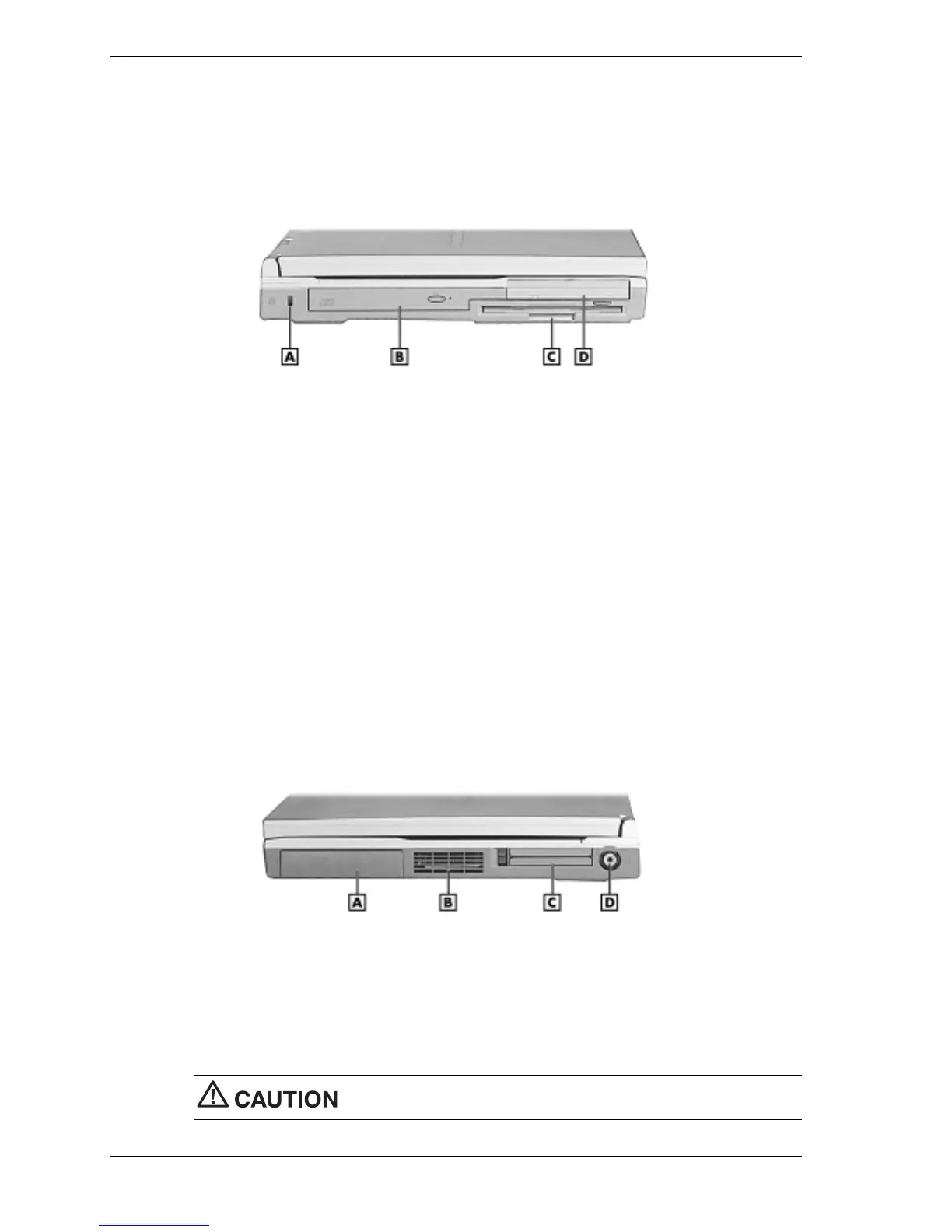
The left side of the NEC Versa VXi has the features shown in the following figure. The left side
features are described after the figure.
Left side features
A
– Kensington Lock Latch
C
– Diskette Drive
B
– CD-ROM Drive
D
– Hard Disk Drive
!
Kensington Lock Latch — This latch allows the attachment of a Kensington security lock or
other compatible lock to secure the notebook from theft.
!
CD-ROM Drive — Allows loading and starting programs from a compact disc (CD) and
play audio CDs. Some systems ship with a DVD-ROM drive, a CD read/write drive, or a
combination DVD-ROM and CD read/write drive installed.
!
Diskette Drive — A 3.5-inch, 1.44-MB diskette drive comes installed in the NEC Versa.
!
Hard Disk Drive — An internal hard disk drive comes installed in the NEC Versa. The disk
drive is upgradeable.
Around the Right Side of the System
The right side of the NEC Versa VXi offers the features shown in the following figure. The right
side features are described after the figure.
Right side features
A – Battery Bay C – PC Card Slots
B – Fan D – TV Out
!
Battery Bay — Depending upon the model, the battery bay contains a rechargeable Nickel-
Metal-Hydride (NiMH) or Lithium-Ion (Li-Ion) battery pack.
!
Fan — Allows the system to cool properly and maintain a safe operating environment.
Do not block the fan while the NEC Versa VXi is in use.



 To Next Page