Disassembly and Reassembly 3-3
When disassembling the system unit, follow these general rules.
!
Turn off the system and disconnect all power and all options, including the AC adapter (if
connected) and battery pack (see the procedures that follow).
!
Do not disassemble the system into parts that are smaller than those specified in the
procedure.
!
Several different types of screws are used to fasten various parts of the system. As you
disassemble the system, note the screw type and its position. Use care to ensure that all
screws are returned to their correct positions.
!
Label all removed connectors. Note where the connector goes and in what position it was
installed.
Battery Pack
Remove the battery pack from the NEC Versa system as follows.
Note
Only use batteries that were specifically designed for use in the NEC Versa computer.
Installing another manufacturer’s battery, or using a combination of very old and new batteries
can deteriorate battery and equipment performance.
1.
Save any open data files, close all applications, exit Windows, and turn off system power.
2.
Close the LCD panel and turn the system over.
3.
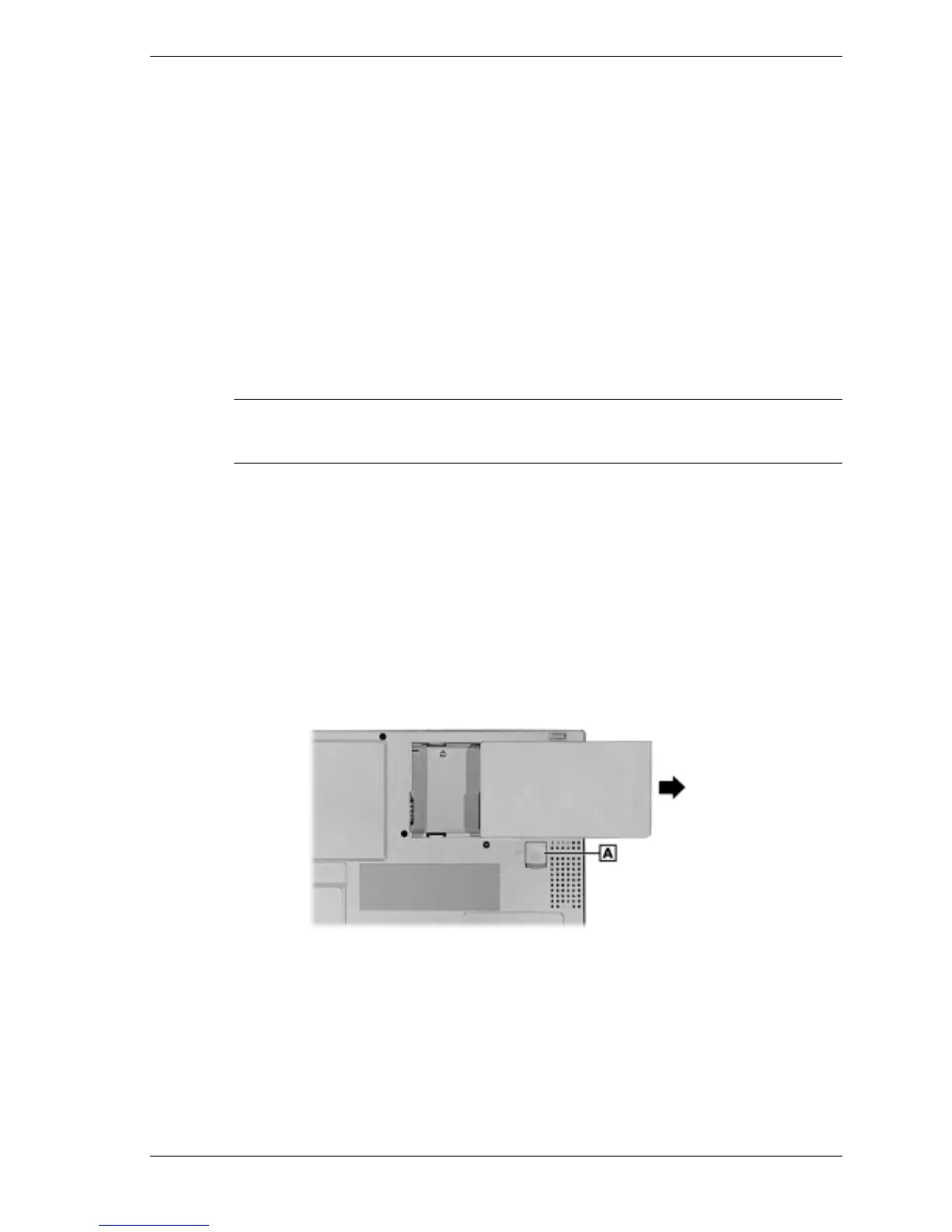
Remove the battery pack as follows:
!
Locate the battery release latch.
!
Slide the battery release latch towards the back of the system and hold firmly.
!
Continue to hold the battery release latch as you slide the battery out of the system.
Removing the battery pack
A – Battery Release Latch



 To Next Page