3-10 Disassembly and Reassembly
Keyboard and Heat Plate
Remove the keyboard and heat plate as follows.
1.
Remove the LCD panel from the system.
2.
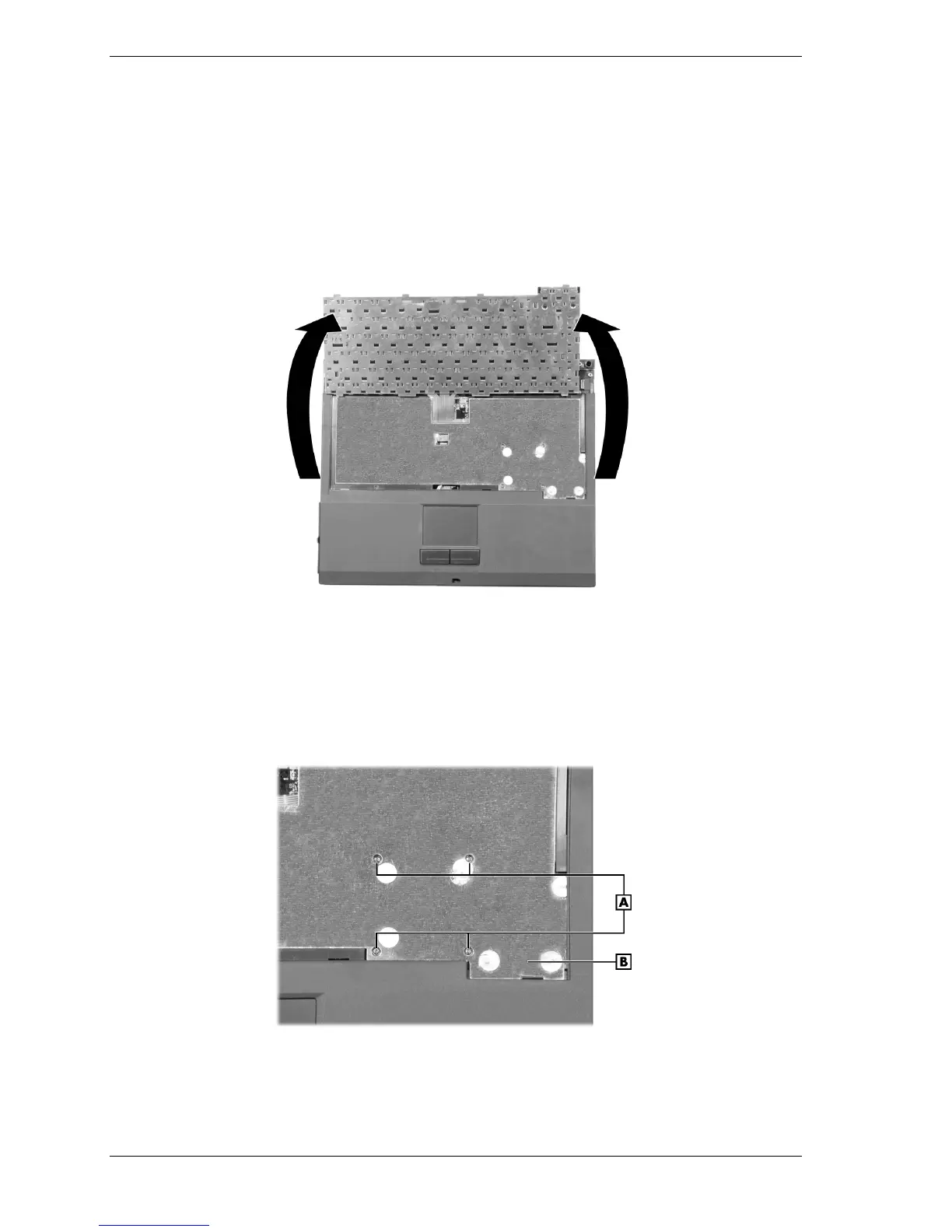
Partially lift the keyboard up and toward the back of the system to clear the tabs from under
the top cover.
Lifting the keyboard
3.
Lay the keyboard key side down over the back of the system.
4.
Locate and completely loosen the four screws in order (1, 2, 3, and 4) securing the heat
plate to the system. Do not attempt to remove the screws. When reassembling, tighten the
screws in order (1, 2, 3, and 4).
Loosening the heat plate screws
A – Screws B – Heat Plate



 To Next Page