Disassembly and Reassembly 3-7
LED/Button Assembly
Remove the LED/Button assembly as follows.
1.
Open the LCD panel and locate the LCD hinge covers.
2.
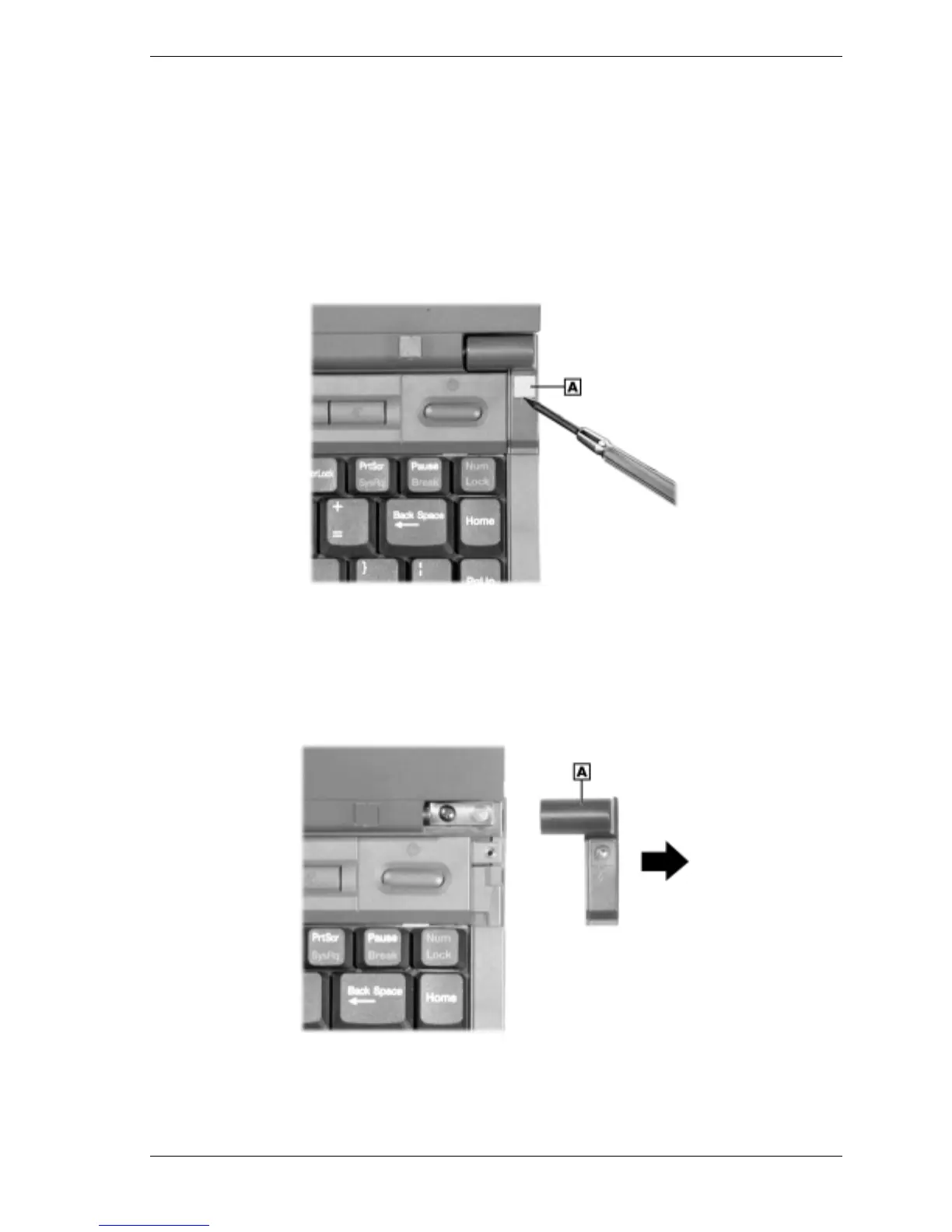
Remove the screw caps and screws on the hinge covers. Use a small (1/32 inch wide) flat
blade screwdriver to carefully lift up the screw cap (it’s held in place by adhesive on the
underside).
Removing the screw caps and screws
A – Screw Cap
3.
Slide each hinge cover toward the outside edge of the system and remove. You might have
to rotate the LCD panel up or down to release the covers.
Removing the hinge covers
A – Hinge Cover



 To Next Page