3-14 Disassembly and Reassembly
VersaGlide Assembly
Remove the VersaGlide assembly as follows.
1.
Remove the LCD panel, keyboard, heat plate, and top cover from the system.
2.
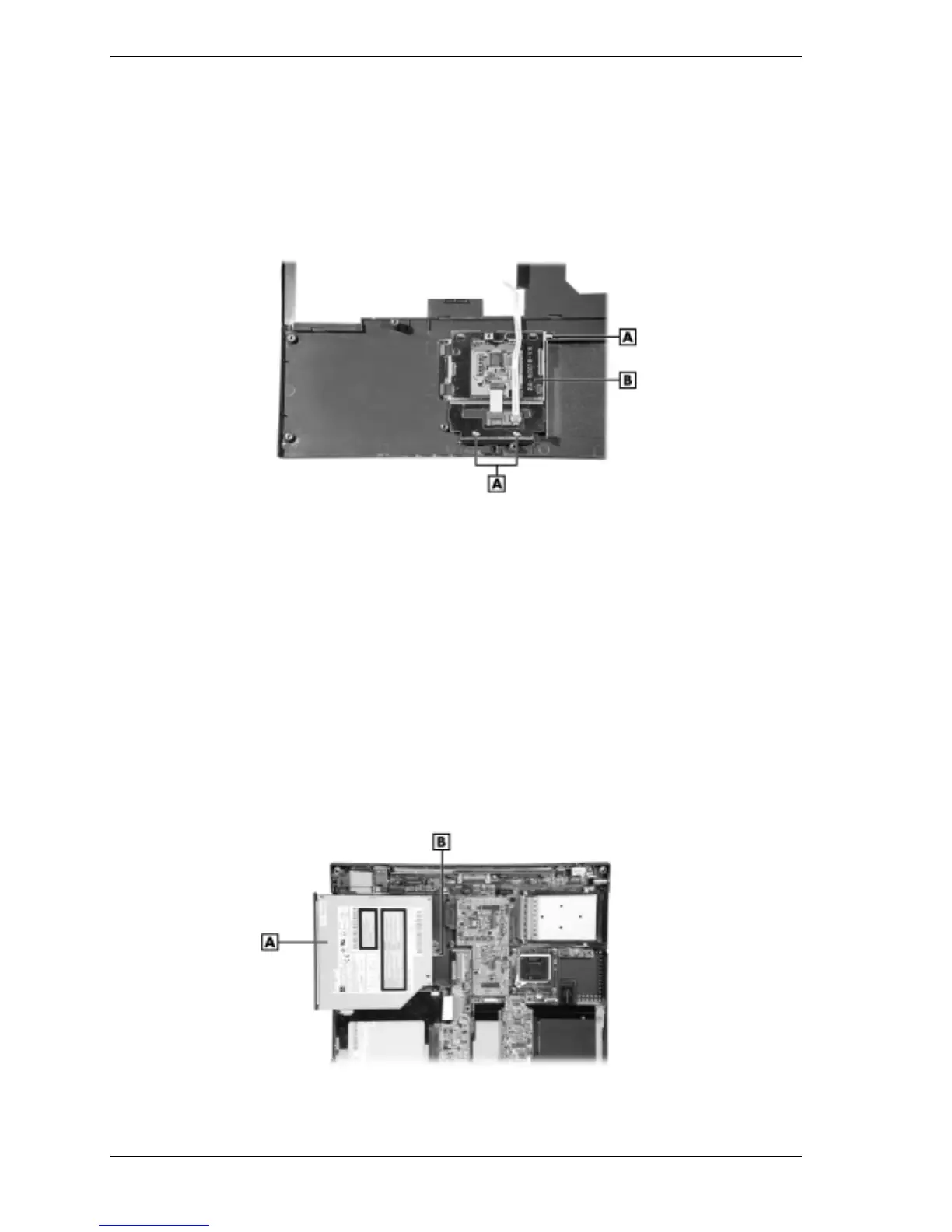
Turn the top cover over and remove the three screws securing the VersaGlide.
Removing the VersaGlide screws
A
– Screws
B
– VersaGlide Assembly
3.
Slide the VersaGlide assembly away from the top cover tabs and remove the VersaGlide
from the top cover.
CD-ROM Drive
Remove the CD-ROM drive as follows.
1.
Remove the LCD panel, keyboard, heat plate, and top cover from the system.
2.
Remove the screw securing the CD-ROM drive.
3.
Slide the CD-ROM drive out of connector P13 on the main board and remove the drive
from the system.
Removing the CD-ROM drive
A – CD-ROM Drive B – Screw Bracket (screw shown removed)



 To Next Page