2-38 System Configuration and Setup
7.
When the recovery process is complete, you are prompted to remove the CD from the
CD-ROM drive and reboot the system.
8.
Press
Enter
, click
Reboot
, or press
Alt-R
to reboot the system.
A series of hardware detection screens display, the system reboots, and the Windows Setup
screen appears. Follow the on-screen instructions to set up Windows.
You are required to reenter the Microsoft license number.
DIP Switch Settings
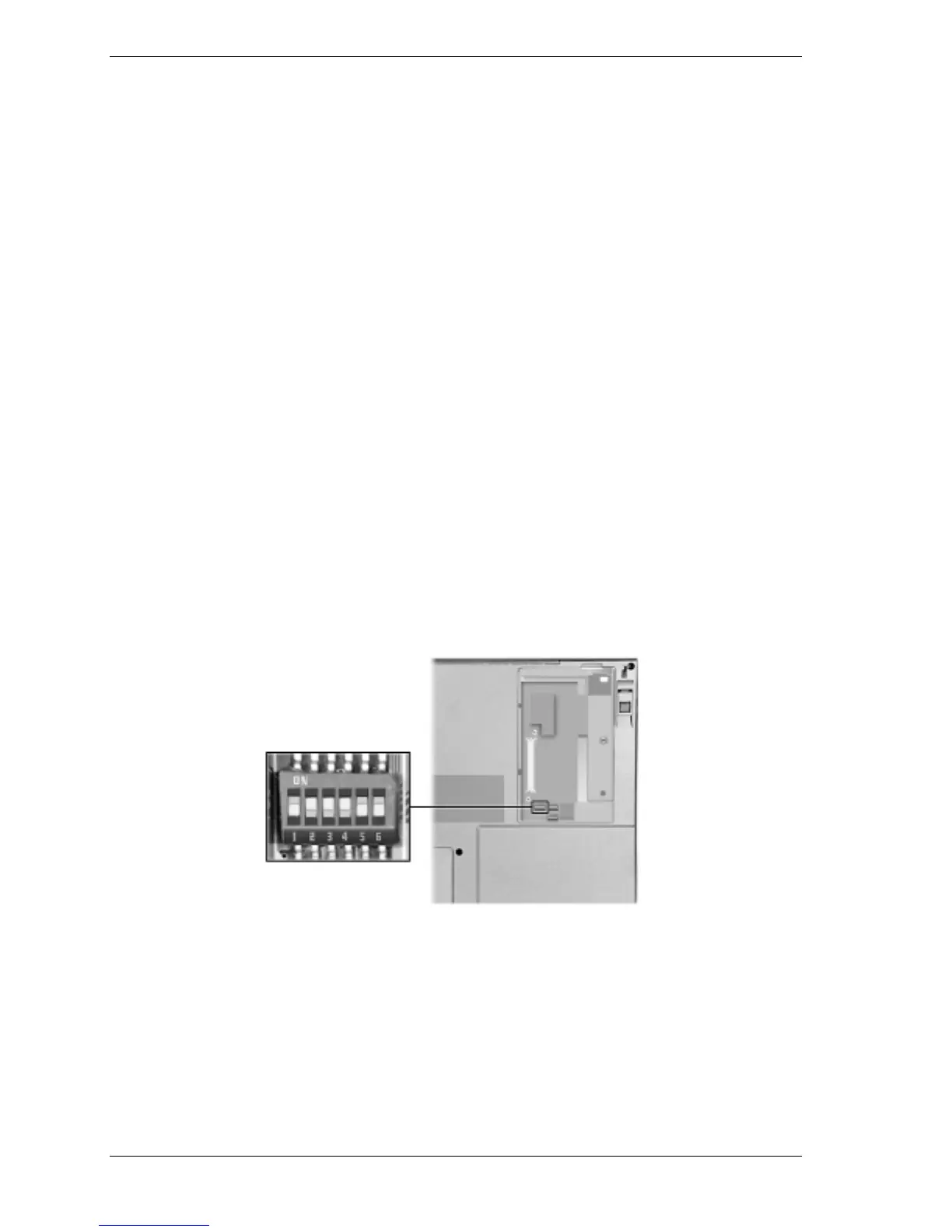
If the password is forgotten, you can erase the current password by setting switches on the
six-position DIP switch (S2) located in the LAN/modem card bay on the bottom of the system.
Access DIP switch S2 by removing the screw fastening the panel and removing the panel.
The following figure and list shows and identifies each switch setting on DIP switch S2 and the
switch function. DIP switches S3 and S4 are for factory use only.
!
Switch 1, Password override — The default setting is “OFF.” If you forget your password
and cannot access the data on your NEC Versa, change the setting to “ON” and your current
password is erased.
!
Switch 2 — Keyboard select; Default is “ON” for U.S. 85 key keyboard.
!
Switch 3 — Reserved for factory use; Default is “ON.”
!
Switch 4 — Keyboard select; Default is “ON” for U.S. 85 key keyboard.
!
Switch 5 — Password enable; Default is “OFF” (enabled).
!
Switch 6 — Logo select; Default is “OFF” for U.S.
DIP switch (S2) settings



 To Next Page