2-4 System Configuration and Setup
Replacing the Battery
Replace the battery installed in the system as follows.
Be sure to save data before replacing the battery or connecting the AC
adapter. Failure to do so can result in data loss.
1.
Save all files, exit Windows, and turn off system power.
2.
Close the LCD panel and turn over the system.
3.
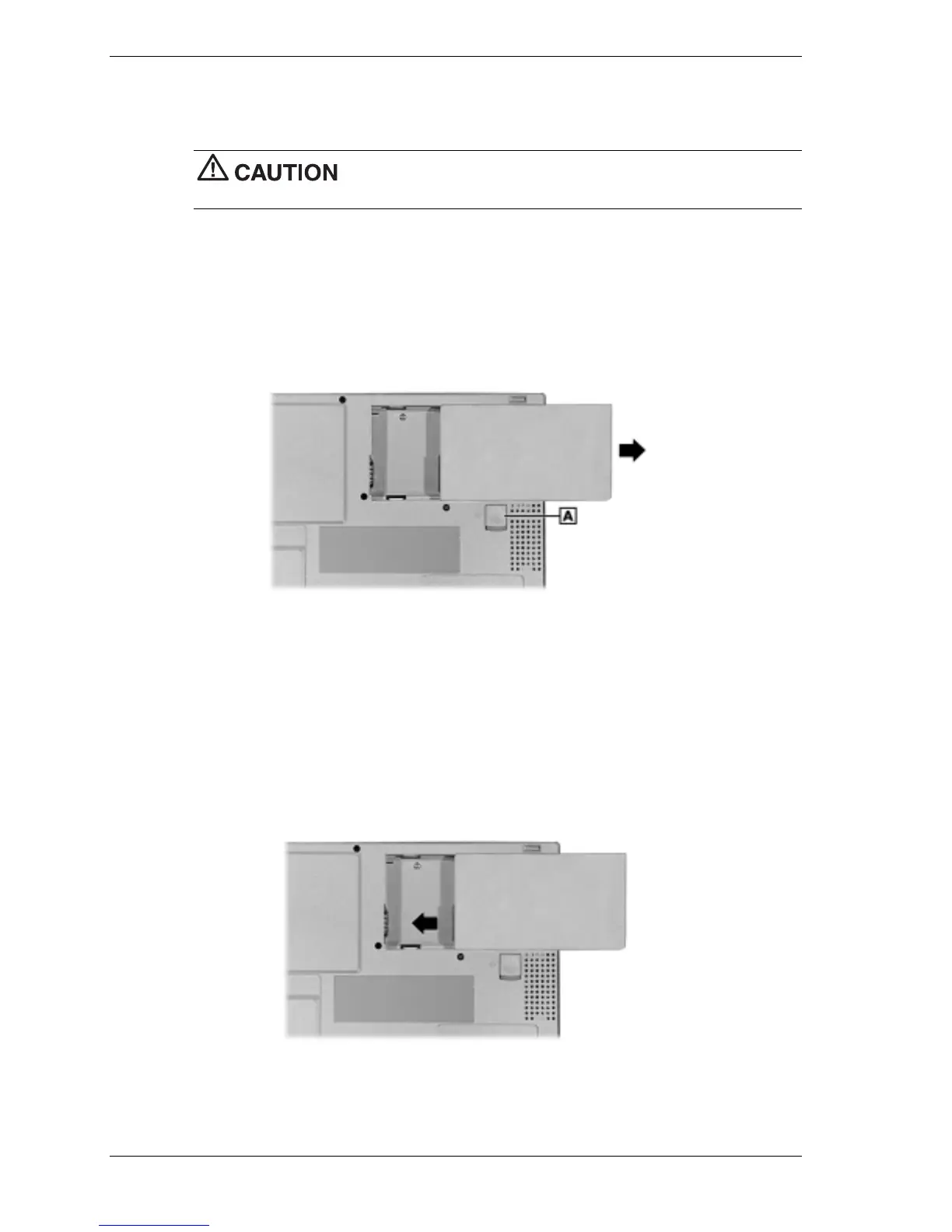
Remove the battery by sliding the release latch towards the back of the system, hold the
latch in place, and slide the battery out of the system.
Removing the battery
A – Battery Release Latch
4.
Install the new battery as follows:
! Locate the alignment groove on the edge of the battery and inside the battery bay.
! Align the grooves on the battery with the grooves in the bay.
! Slide the battery into the bay until securely locked into place.
Installing the battery
5.
Turn over the system.



 To Next Page