Data
Port Protocol
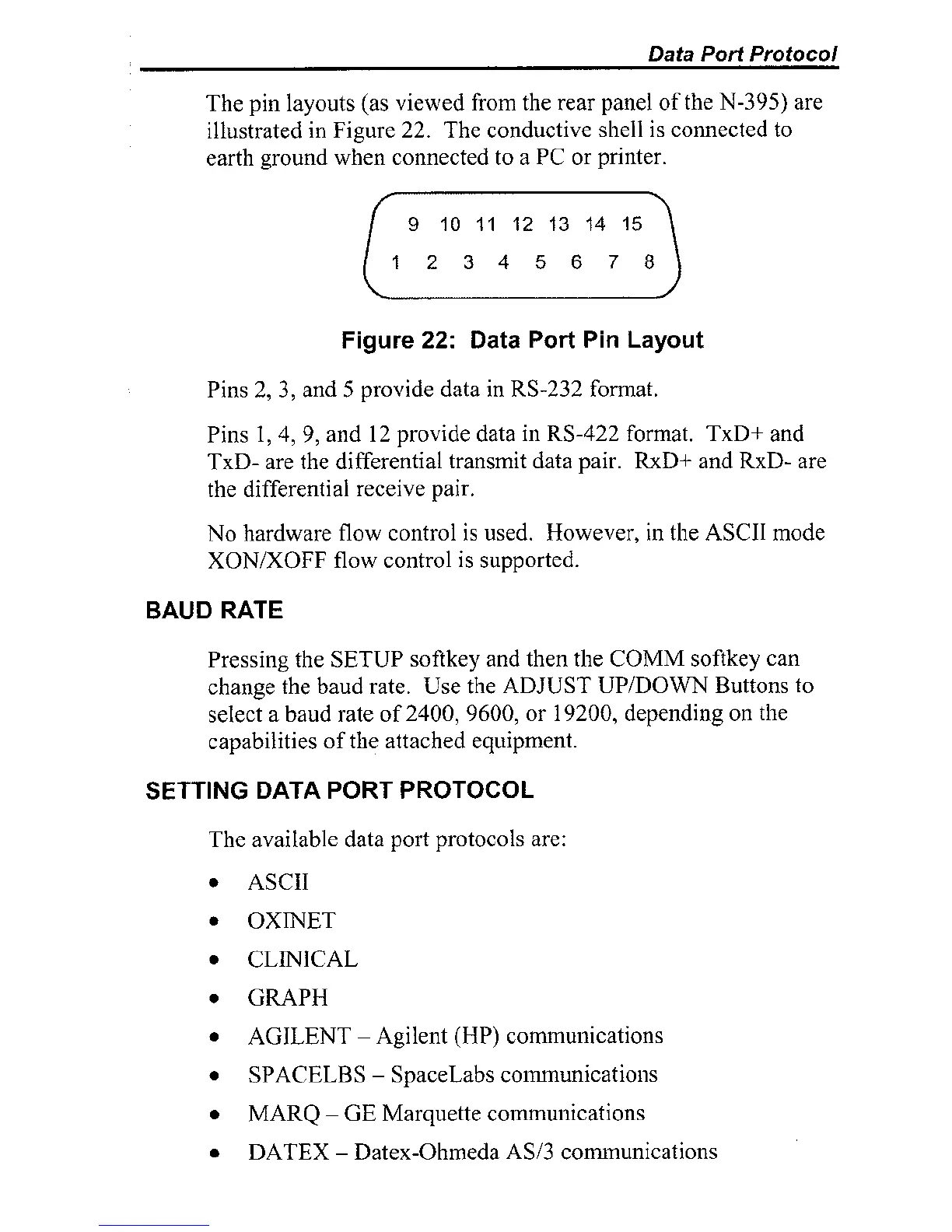
The pin layouts (as viewed froin the rear panel of the N-395) are
illustrated in Figure 22. The conductive shell is connected to
earth ground when connected to a PC or printer.
Figure
22:
Data
Port
Pin
Layout
Pins 2, 3, and
5
provide data in RS-232 format.
Pins
1,4, 9, and 12 provide data in RS-422 format. TxD+ and
TxD- are the differential transmit data pair. RxD+ and RxD- are
the differential receive pair.
No hardware flow control is used. However, in the ASCII mode
XONIXOFF flow control is supported.
BAUD
RATE
Pressing the SETUP softkey and then the COMM softkey can
change the baud rate. Use the ADJUST
UPIDOWN Buttons to
select
a
baud rate of 2400, 9600, or 19200, depending on the
capabilities of the attached equipment.
SETTING
DATA
POR"bPROT0COL
The available data port protocols are:
ASCII
OXNET
CLINICAL
GRAPH
AGILENT
-
Agilent
(HP)
comunications
SPACELBS
-
SpaceLabs commuiiications
MARQ
-
GE
Marquette commuilications
DATEX
-
Datex-Ol~rneda AS13 comnunicatioils



 To Next Page