WM620 Hardware User Guide
Copyright © Neoway Technology Co., Ltd
the module is woken up automatically. Then users can execute AT commands and the module will enter
the sleep mode after the service is end.
3.6.1 UART Control
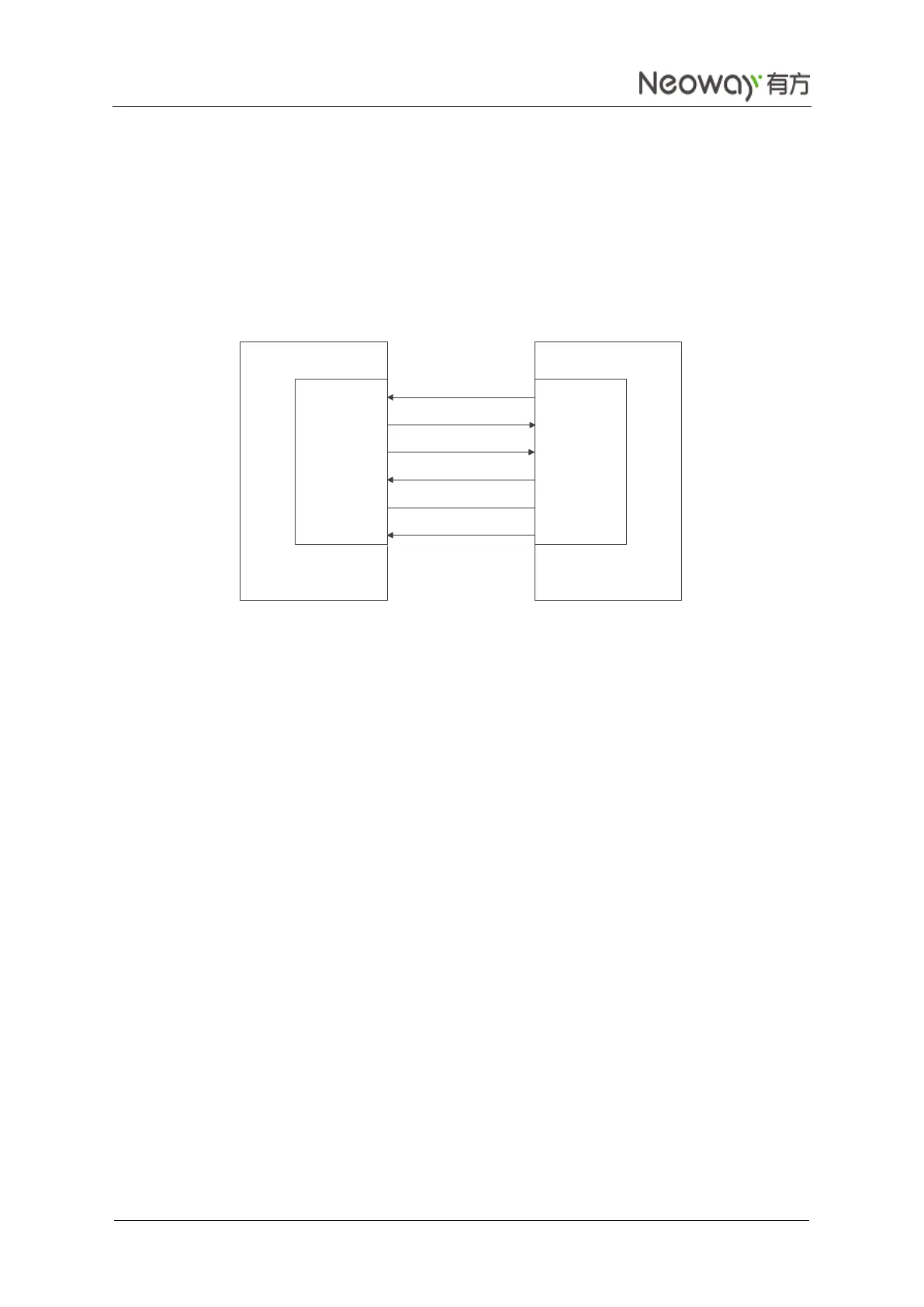
If the module (DCE) communicate with DTE via UART, connect them as shown in Figure 3-20 to control
the sleep mode. SLEEP_IN controls the status of the sleep mode and can be used to wake up the module
from the sleep mode.
Figure 3-20 Sleep mode controlled by UART
When the V_BUS pin of USB is not connected, send AT+ENPWRSAVE=0 via UART to allow the
module to enter the sleep mode. If the SLEEP_IN pin is set to low level, the module enters sleep mode;
if SLEEP_IN is set to high level, the module is woken up.
To disable the sleep mode, execute AT+ENPWRSAVE=1. Then, the module will never enter the
sleep mode.
The response takes 1.5s when the module is standby after registering to the network. The response
time is 3.5s if there is no data service after the module sets up a TCP connection.
3.6.2 USB Control
If the module (DCE) communicates with DTE via USB port, the following two methods are
recommended to bring the module into the sleep mode.
1. When the DTE supports the Suspend state of USB ports, use the design in Figure 3-21.
RXD
TXD
RTS
CTS
UTXD
URXD
CTS
RTS
GND GND
DTEDCE
SLEEP_IN GPIO



 To Next Page