WM620 Hardware User Guide
Copyright © Neoway Technology Co., Ltd
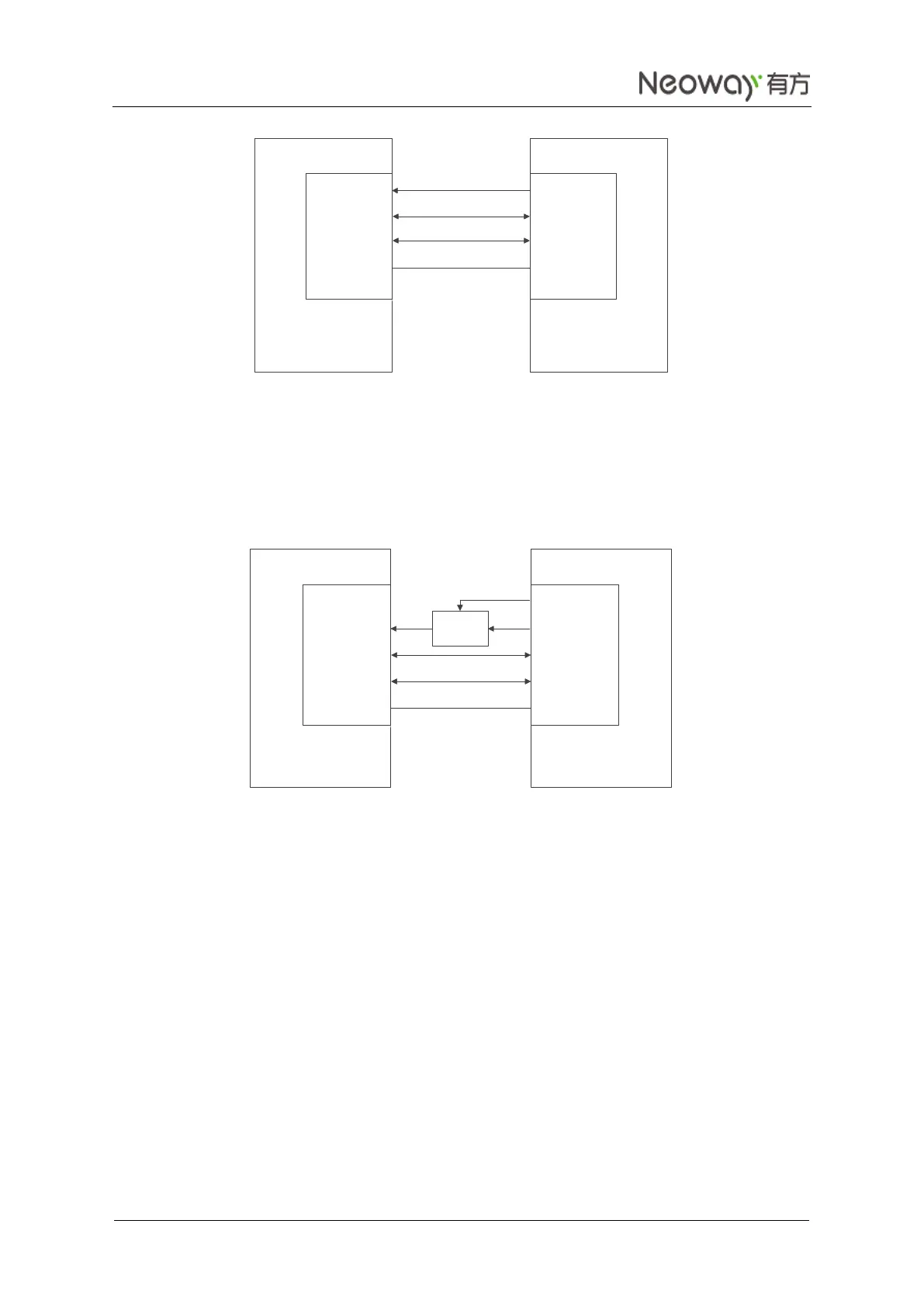
Figure 3-21 Sleep mode controlled by USB (a)
Send AT+ENPWRSAVE=0 via USB port to allow the module to enter the sleep mode.
Enable the USB Suspend state on the DTE. Then the module enters the sleep mode.
2. When the DTE does not support the Suspend state of USB ports, adopt the design in Figure 3-22.
Figure 3-22 Sleep mode controlled by USB (b)
Send AT+ENPWRSAVE=0 via USB to allow the module to enter the sleep mode.
The DTE controls the sleep mode of the module by controlling the power supply via GPIO. If the
power supply is switched off, the module enters the sleep mode; if the power supply is on, the
module will be woken up.
The response takes 6.0s when the module is standby after registering to the network. The response
time is 6.0s if there is no data service after the module sets up a TCP connection.
The module can receives voice, SMS, and other messages in the sleep mode enabled by UART and USB.
It wakes up automatically upon receiving SMS, voice, or data. Then send AT commands. The module
enters the sleep mode again after all services are over.
V_BUS
USB_D+
USB_D-
VCC
USB_D+
USB_D-
GND GND
DTE
DCE
V_BUS
USB_D+
USB_D-
VCC
USB_D+
USB_D-
GND
GND
DTE
DCE
GPIO
POWER
SWITCH



 To Next Page