BTS User Manual
Neware Technology Ltd.
http://www.newarebattery.com
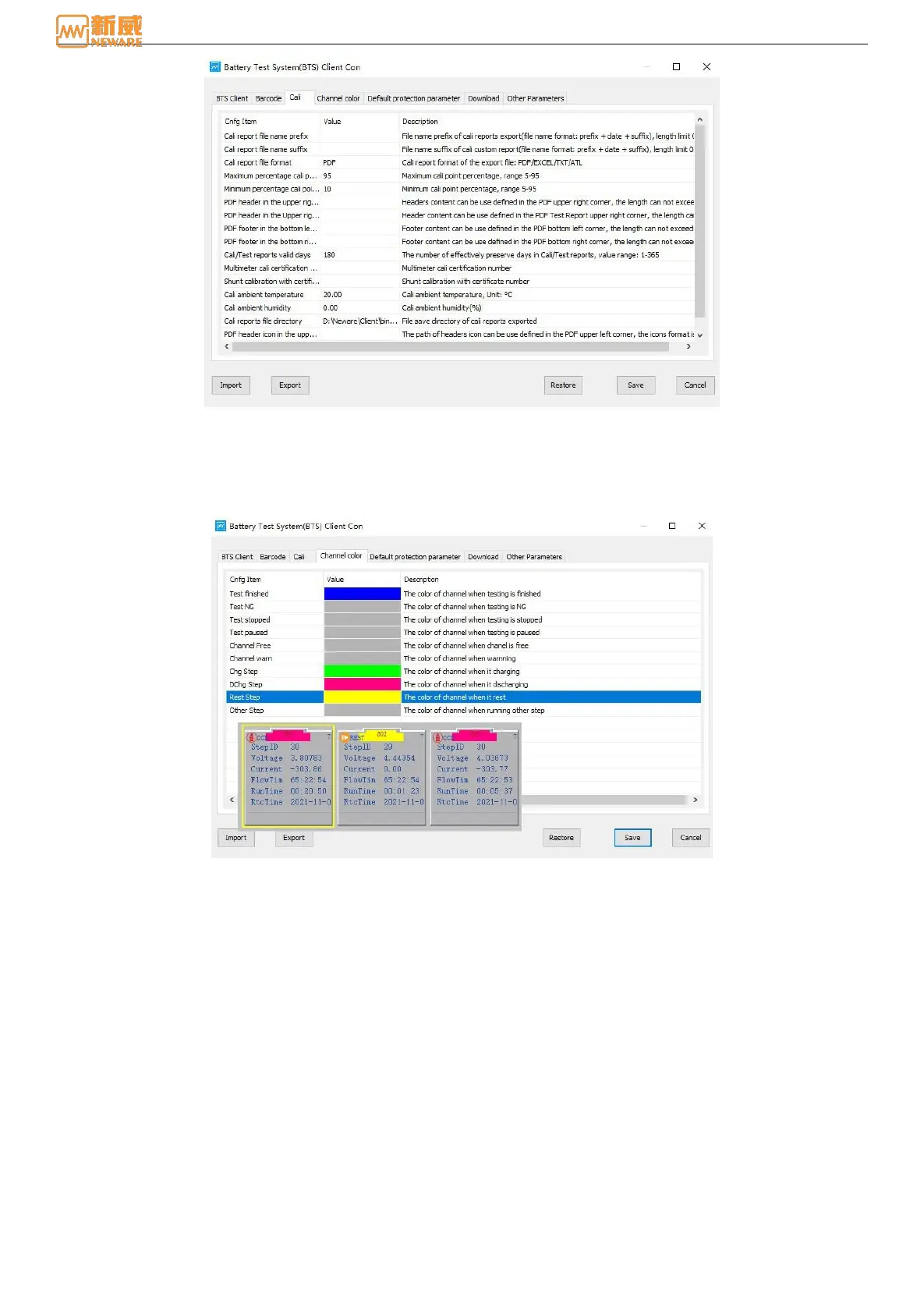
Figure 5-3 Calibration configuration
5.4. Channel Color
Click the Channel Color option to set the color of the corresponding state of the client channel. For example, the color of
channel when it charge, discharge, and rest. The color of channel when testing is finished, etc. As shown below, after
setting, the channel will display the color according to the corresponding configuration:
Figure 5-4 Color of channels
5.5. Default Step Parameters
Click "Default step protection parameters" to set step protection parameters, default voltage upper limit is 4.5V, lower limit
is 2.5V.



 To Next Page