BTS User Manual
Neware Technology Ltd.
http://www.newarebattery.com
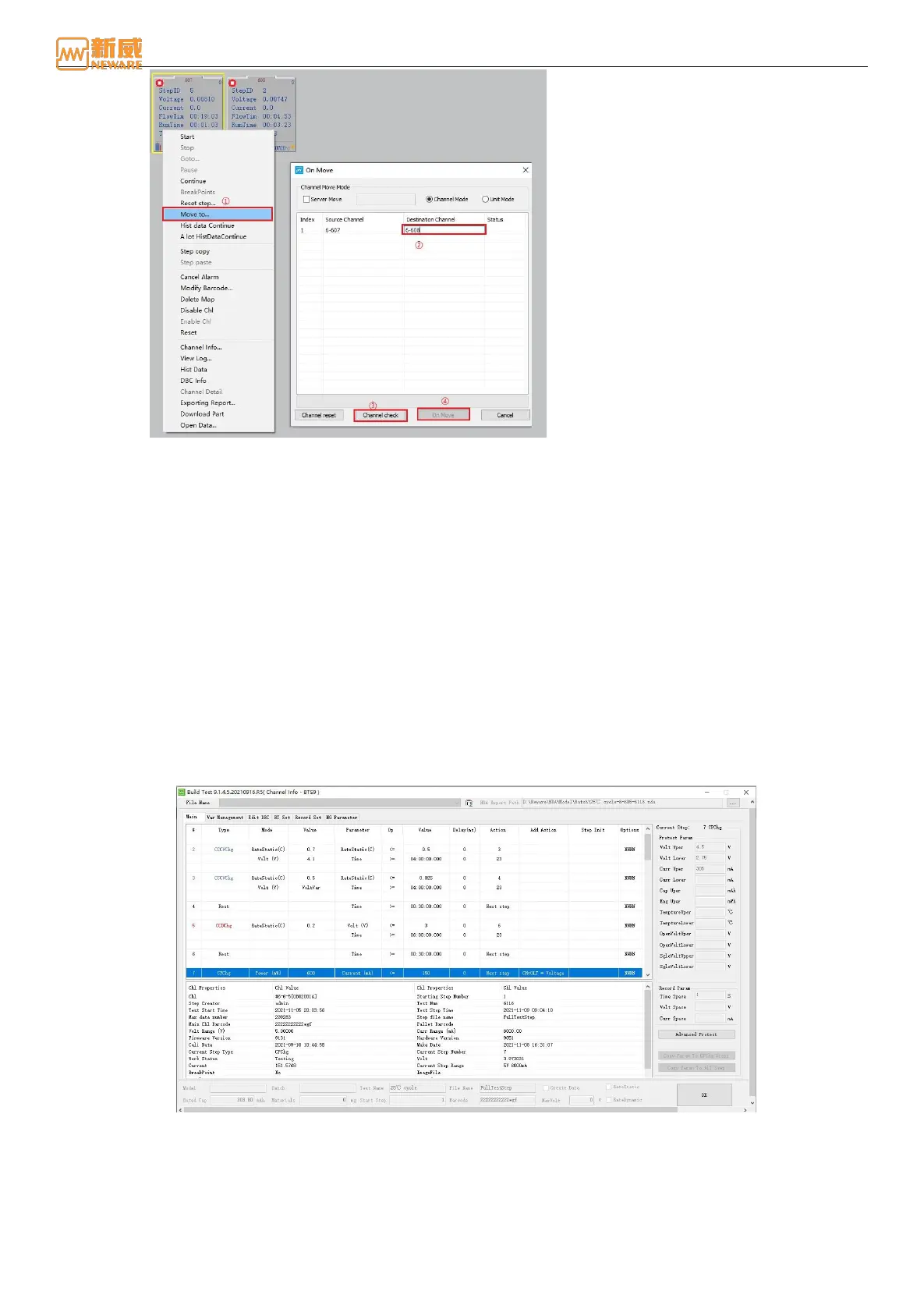
Figure 4-25 Channel migration setting
2. You can select between channel migration, unit migration, and inter-service migration.
3. In the destination channel option, fill in the destination channel (device number, unit number, and channel number).
4. Click Channel check to check the channel matching degree. If the destination channel matches the migration channel,
click the Channel migration button to perform channel migration.
5. When the migration status reaches 100%, the migration operation is complete. During the migration, you can cancel
the migration.
6. In the channel migration interface, you can also reset the channel, select the channel/unit to be migrated, the
destination channel/unit, etc.
Channel Information
You can query channel information to learn the details of the selected channel. For example, you can view the test range,
channel number, current and voltage of the selected channel, cycle stack, detailed information of the step file, and the step
being executed, as shown in 4-26.
The detailed procedure is as follows:
1. Select the channel you want to view (the selected flag indicates the channel has a yellow box)
2. Right-click on channel information and choose "Channel Information" from the shortcut menu. Alternatively,
double-click the channel to view the channel information.
Figure 4-26 Channel Information
Disable/Enable Channel
In the case of channel damage, the "Disable channel" function can be used to identify the channel to avoid the wrong test
data caused by the use of the channel, as shown in the following figure:



 To Next Page