BTS User Manual
Neware Technology Ltd.
http://www.newarebattery.com
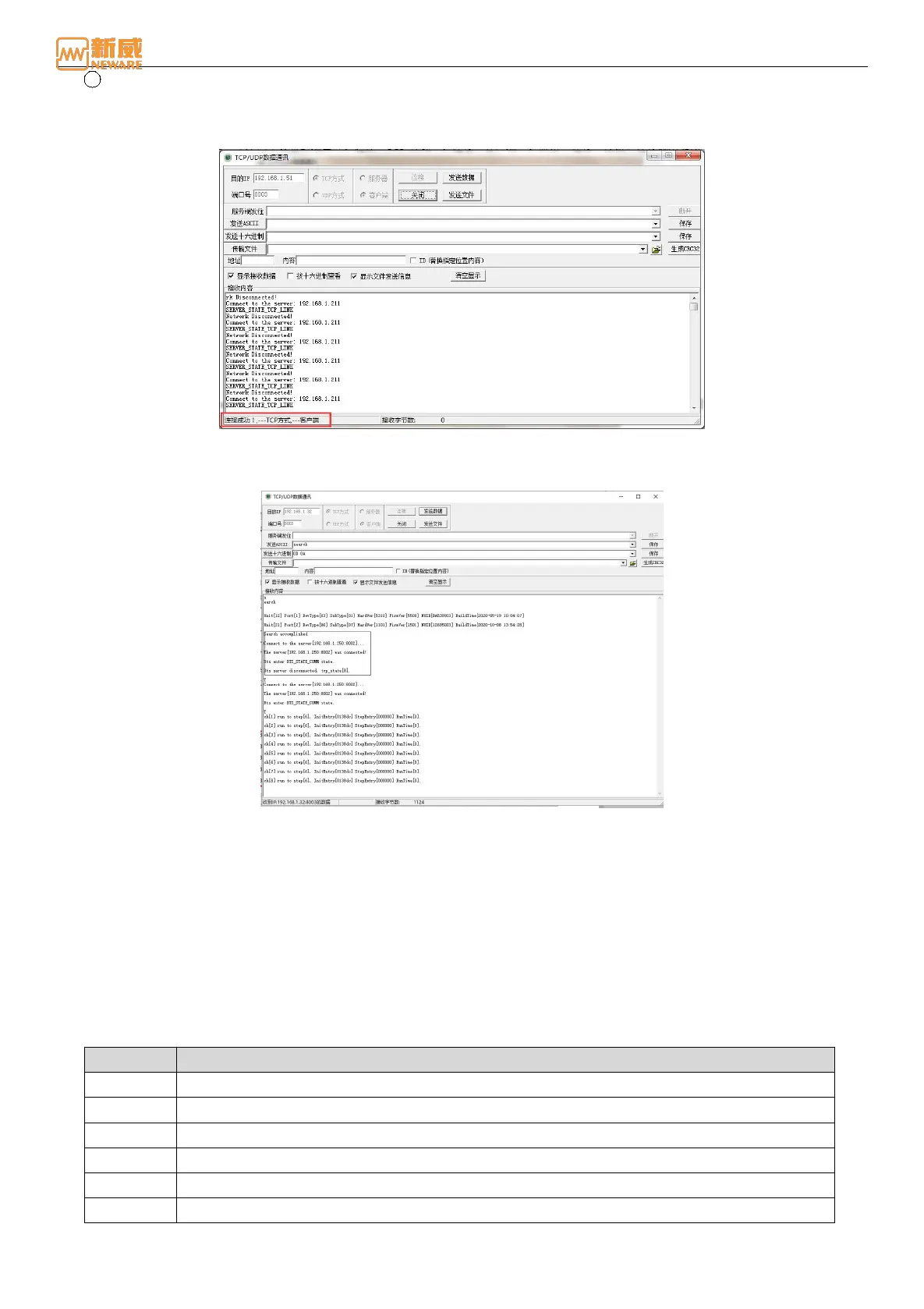
2 The TCP/UDP tool searches for devices
You can use the TCP/UDP tool to remove or add a device to a server. Start the TCP/UDP tool, enter the device IP
address to be searched in the destination IP address box, set the corresponding device port number, select TCP
Mode, connect to clients, and click Connect. The connection is successful, as shown below:
Figure 3-15 Connect the Mid-machine
Use the command "search" to enter the unit search stage, and the information of the lower-machine unit and
channel connected by the device will be displayed in the display box of the receiving content, as shown below:
Figure 3-16 The TCP/UDP tool searches for devices.
3. Hardware adjustment
To start a channel test on the software, if the connection of the system is correct the test will be functioning. If the channel
cannot be operated, try to find out if there’s a issue of cable, send the UART instruction through the TCP/UDP tool to check
the number of failures of the lower-machine, connect the cable and test again until the debugging is successful. Here are the
simple steps:
Connect the TCP 8003 port on the IP address of the target device → send the ASCII instruction code → send the
hexadecimal terminator 0D 0A to execute the corresponding instruction. Common debugging commands are as follows:
Form 7 List of common debugging instructions for the mid-machine
Printing HELP information
Check information of the version
Change IP address <local_ip>
Change IP address <server_ip>



 To Next Page