BTS User Manual
Neware Technology Ltd.
http://www.newarebattery.com
Chapter 4 Software Features
4.1. Start the Software
A BTS client is a human-computer interaction interface that can set and send commands to control devices. Real-time
display of channel test data and status. you can query current and historical test data. To operate the device, you must open
the client software in the following three ways:
1. Click“Start”→“All program”→“Neware”→“Neware_BTS9_Client”.
2. Double-click“Neware_BTS9_Client”Shortcut icon to open software.
3. In the software installation directory, double-click“Neware_BTS9_Client”file.
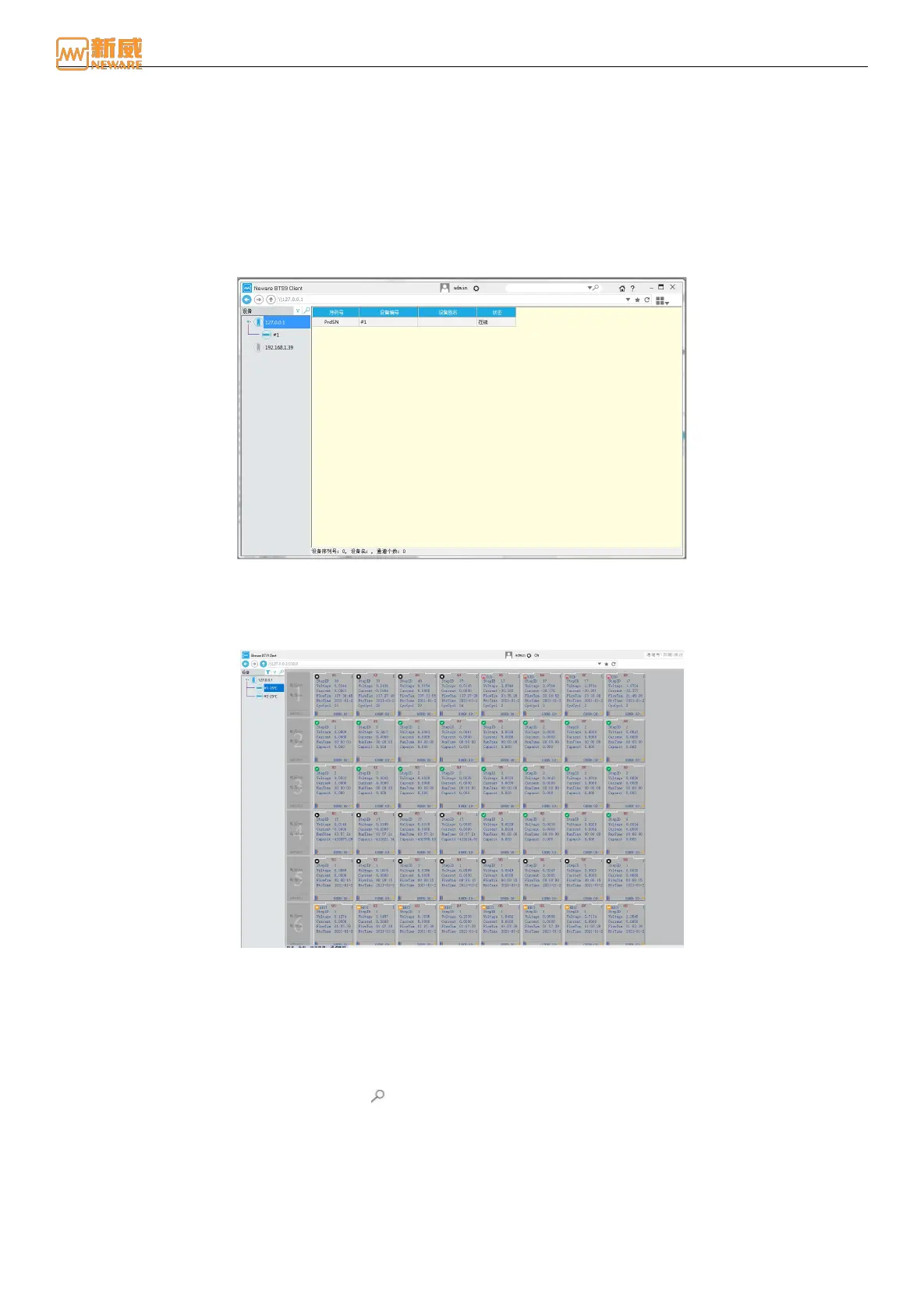
Open the software, and the software interface is as follows:
Figure 4-1 Software interface
4.2. Main Interface Display
After all devices are connected, the device and its channels are automatically displayed on the client. As shown in the
figure below, if no device is displayed, check whether the device is connected.
Figure 4-2 Main interface of the software
1. Title bar: There is a title bar at the top of the main interface. From left to right, the title bar includes the LOGO, software
name, Permission Management Settings, user name, Configuration button, Search edit box, Search criteria drop-down
button, Search button, HOME button, About Button, Minimize, Maximize/Zoom, and Close.
Search the edit box: Enter the search criteria, such as device number and battery bar code, and hit enter.
Drop-down menu for search criteria: Click to display the drop-down list of search criteria and enter relevant
search information, as shown in Figure 4-3:
Fuzzy search: Click the search button , fuzzy search is used to display channel data information for all online
devices under the current mid-machine. You can perform operations on the search results as required, as shown in
Figure 4-4:



 To Next Page