BTS User Manual
Neware Technology Ltd.
http://www.newarebattery.com
Chapter 3 Installation and Maintenance
This chapter introduces the installation and maintenance of the system from three aspects: software installation, hardware
maintenance, and software uninstall.
3.1. Installation
PC software installation is assigned to new installation and upgrade installations. The new installation is for the user's
first-time installation. Upgrade Installation: This feature enables users to upgrade existing software.
New Installation
When you install the host software for the first time, you can choose default installation or a personalized installation.
Default installation: Do not select the corresponding software module. Follow the default options on the installation page
and install the software as prompted.
Personalized installation: Users can install clients, servers, backup servers, and reporting servers based on different
requirements. You can manually set an installation path and select the language.
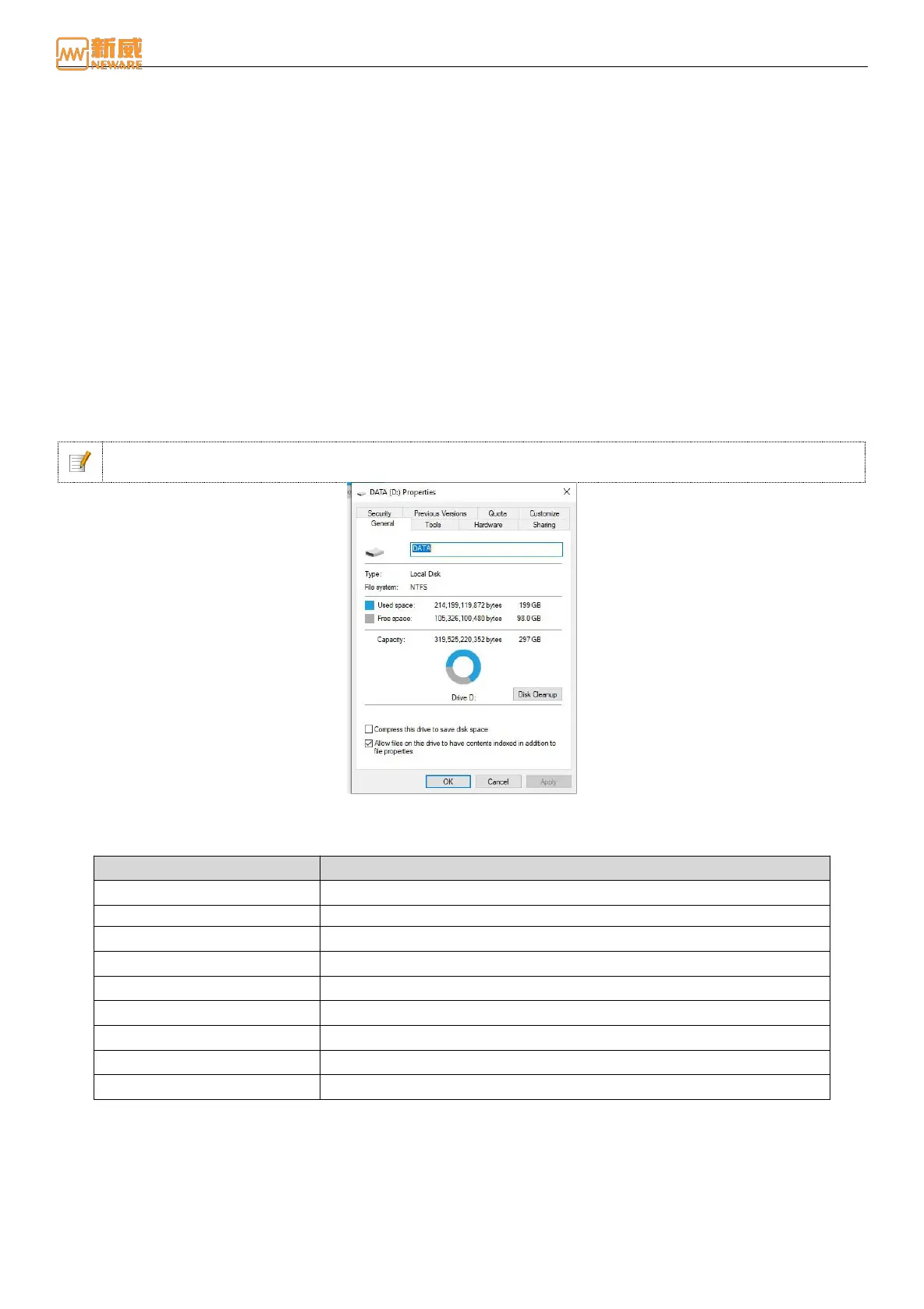
Notice: The software only supports NTFS file systems. Before installation, disable the Windows firewall or
enable ports TCP8002, 8003 (device ports), and 8004.
Figure 3-1 Hard disk file system display window
1. The operating environment of the client and server is as follows: Form 2: Server Operating Environment
Form 2 Operation requirement of server
>Core Dual-core or Q9550(4 core)
SATA socket, >500GB(with 3 units of hard-drive RAID5(recommended))
Microsoft Windows 7/ 8/10/11 64 bit
Ethernet communication port, RS232/485
Switch will be needed for multi machines.
2. Operation software installation
Decompress the BTS.9.1.4 file, open the decompressed BTS91_SETUP file, and run Setup.exe as the administrator to
go to the installation wizard page, as shown in Figure 3-2. User can select the Chinese or English version as required.
Click Next button to enter BTS9.1.4 installation interface, as figure 3 - 3 shown:



 To Next Page