BTS User Manual
Neware Technology Ltd.
http://www.newarebattery.com
Figure 3-2 Installation guide Figure 3-3 Software version check
If you select "Manually specify the installed version directory," you can select a previous software installation directory to
overwrite the installation.
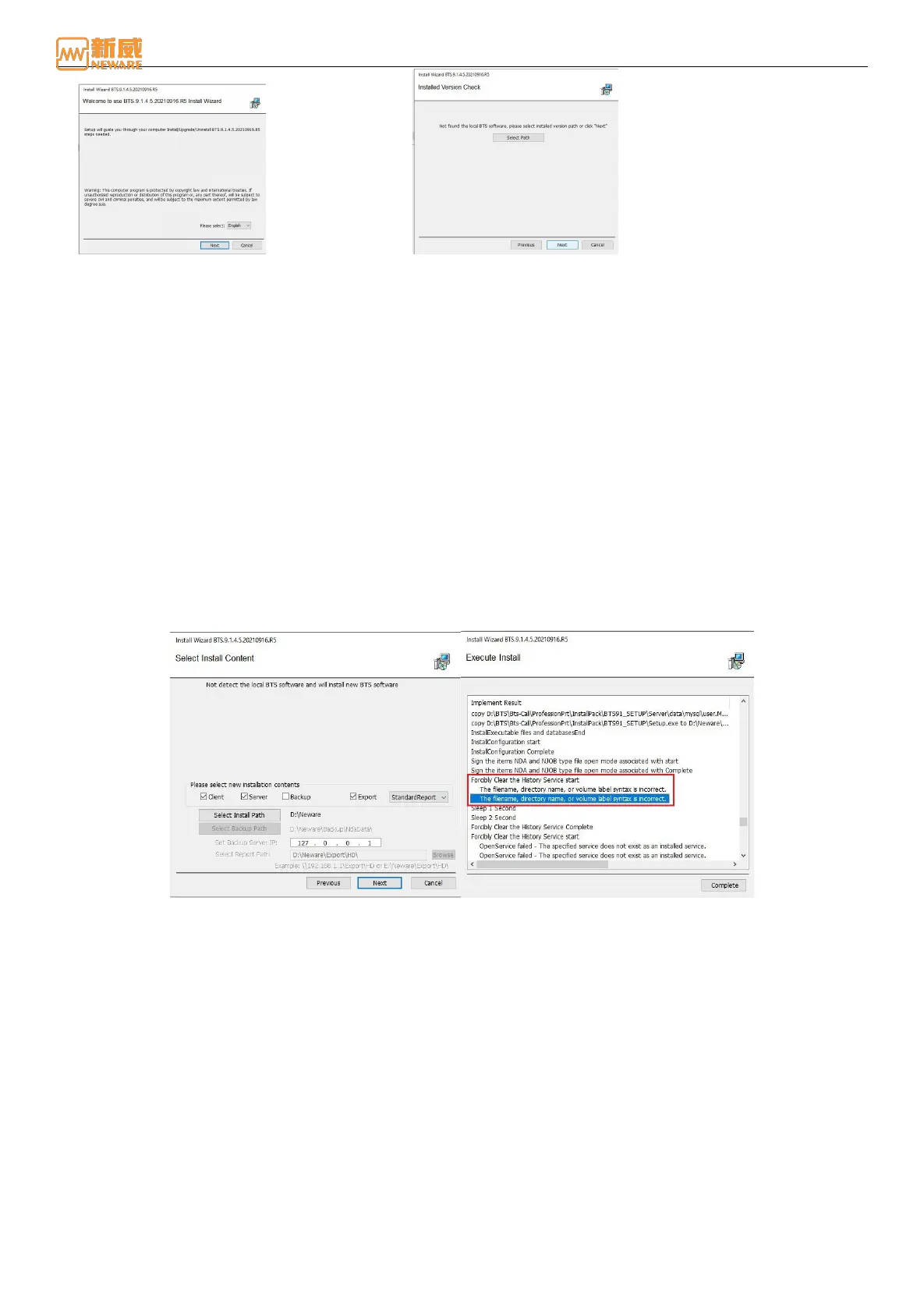
If you click Next, the Select Installation Content page is displayed. The installation wizard directly locates the directory
that was installed before, but this directory must be empty before the next installation can be performed. You can click the
"Select installation path" button to select a new installation directory.
The default installation are includes client installation and server installation. You can also select the installation contents as
required. Click the Next button to start the software installation after confirming precautions such as disabling the firewall,
as shown in Figure 3-4.
During the installation, if OpenService Failed is displayed during the process of forcibly clearing historical services, it is
because the user installs the software for the first time and the system does not have historical services to be cleared. This
will not affect the installation and operation of the software and will not be displayed when the software is installed again,
as shown in Figure 3-5:
Figure 3-4 Select Content Figure 3-5 Installation
If the installation is complete, click the Complete button to exit the installation guide, as figure 3-6 shown:



 To Next Page