BTS User Manual
Neware Technology Ltd.
http://www.newarebattery.com
Figure 3-6 Installation complete
3. Complete the software installation
If you select "Install Server" and "Install Backup Service" during personalized installation, check whether the options
are correctly installed after the installation:
1 Open“Control panel”→“Managing tools”interface.
2 As shown in Figure 3-7, select service to view Neware_BTS9_MySQL, Neware_BTS9_Server, and Newa
re_BTS9_Backup.The four services are listed on the right and have already begun.
Figure 3-7 Server display window
If all functions are installed, ensure that the five services are started. If any service is not started, right-click
the service and choose Start from the shortcut menu.
3 If any of the five services is missing from the list, uninstall the latest installed services and reinstall them. Then
check whether the server is correctly installed (repeat the above steps).
4 If the any of the five services is manual, practice the following steps to change the startup type to automatic. The
Neware_BTS9_Standard_Report service, whose startup type is manual, is used as an example.
Methods:
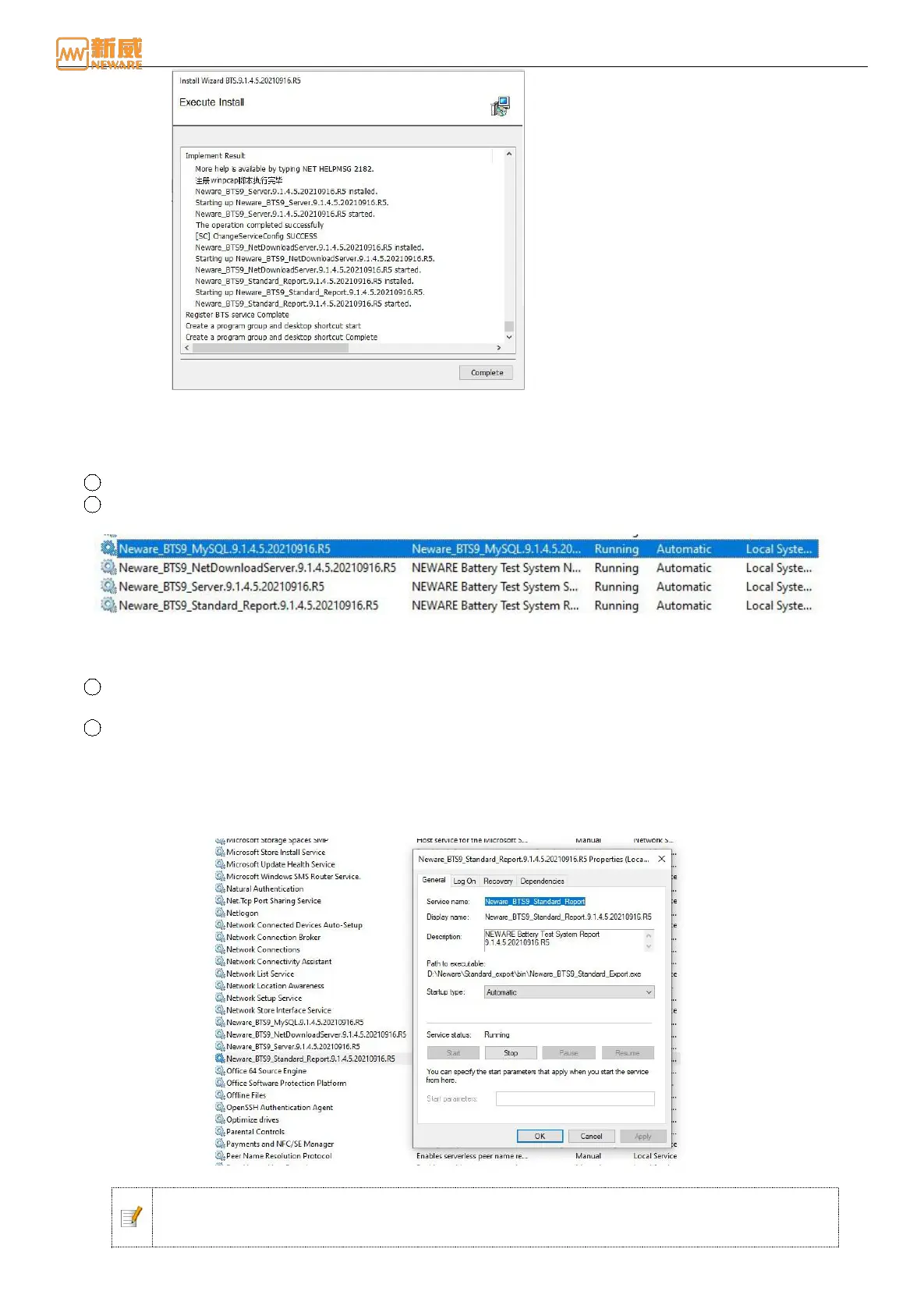
Right-click“Neware_BTS9_Standard_Report”→Right-click Properties, and the Properties dialog box is
displayed.
Select Automatic from the drop-down list box. As shown in the figure below:
Figure 3-8 Neware_BTS9_ Standard_ReportService Properties dialog box
Notice: In the computer management window, right-click and choose "Stop" from the shortcut
menu to stop the running service. This operation is required to shut down the running service
when the server needs to be manually upgraded.



 To Next Page