BTS User Manual
Neware Technology Ltd.
http://www.newarebattery.com
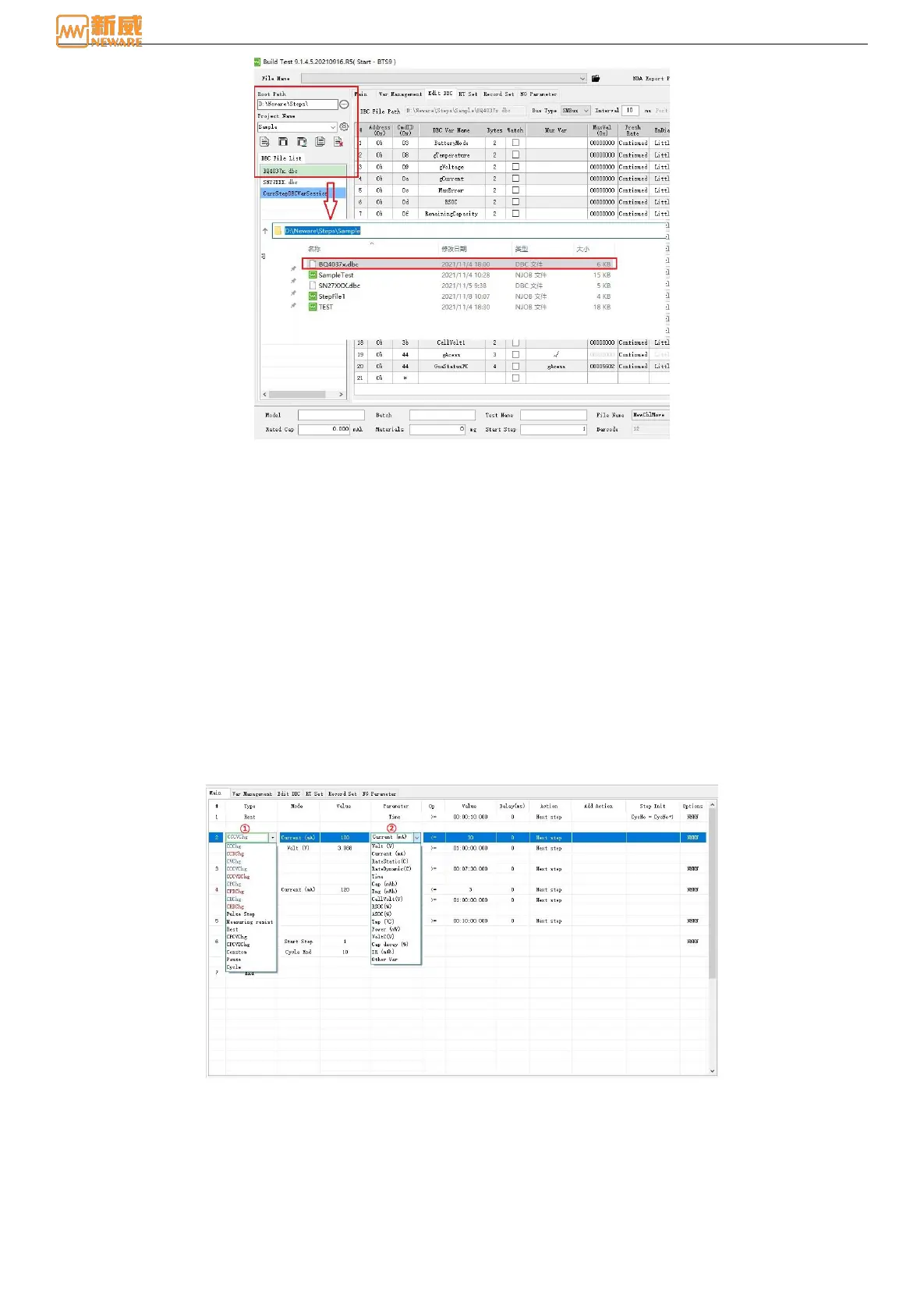
Figure8-3 DBC file storage path
The step editor can create two types of files: Figure 8-2, ending with an .njob file, and Figure 8-3, ending with a DBC
communication (coulometer) configuration file. These two types of files are stored in the root directory and the storage path,
which consists of the project name. The.njob file is generated on the main step interface, and the DBC file is generated on
the Edit DBC interface.
The step file can contain communication or not with a communication test. The step file without communication can be
started or stored after the master finishes editing the process on foot. The step file with communication will be these 2
following ways:
a、If an existing .dbc file is adapted, load the existing .dbc file on the Edit DBC page and edit the main step to test or
save the njob step file.
b、If no adapted .dbc file, then edit .dbc file in DBC interface, after complete the editing of DBC, you can save it
as .dbc file (follow-up testing can be directly imported) or don’t save it. DBC step template editing, held directly at
start or storage (in this way, the follow-up tests still need to edit the DBC. we recommend to storage template after
editing).
8.1. Main Step Row
The main step row is an interface used to describe the testing process, which is mainly composed of step type, step
parameter, cut-off condition expression, additional action, initial action, etc.
Figure 8-4 Main Step row
①Step name: The type of step in the drop-down box includes CCCV, CPCV, self-defined volunteer step by 2 step
parameters, and others are all 1 step parameter.
②Parameter: If the cut-off condition expression (parameter, operator, value) = 1 is true, it will perform actions and
additional actions, each cut-off condition is an or-relationship.
Specific constant values, variables in variable management or values read in the coulometer can be used to realize
advanced steps such as intelligent charging and discharging or changing current and voltage, as shown in Figure 8-5 below.
Charge voltage is variable at different cycle intervals. Figure 8-6: CC charging parameters are DBC variables (read



 To Next Page