BTS User Manual
Neware Technology Ltd.
http://www.newarebattery.com
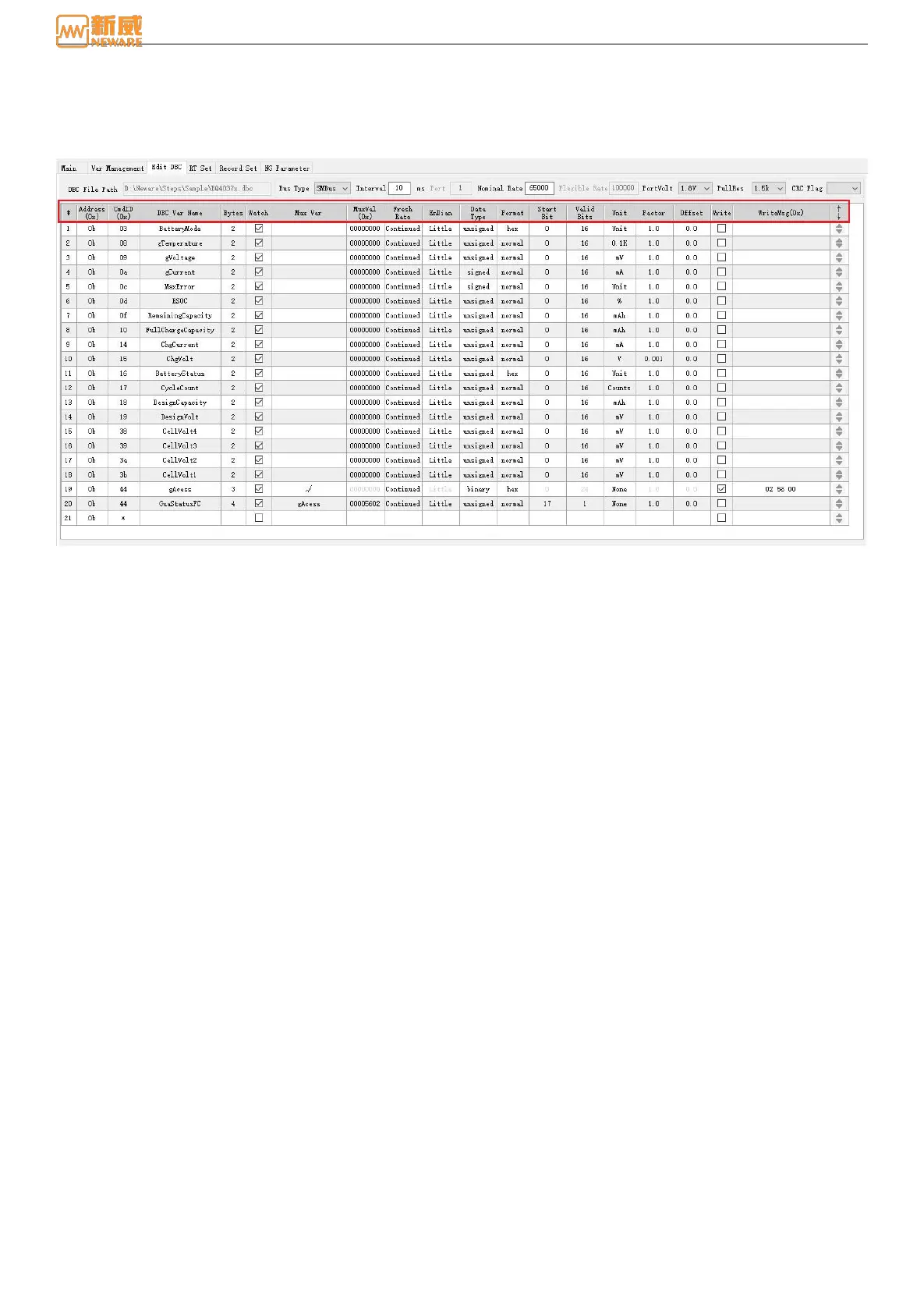
8.6. Detailed Description of Edit DBC(Voltameter infomation)
Introduction of how to use the step editor to setting DBC(coulometer) information.
1. DBC editing interface and parameters.
Figure 8-15 Editing DBC
1.) #: Serial number
2.) Address (0x): This address is the battery cell communication address. See the data manual (common addresses
are 0B and 55).
3.) CmdID (0x): the first address of the data information (the first address is for 2-byte data and the first address is
for 1-byte data). For details, see the Command Code in the data manual.
4.) DBC: DBC variable name, commonly referred to as abbreviation, can be changed to any name. See the Data
manual Standard Data Commands.
5.) Bytes: Data size. See the Standard Data Commands.
6.) Attention: Check to pay attention to this message and load it into the test information. Right click to select all.
7.) Multiple switch: It will be used when different data bits are read to represent different information. It is mainly
used to read DataFlash that need to be written before being read.
8.) Multiplexing value: When the read data area is a multiplexing area, it must be used together with the multiple
switch.
10.) Refresh rate: When reading the coulometer information, for example, bar code, serial number, capacity, you
can choose a single time. When the read content is a block, you can choose to decode only (a block contains
multiple bytes, according to the actual bit and then explains a number of DBC variables, you do not need to read
each variable block once). This can improve the reading rate of data.
11.) Big-endian/Little-endian: Indicates that data transmission starts from Big-endian/Little-endian. For details,
check the data manual, Data must be sent/read in Little Endian.
12.) Data type: To read the type of data. For details, see the data manual.
13.) Start bit: Indicates the starting position of the data. For details, see the data manual.
14.) Significant bit: Indicates the significant bits of the data information. For details, see the data manual.
15.) Unit: The unit of data, which can be changed to any value.
16.) Gain value: Display and record the read data in multiplicative relationship, for example, if you set the gain
value to 1, it is 1-times data (multiplicative relationship).
17.) Offset value: The data offset is determined by the actual user requirements (additive relationship).
18.) Write: Select this option when you need to perform a write operation on the cell.



 To Next Page