BTS User Manual
Neware Technology Ltd.
http://www.newarebattery.com
2. Special data DBC (coulometer) editing scheme
Here is the introduction of some special data editing method.
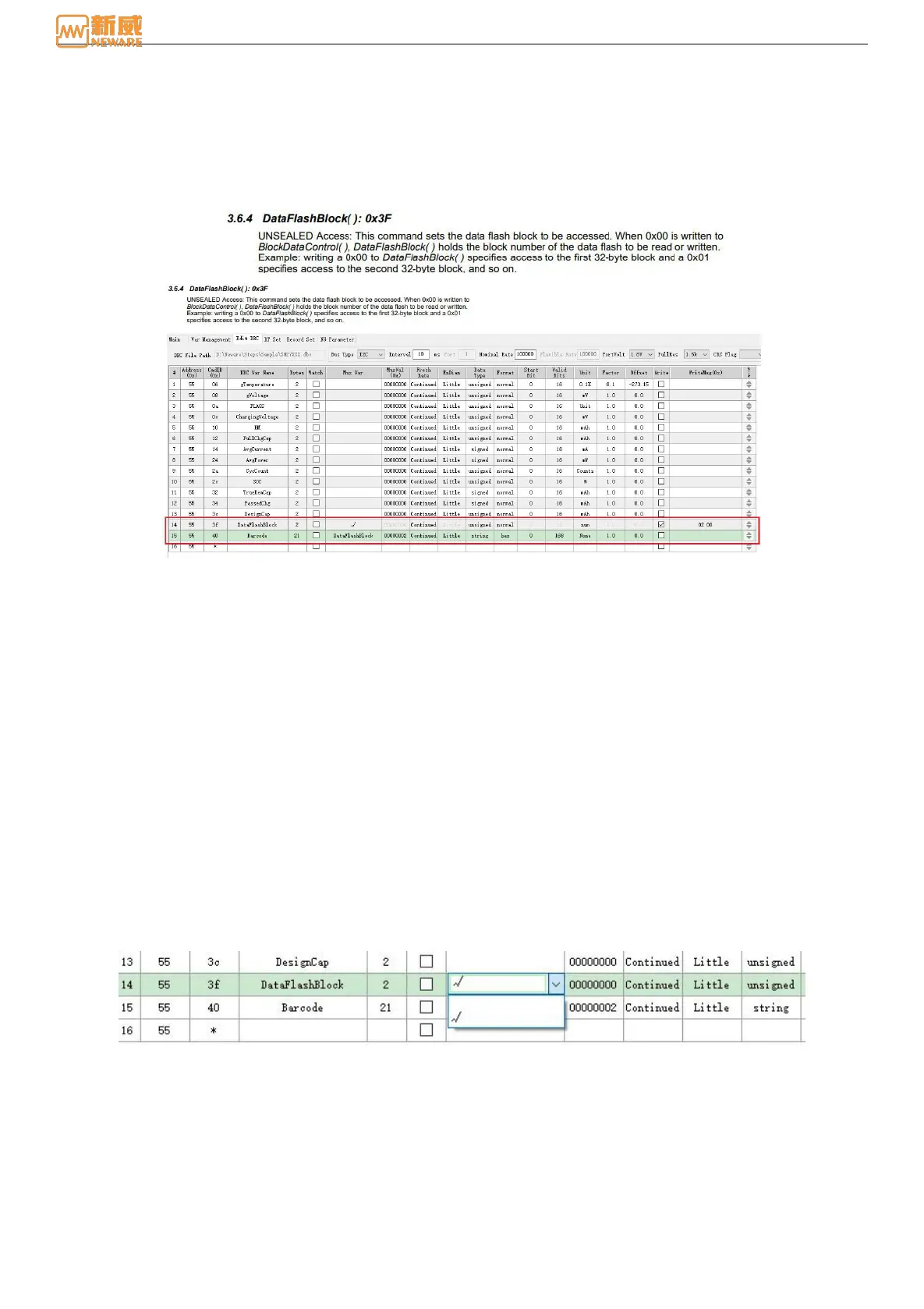
1.) Example of the use of multiway switches.
When you need to input a fixed value to read the data, you can use the multiplexing switch function to operate the
following operation process.
Figure 8-16 Edit the DBC-multiway switch
As shown in the figure above, Barcode refers to the barcode of the battery. The data address of the barcode is at position 40.
To obtain the barcode, it needs to be at position 3F.
To obtain the bar code, write a 2 in the position.
The host-computer setup is shown in the figure.
The address must be filled in strictly according to the data manual. The DBC variable name can be filled in according to the
data manual, and it is customizable.
The input address (3F address location) multiplex switch value (DataFlashBlock1) must be the same as the barcode
multiplex switch value (DataFlashBlock1).
As shown in Figure 8-17, click the check box and a drop-down menu will appear. Click DataFlashBlock1 directly, and a
"√" will appear, indicating that the multiplex switch is enabled.
Figure 8-17 Edit DBC-Select the multiplex switch
The multichannel factor which is the input value, can be filled in according to the data manual. Note that there is also a
write function after the input address that must be checked and filled in with the value to be written.



 To Next Page