Page 13
FEATURES SCREENS SCREEN 1
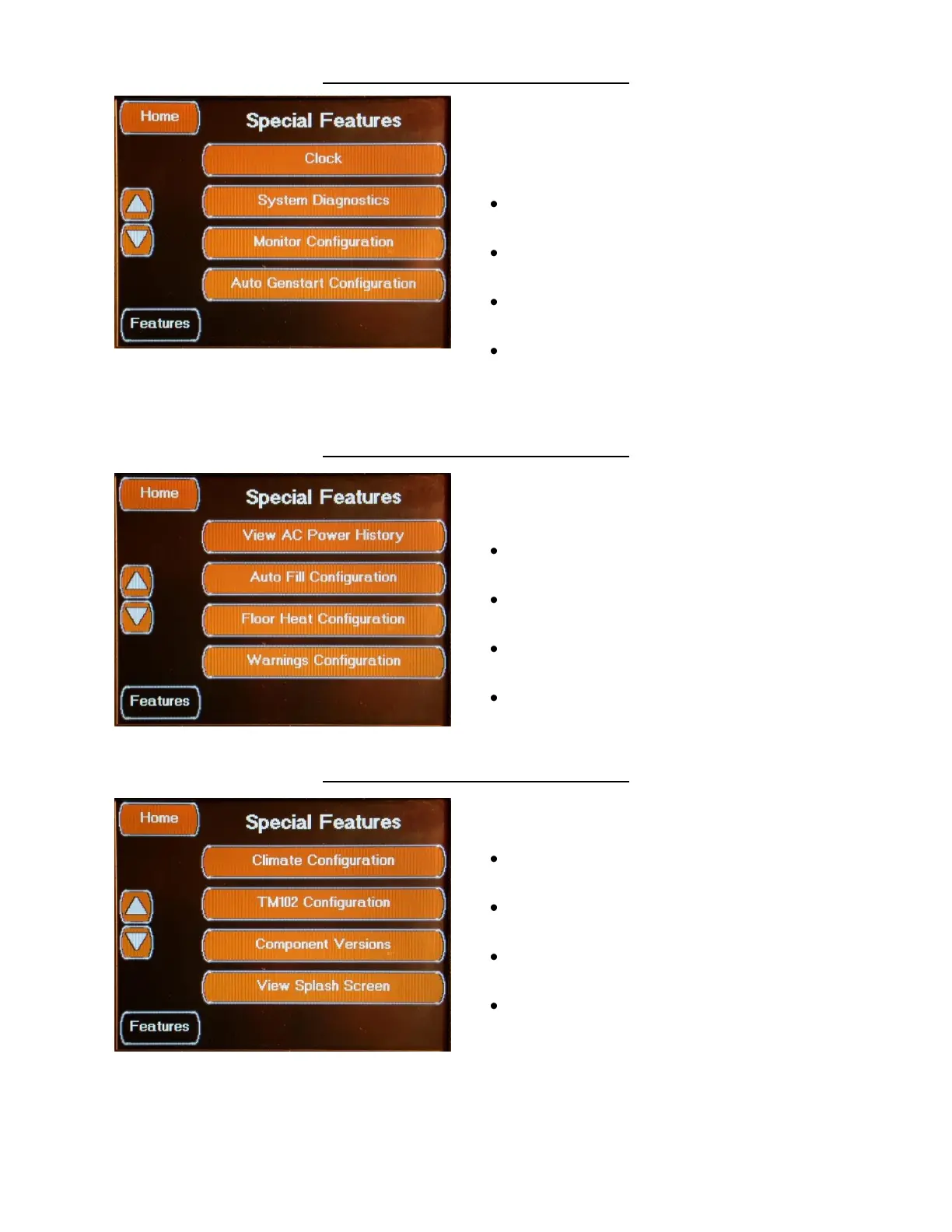
The Special Features Screens are used for
system setup and diagnostics.
The additional screens are accessed via the
Up/Down Arrows.
Special Features Screen 1 allows access to the
following features:
Clock Button
Accesses the Clock Setup Screen
System Diagnostics Button
Accesses the System Diagnostics Screens
Monitor Configuration Button
Accesses the Monitor Configuration Screens
Auto Genstart Button
Accesses the Auto Genstart Configuration
Screens
FEATURES SCREENS SCREEN 2
Screen 2 allows access to the following
features:
View AC Power History Button
Accesses the AC Power History Screen
Auto Fill Configuration Button
Accesses the Auto Fill Configuration Screens
Warnings Configuration Button
Accesses the Warnings Configuration Screens
Tank Calibration Button
Accesses the Tank Calibration Screens
FEATURES SCREENS SCREEN 3
Screen 3 allows access to the following
features:
Climate Configuration Button
Accesses the Climate Configuration Screens
TM102 Configuration Button
Accesses the TM102 Configuration Screen
Component Versions Button
Accesses the Component Versions Screen
View Splash Screen Button
Accesses the Splash Screen



 To Next Page