Page 6
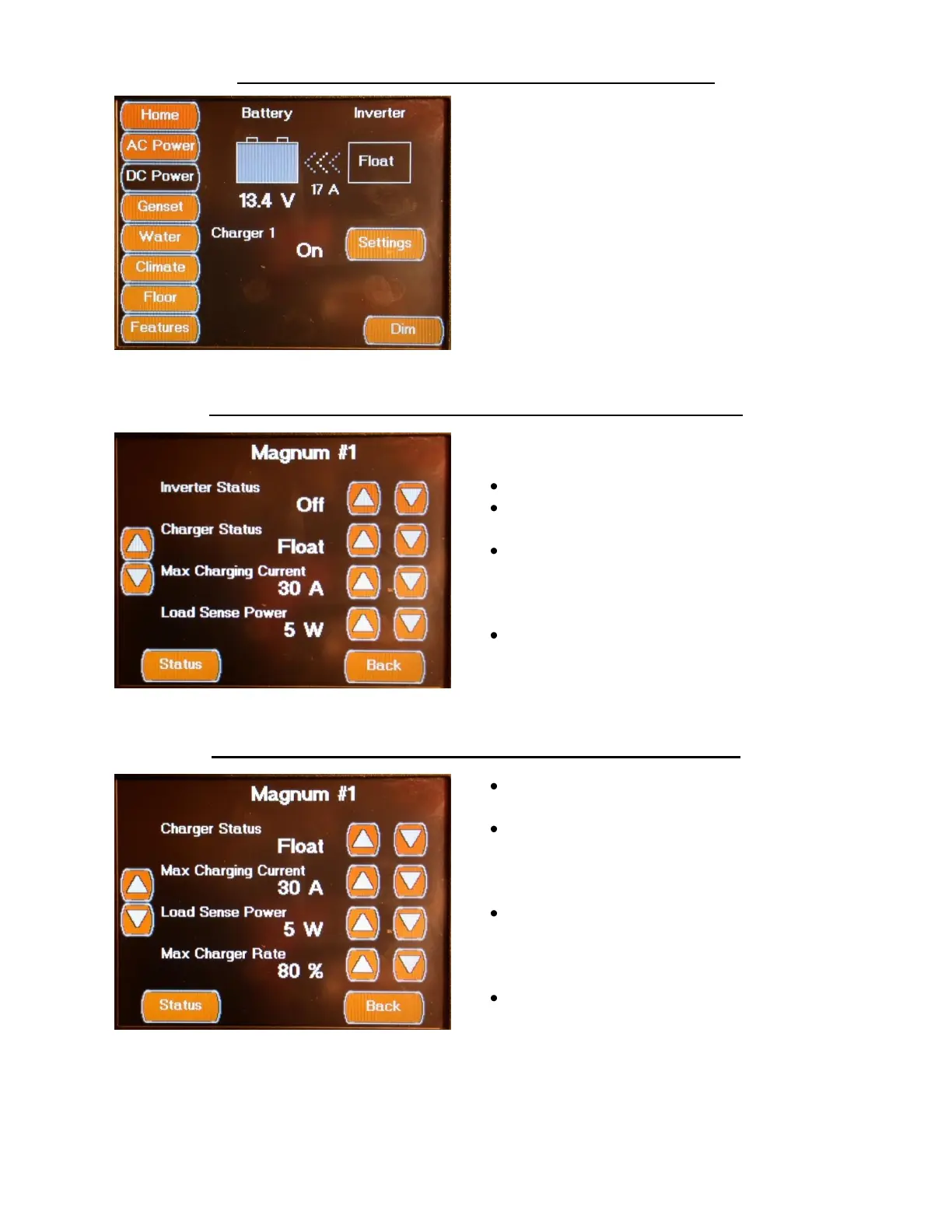
DC POWER SCREENS MAIN DC POWER SCREEN
The Main DC Power Screen displays the Inverter
/ Charger status and allows access to the
Magnum Setting Screens
The Battery Icon has a vertical bar graph that
indicates the battery charge level. The battery
voltage value is displayed directly below the
icon. The arrows between the Battery and
Inverter Icons indicate the direction of the DC
current flow. The DC current (amperage) value
is displayed below the arrows. The Inverter/
Charger status is displayed inside the Inverter
Icon.
DC POWER SCREENS MAGNUM SETTINGS SCREEN 1
The first Magnum Setting screen configures the
following settings:
Inverter Status On / Off / Standby
Charger Status On / Off /
Standby
Max Charging Current
( Amperage)
This is the maximum amount of current the
charger can output.
Load Sense Power
( Wattage)
This is the Power Level (Search Watts Setting)
required to activate (wake up) the inverter.
DC POWER SCREENS MAGNUM SETTINGS SCREEN 2
The second Magnum Setting screen configures
the following settings:
Charger Status On / Off /
Standby
Max Charging Current
( Amperage)
This is the maximum amount of current the
charger can output.
Load Sense Power
( Wattage)
This is the Power Level (Search Watts Setting)
required to active (wake up) the inverter.
Max Charger Rate (Percentage)
This is the maximum % of AC current
(amperage) used to recharge the batteries.


 To Next Page