Page 18
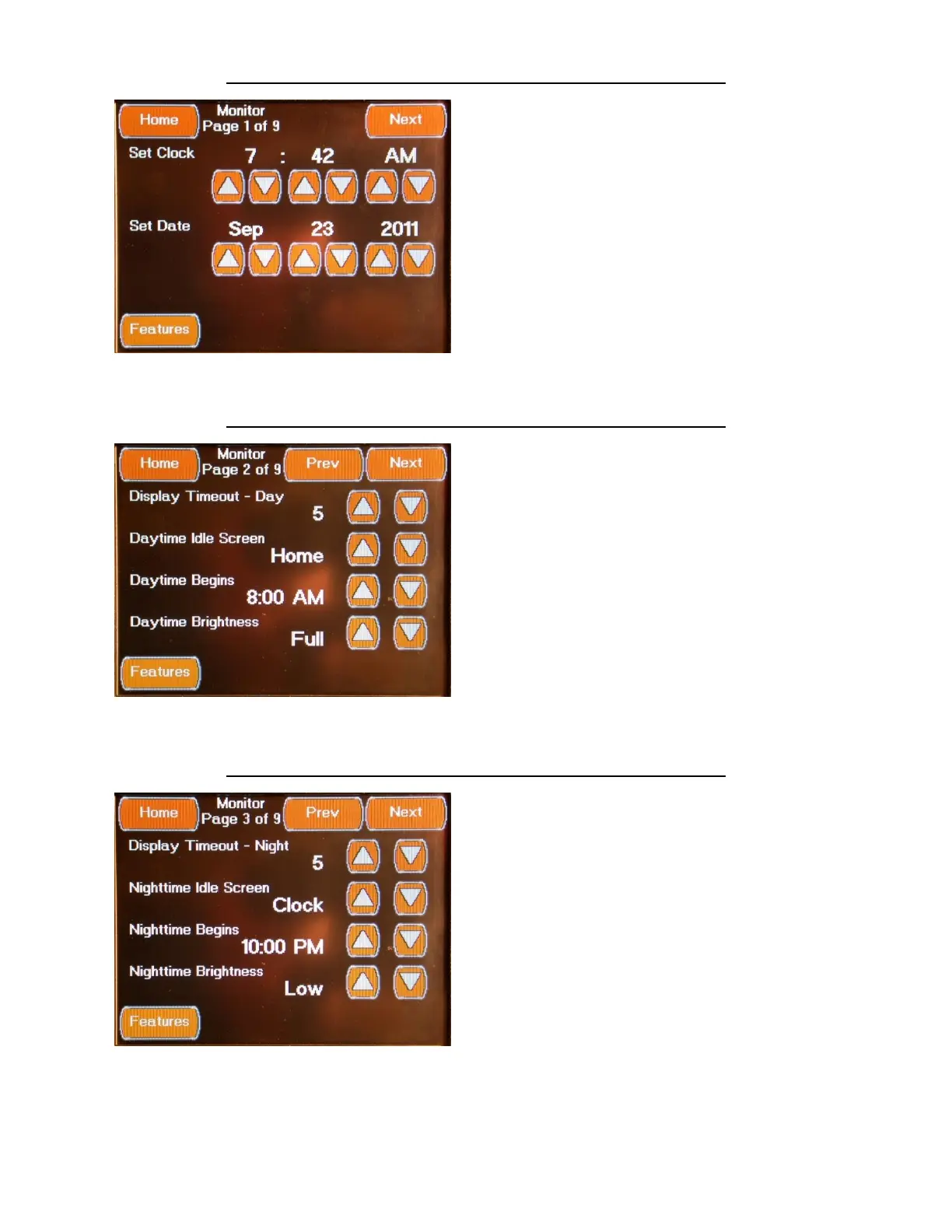
FEATURES MONITOR CONFIGURATION SCREEN 1
The first Monitor Configuration Screen is
accessed by pressing the Monitor Configuration
Button located on the Features Screens or from
the “Prev” Button located on second Monitor
Configuration Screen. This Screen allows you to
set the system time and date by pressing the
associated up and Down Buttons.
FEATURES MONITOR CONFIGURATION SCREEN 2
The second Monitor Configuration Screen is
accessed by pressing the Next Button located
on the first Monitor Configuration Screen or
from the “Prev” Button located on third
Monitor Configuration Screen. This Screen
allows you to set the Day Time Display Setting
by pressing the associated Up and Down
Buttons.
FEATURES MONITOR CONFIGURATION SCREEN 3
The third Monitor Configuration Screen is
accessed by pressing the Next Button located
on the second Monitor Configuration Screen or
from the “Prev” Button located on fourth
Monitor Configuration Screen. This Screen
allows you to set the Night Time Display
Settings by pressing the associated Up and
Down Buttons.



 To Next Page