Page 4
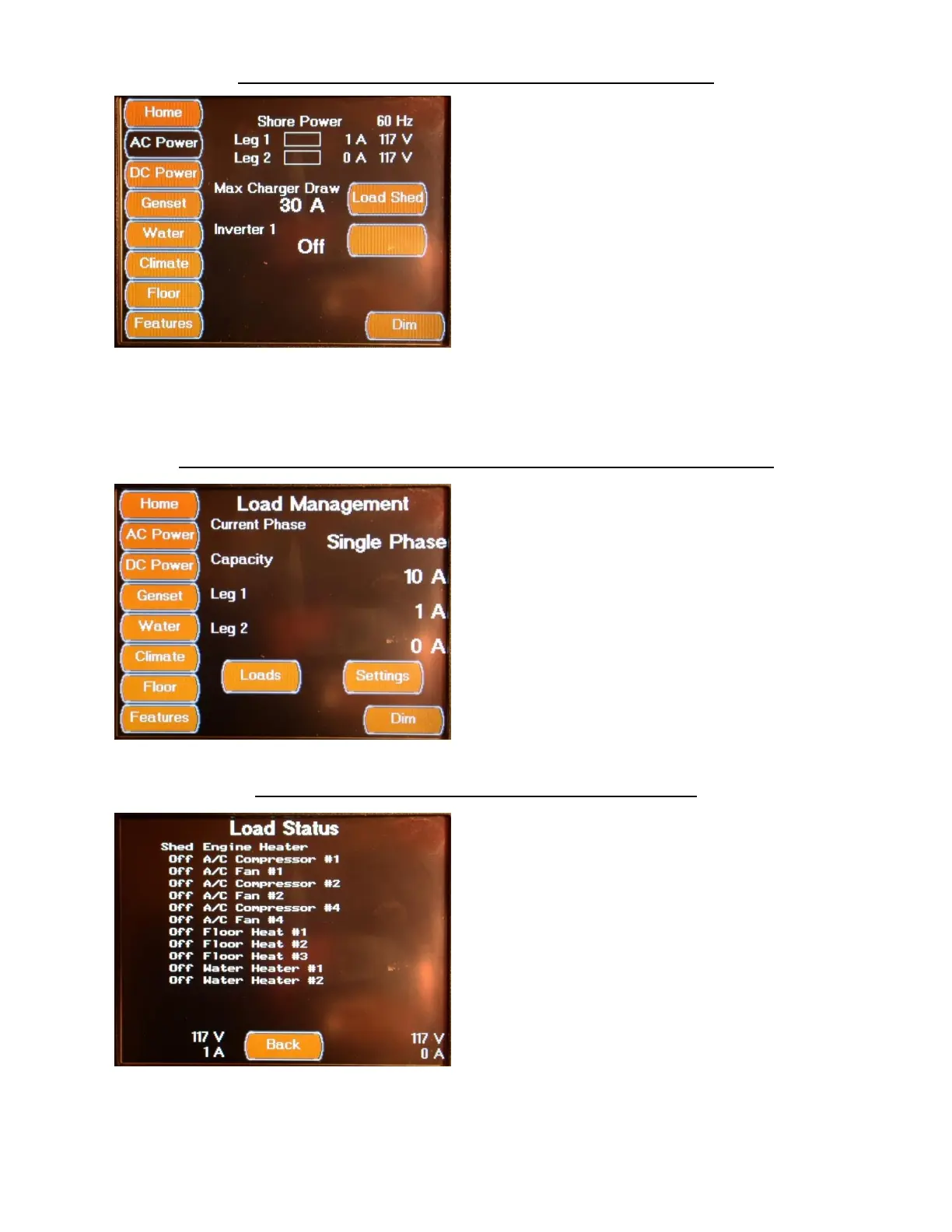
AC POWER SCREENS MAIN AC POWER SCREEN
The AC Power Screen displays the AC Power
Source, Line Voltage and Current (Amperage)
usage, as well as, the AC Line Frequency (Hz).
The Ac Power Source is displayed for Shore
Power; Generator or Inverter Power. The AC
Amperage values are displayed both numeri-
cally and with horizontal bar graphs. The AC
Voltage values are displayed numerically. The
AC Line Frequency is displayed in Hertz (Hz).
This screen also displays the maximum charge
draw amps setting value, as well as, the inverter
status. The Load Shed Management screen is
selected from the Load Shed Button located on
this screen. The Inverter can also be turned on
and off from this screen, via the blank button to
the right of the Inverter Status display.
AC POWER SCREENS LOAD (SHED) MANAGEMENT SCREEN
The Load Management Screen displays the
Shore Power Phase setting (Single Phase 30
Amps and less Service, Dual Phase 50 Amp
Service) and allows you to change between the
phase selections using the Change Button. The
current Amp draw is displayed for both legs on
this screen. The Load Status screen is selected
from the Loads Button. The Load Settings
Screen is selected from the Settings Button.
AC POWER SCREENS LOAD STATUS SCREEN
The Load Status Screen displays the electrical
Shed status of all the AC powered devices that
are controlled by the control system. This
screen also displays the AC voltage and
amperage usage for both power legs


 To Next Page