Page 26
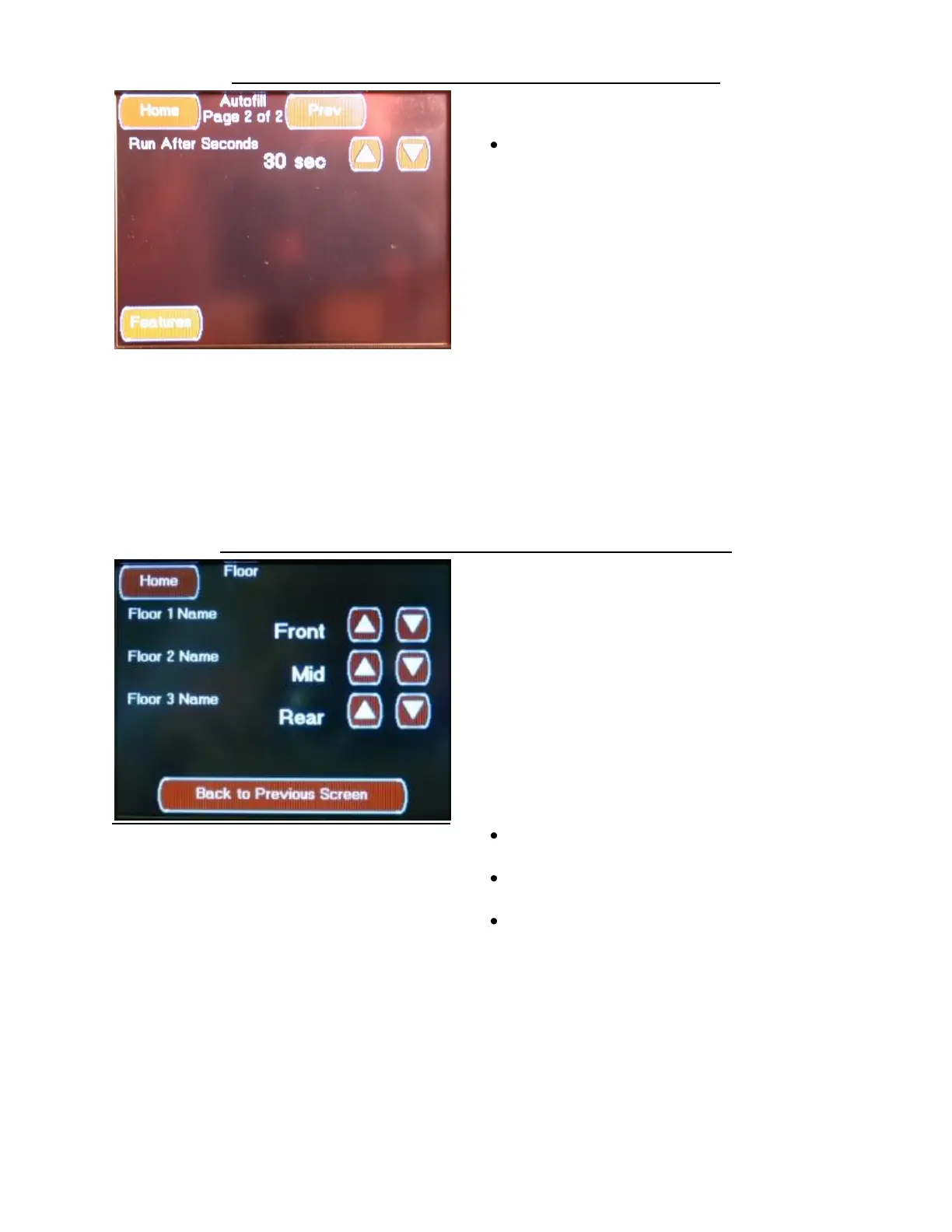
FEATURES AUTOFILL CONFIGURATION SCREEN 2
The second Autogen Configuration screen is
accessed by pressing the Next Button located
on the first Autofill Configuration screen.
This screen allows you to change the following
settings:
Run After Seconds (Numeric sec Time
Value)
This setting determines the number of
seconds to hold the fill valve on after the Stop
Level has been reached. The Run After
function allows for pressure equalization in
the Fresh tank after the fill level is reached. If
this value is set to low, the tank level value
will read below the Stop Level setting. If this
value is set to high, the tank level value will
read higher that the Stop Level or the tank
will over flow.
Select using the Up / Down Arrows
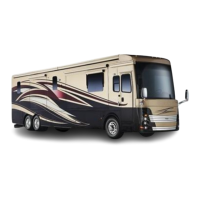
FEATURES FLOOR HEAT CONFIGURATION SCREENS
FLOOR HEAT with No Time Schedule Screen
The Floor Heat Configuration Screen is accessed
by pressing the Floor Heat Configuration Button
located on the Features Configuration Screen.
This screen is only applies to systems with the
Floor Heat option.
These selections set the floor heat zone names
displayed on the “Floor” Screen.
Depending on the HMS360 Touch Screen
Display Software Version, this screen or a
similar screen, may be located under the
Climate Configuration Screens, not under the
Floor Heat Configuration Screens
This screen allows you to change the following
settings:
Floor 1 Name Set to Front
Select using the Up / Down Arrows
Floor 2 Name Set to Mid
Select using the Up / Down Arrows
Floor 3 Name Set to Rear
Select using the Up / Down Arrows


 To Next Page