Page 30
FEATURES WARNINGS CONFIGURATION SCREENS
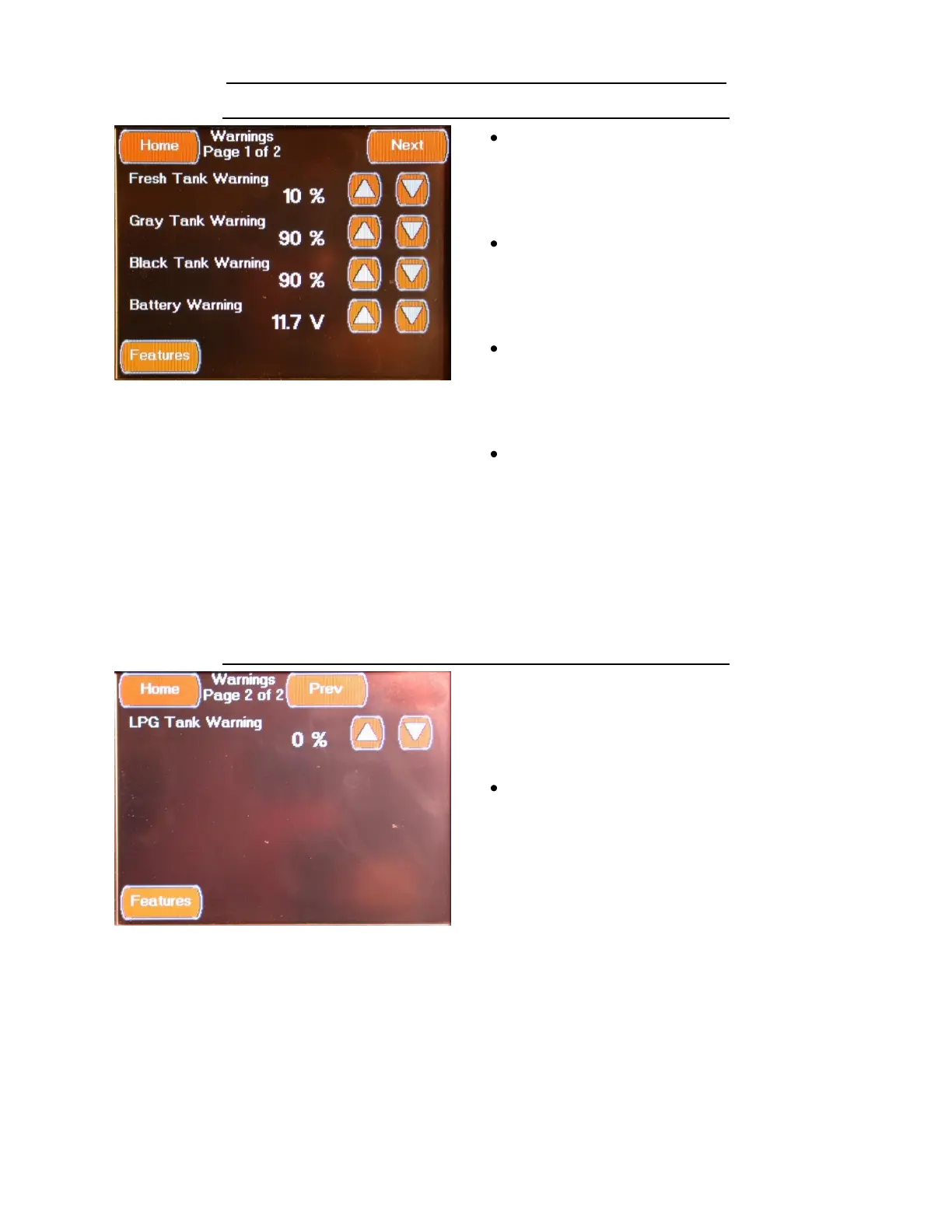
FEATURES WARNINGS CONFIGURATION SCREEN 1
The first Warnings Configuration screen is
accessed by pressing the Warnings
Configuration Button located on the Features
Configuration Screen or by pressing the “Prev”
Button located on the second Warnings
Configuration screen. This screen allows you to
change the following settings:
Fresh tank Warning (Numeric Percentage
Value)
A warning message will be displayed if the
Fresh tank level drops below this value.
Select value using the Up / Down Arrows
Gray Tank Warning (Numeric Percentage
Value)
A warning message will be displayed if the
Gray tank level drops below this value.
Select value using the Up / Down Arrows
Black Tank Warning (Numeric Percentage
Value)
A warning message will be displayed if the
Black tank level drops below this value.
Select value using the Up / Down Arrows
Battery Warning (Numeric DC Voltage
Value)
A warning message will be displayed if the
House Battery Voltage level drops below this
value.
Select value using the Up / Down Arrows
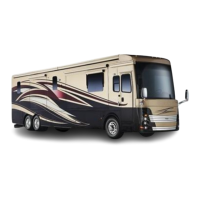
FEATURES WARNINGS CONFIGURATION SCREEN 2
The second Warnings Configuration screen is
accessed by pressing the Next Button located
on the first Warnings Configuration screen. This
screen allows you to change the following
settings:
LPG Tank Warning (Numeric Percentage
Value)
A warning message will be displayed if the LP
tank level drops below this value. This value
should be set to 0% on coaches with the All
Electric Option (No LP).
Select value using the Up / Down Arrows


 To Next Page