Page 24
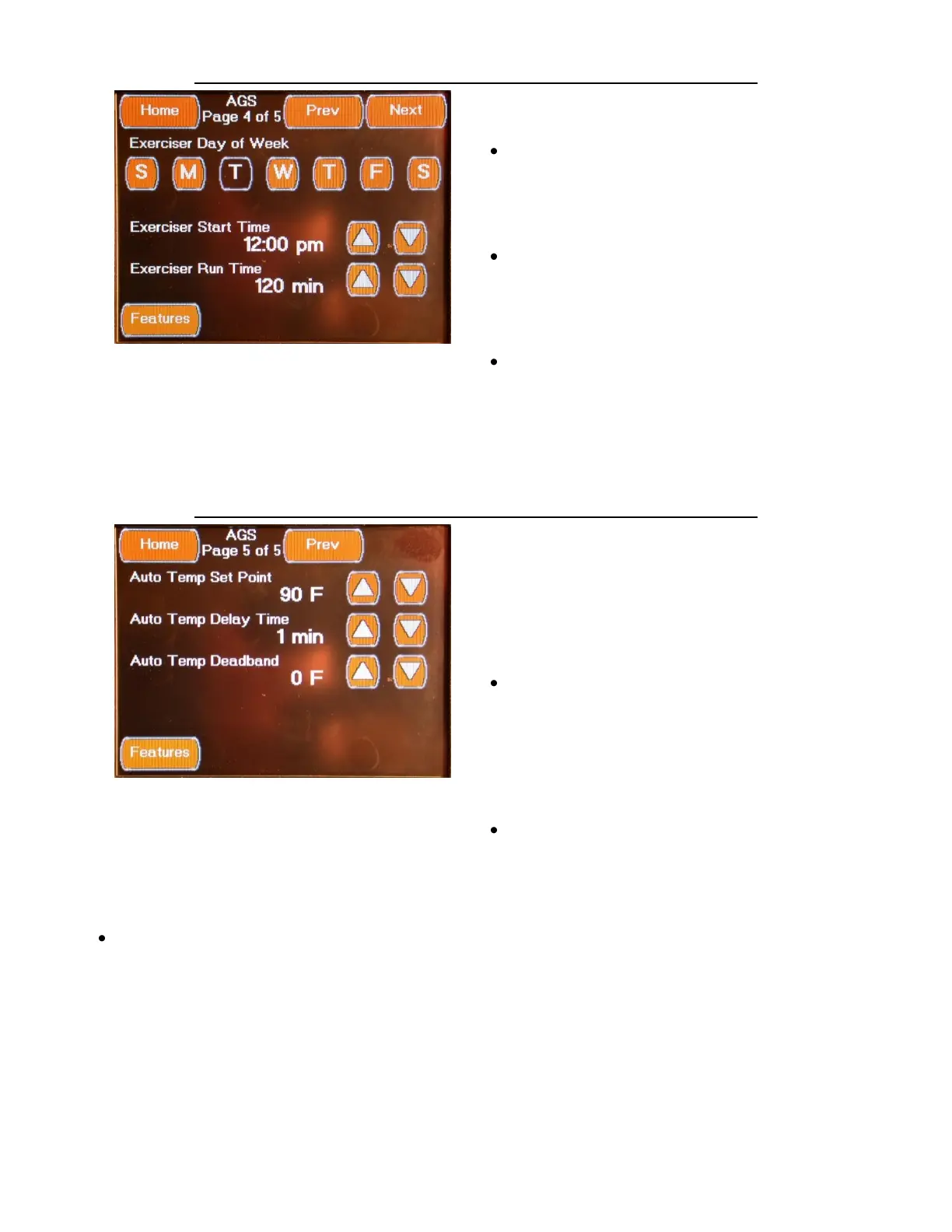
FEATURES AUTO GENSTART CONFIGURATION SCREEN 4
The fourth Autogen Configuration screen is
accessed by pressing the Next Button located
on the third Autogen Configuration screen or by
pressing the “Prev” Button located on the fifth
Autogen Configuration screen. This screen
allows you to change the following settings:
Exerciser Day of Week Select Day(s)
If the generator Exerciser function is Enabled,
this setting selects the day(s) of the week to
exercise the generator.
Select using the Up / Down Arrows
Exerciser Start Time Time of Day
If the generator Exerciser function is Enabled,
this setting selects the start time to exercise
the generator.
Select value using the Up / Down Arrows
Exerciser Run Time (Time Setting)
If the generator Exerciser function is Enabled,
this setting selects the amount of time to
exercise (run) the generator.
Select value using the Up / Down Arrows
FEATURES AUTO GENSTART CONFIGURATION SCREEN 5
The fifth Autogen Configuration screen is
accessed by pressing the Next Button located
on the fourth Autogen Configuration screen.
This screen allows you to change the following
settings:
Auto Temp Set Point (Temperature Set
Point)
The Auto Temp Set Point determines the
temperature setting to automatically start the
generator when the Zone 2 temperature rises
above the set point for the time value set by
the Auto Temp Delay Time. This setting is only
active if the Auto Temp function is Enabled.
Select value using the Up / Down Arrows
Auto Temp Delay Time (min Time Setting)
This setting sets the amount of time to delay
the generator from automatically starting
after the Auto Temp Set Point temperature
has been reached. This setting is only active if
the Auto Temp function is Enabled.
Select value using the Up / Down Arrows
Auto Temp Deadband (Temperature Value)
When the Auto Temp feature is Enabled, this
setting determines the dead band tempera-
ture value for Auto Temp Function. The Dead
band Temperature is the temperature range
that the room temperature must drop below
the Auto Temp Set Point value in order to
automatically stop the generator.
Select value using the Up / Down Arrows



 To Next Page