Page 17
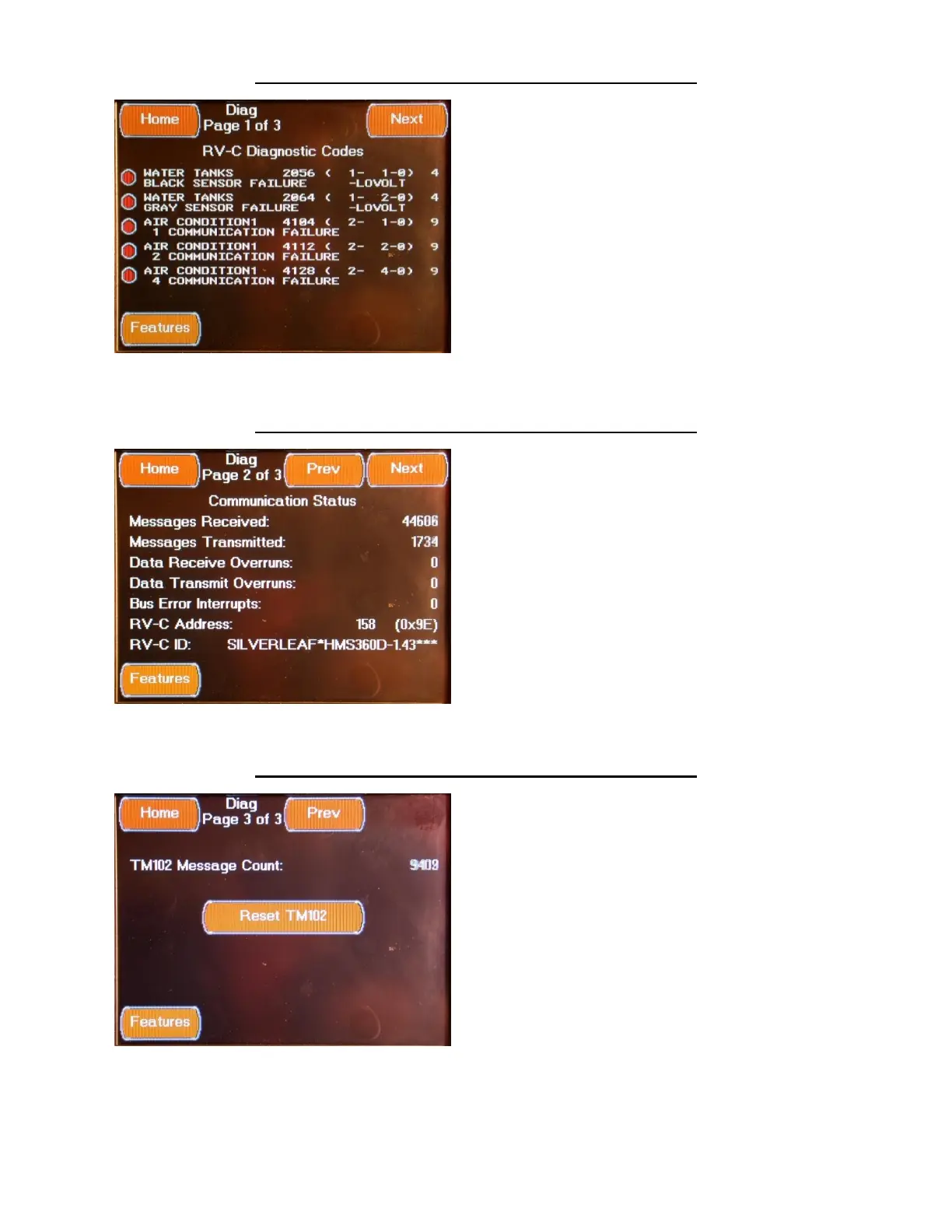
FEATURES SYSTEM DIAGNOSTICS SCREEN 1
The first Systems Diagnostics Screen is accessed
by pressing the System Diagnostic Button
located on the Features Screens or from the
“Prev” Button located on second Systems
Diagnostics Screen. This Screen displays any
system faults present on the control system.
FEATURES SYSTEM DIAGNOSTICS SCREEN 2
The second Systems Diagnostics Screen is
accessed by pressing the Next Button located
on the first Systems Diagnostics Screen or from
the “Prev” Button located on third Systems
Diagnostics Screen. This Screen displays
communications status present on the control
system.
FEATURES SYSTEM DIAGNOSTICS SCREEN 3
The third Systems Diagnostics Screen is
accessed by pressing the Next Button located
on the second Systems Diagnostics Screen. This
Screen displays additional communications
status present on the control system.
Pressing the Reset TM102 Button will reset the
TM102 Module..



 To Next Page