EN
English – 13
3.6 Electrical connections for signal lights (OUTPUT)
(g. 15) This control unit is equipped with 3 outputs programmable via
parameters P110-P112 (see chap. "5. LIST OF PARAMETERS AND ERRORS"
on p. 20).
WARNING! Being dry contacts, any type of load can be connected while
staying below the limit set by the relay manufacturer: 10A 250 VAC; 10A
30VDC.
By default, the three outputs switch while giving a signal on the basis of door
status:
• OUT 3 (pin 1-2-3) = DOOR CLOSED;
• OUT 2 (pin 4-5-6) = DOOR OPEN;
• OUT 1 (pin 7-8-9) = FLASHING.
1
COM
NC
NO
COM
NC
NO
COM
NC
NO
23
456897
N BrakeL1 L2 L3
15
3.7 Control unit electrical connections
WARNING! – All electrical connections must be made while the power
is off.
After fastening the control unit box and preparing the holes for routing the
electrical cables (see "3.3 Electrical connections for the safety edge" on p.
8), make the electrical connections as follows:
TABLE 6 - Electrical connections
Phase Description
1
• model NDCC1000: see "3.1 Three-phase power cable
connection for NDCC1000 control units" on p. 12
• models NDCC1100 and NDCC1200: see "3.2 Single-
phase power cable connection for NDCC1100 and
NDCC1200 control units" on p. 12
2
Connect the electrical cable coming from the motor:
• motor with electronic encoder (g.16)
• motor with mechanical limit switch (g.17)
3
Finally, connect the electrical cables of the various accessories
(see g. 9).
Note - To facilitate cable connections, the terminals can be pulled out of their
housings.
L3 NL2L1
PE
V WU
BRAKE
13
6
4
A
A
13
6
4
L3 NL2L1
PE
V WU
BRAKE
13
6
4
A B
13
6
4
A
B
A
B
16
Motor with electronic encoder
3.4 Electrical connections for photocells
(g. 13) A photocell can be connected directly to the product’s X5 terminal
block. The photocell ensures safe transit because, if its infrared beam is
interrupted while the door is closing, the door stops and returns to its upper
end position (parameter P104 can be used to set different door behaviours if
the photocell's infrared beam is interrupted).
WARNING – If using a one-way photocell with 3 connections, the
switching contact and the positive power-supply pole on the photocell
are connected together to terminal J30/1 with positive potential.
If the photocell is connected, remove the bridge on J31 of terminal block X5!
+ -
X5
J30 J31
A B
+ -
X5
J30 J31
S
E
Transmitter and receiver
photocell connection
Photo Photo
S= transmitting
E= receiving
24VDC power
voltage
Opening
contact
Reex photocell
connection
13
3.5 Electrical connections for external buttons (INPUT)
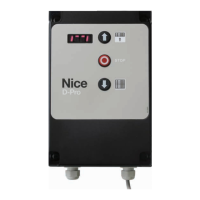
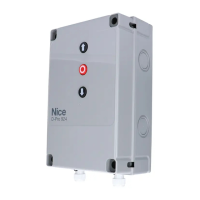
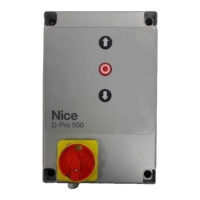
(g. 14) For external control, a three-button panel can be connected to D-PRO
Automatic at terminal block X4.
The two OPEN and CLOSE buttons must be connected as closing contacts.
The signal received by these inputs can be used to perform several operations
depending on the value selected in parameters P100-P102 (see chap. "5. LIST
OF PARAMETERS AND ERRORS" on p. 20).
By default they will have the following function:
• UP = OPEN;
• IMP = STEP-BY-STEP;
• DOWN = CLOSE
Since the STOP button is connected to the safety circuit, it must be connected
as an opening contact.
If a STOP button is connected to terminal block X4, remove the bridge on
terminal J15 and connect the STOP button (opening contact)!
14
X4
J15 J16 J17 J18
Connecting control elements
STOP OPEN IMP CLOSE
X4
J15 J16 J17 J18
Three-button panel connection with
4-wire cable
STOP OPEN IMP CLOSE
X4
J15 J16 J17 J18
STOP OPEN IMP CLOSE
Connecting a key switch


 To Next Page