EN
English – 3
ENGLISH
Translation of the original instructions in English
Translation of the original installation instructions in full.
GENERAL SAFETY INSTRUCTIONS .........................................4
Work safely! ................................................................................... 4
Special warnings in relation to European Directives ........................5
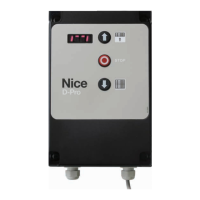
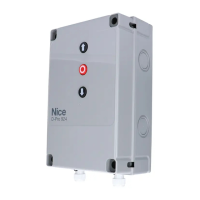
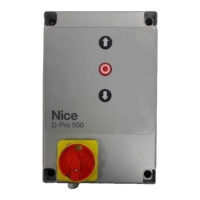
1. PRODUCT DESCRIPTION AND INTENDED USE .............6
2. PRODUCT INSTALLATION .................................................6
2.1 Installation criteria and special warnings in
relation to essential requirements ..........................................6
2.2 Pre-installation checks ........................................................... 6
2.3 Product use limitations ..........................................................6
2.4 Typical installation ..................................................................7
2.5 Control unit installation ...........................................................8
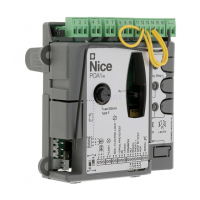
2.6 Description of electronic circuit board ....................................10
2.7 Description of push button panel board .................................11
3. ELECTRICAL CONNECTIONS............................................12
3.1 Three-phase power cable connection for NDCC1000
control units ...........................................................................12
3.2 Single-phase power cable connection for NDCC1100 and
NDCC1200 control units ........................................................12
3.3 Electrical connections for the safety edge ..............................12
3.3.1. Connecting an optical safety edge ...........................................12
3.3.2. Connecting a resistive or pneumatic safety edge .....................12
3.4 Electrical connections for photocells ......................................13
3.5 Electrical connections for external buttons (INPUT) ................13
3.6 Electrical connections for signal lights (OUTPUT) ...................13
3.7 Control unit electrical connections .........................................13
3.8 Connection of a radio receiver ...............................................14
3.9 Initial switch-on and checking connections ............................14
3.10 Resetting door cycles - “Service” error ...................................14
3.11 Deleting the control unit memory ...........................................14
3.12 Position learning ....................................................................15
3.12.1. Position ne adjustment ..........................................................16
3.12.2.Setting opening and closing positions with
MECHANICAL LIMIT SWITCH .................................................16
3.13 Changing direction of motor rotation ......................................17
3.14 Enabling partial opening.........................................................17
4. TESTING AND PUTTING INTO SERVICE ..........................18
4.1 Testing ...................................................................................18
4.2 Putting into service ................................................................18
4.3 Setting a PIN (control unit lockout code) ................................18
4.3.1. Setting the PIN (control unit lockout code) ...............................18
4.3.2. Unlocking the control unit (momentary) ....................................19
4.3.3. Deactivating the PIN (control unit lockout code) .......................19
5. LIST OF PARAMETERS AND ERRORS..............................20
5.1 Service parameter table - “P” series ......................................20
5.1.1. Automatic door cycles – P4 .....................................................25
5.1.2. Overrun correction via brake activation P20-P22 .....................25
5.1.3. Maximum permissible deviation from set limit switches P14 .....25
5.1.4. Automatic ground adaptation P30-P33 ....................................25
5.1.5. Power transmission for wireless safety edges
P88-P89 and P100-P112 ........................................................25
5.1.6. Air curtain – P45 and P110-P112 ............................................25
5.1.7. Brake management for inverters without identication label
P50-P54 e P57-P58 ................................................................25
5.1.8. Alternative display – P5 ............................................................ 25
5.2 Inverter setting parameter table – “U” series .........................26
5.3 Service parameter table - “C” series ......................................27
5.4 D-Pro Automatic errors list .....................................................28
5.5 Nice inverter errors list ...........................................................29
6. DISPOSING OF THE PRODUCT ......................................... 30
7. PRODUCT SPECIFICATIONS .............................................30
8. DECLARATION OF PRODUCT CONFORMITY ..................31


 To Next Page