EN
English – 25
5.1.1. Automatic door cycles – P4
If wishing to perform tests by running continuous automatic cycles on the
control units, parameter P4 can be used. This parameter, by default set to
0 (function disabled), allows the door to be moved every n seconds as set in
P4. For example, if P4 = 10, each time the door reaches a limit stop (upper or
lower), P4 starts a 10s count; once this time has elapsed, the door will open/
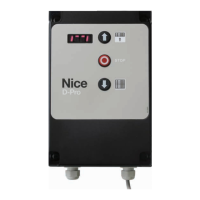
close automatically. To disable this function, simply press and hold the STOP
button on the front panel for 3 seconds. If the STOP button is pressed once,
the count will restart from 0.
5.1.2. Overrun correction via brake activation – P20-P22
Parameter P20 is used to set the maximum deviation permitted by the control
unit during the stop phase at the set limit stop. During setup after the position
learning phase, the control unit automatically sets 2 values (P21 and P22)
for brake activation to ensure that the door always stops at the same point.
The tolerance of this deviation is set in this parameter and is valid for both
parameters. If you wish to set 2 separate values for the closing and opening
limit switches, you can change the individual values by setting P20 = 0 and
manually changing P21 (for the opening limit switch) and P22 (for the closing
limit switch).
5.1.3. Maximum permissible deviation from set limit switches - P14
During the position learning phase, the door must settle and the control unit
must be able to work out the limit stops. During this phase, the door may
exceed the set limit switch (upper or lower) and the control unit return error
F08. To solve this problem (overrun), the door must rst be raised or lowered to
a known position within the set range. Then parameter P14, which adjusts the
maximum tolerance, expressed in encoder increments, with respect to the set
limit switch, is set. Increasing this value will increase the tolerance; decreasing
it will decrease the tolerance. By default, three-phase and single-phase motors
have lower values (P14 = 100) than inverter-controlled motors (P14 = 250).
This is because the inverter has to manage acceleration and deceleration
ramps, and the door may exceed the set limit stop, albeit only slightly, during
installation.
5.1.4. Automatic ground adaptation – P30-P33
After learning the positions, parameter P30 can be set to make the door
automatically adjust its closing position over time. This option is made available
particularly for doors that tend to “elongate” over time. Parameter P30 manages
the type of adjustment to be made. The adjustment is made by increasing or
decreasing the position of the lower limit stop by “n” encoder increments set
in parameter P31. If the value of P30 is 2, i.e. the adjustment is also performed
downwards, parameter P32 is used to set the maximum value, again expressed
in encoder increments, beyond which the door cannot correct its position: this
is to avoid breaking the door. Parameter P33, on the other hand, is used to set
the percentage of height that the door must reach before the correction is made
and stored in the memory.
5.1.5. Power transmission for wireless safety edges – P88-P89 and
P100-P112
If an output P110-P112 is set to 22, a power transmission charger can be
connected for the wireless safety edge. Parameter P88 is used to set the time
for which the output remains active and consequently the safety edge battery is
allowed to charge, while parameter P89 is used to set the waiting time before
the output reactivates the charging of the safety edge battery
5.1.6. Air curtain - P45 and P110-P112
If air curtains are installed, parameter P45 could be useful to set a waiting time
before the curtain is deactivated. The time for deactivation will start to count
down once the door has completed the closing manoeuvre and reached the
lower limit stop. The output for activating the curtain can be set in parameters
P110-P112 using the appropriate value
5.1.7. Brake management for inverters without identication label -
P50-P54 and P57-P58
Unlike labelled inverters, which can manage brake activation via parameters
U40-U41, brake management for unlabelled inverters will only be possible via
parameters P50-P54 (see “P” series parameters table) and P57-P58. Below is
an in-depth description of the latter 2 parameters:
- P57: used to set the range within which the brake must be activated, in the
event that the control unit, on detecting the triggering of the safety edge,
realises that the reverse speed is too slow compared to the expected speed.
If, however, the speed is too low within the range set in P57, the control unit
will activate the brake to prevent breakages in the system
- P58: used to set a slight delay relating to the activation of the emergency
STOP. By default, this parameter is set to a very low, almost instantaneous,
value so that when the emergency STOP activates, the door will immediately
stop (disconnecting the inverter, if present, until the stop button is reset)
5.1.8. Alternative display - P5
This parameter can be used to change the door’s display from the default
symbols to characters. In addition, if value 1 or 2 is set, different “E.xxx”
warnings will be displayed for each button pressed or input activated
P5 =1: Text display of limit stops: similar to P5 = 0, but the display shows “OP”
when the door reaches the upper limit stop and “CL” when it reaches the lower
limit stop
P5 = 2: Text display of door movement: similar to above, instead of showing
dashes to indicate the direction of the manoeuvre the display shows “OPn”
during the opening manoeuvre and “CLS” during the closing manoeuvre
E.101 DOWN input activation (external)
E.102 UP input activation (external)
E.103 IMP input activation (external)
E.104 Photocell activation (can also be displayed with P5 = 0)
E.105 Loop detector 1
E.106 Loop detector 2
E.107
Radio control
(visible after changing parameter P106)
E.161 Emergency stop
E.201 Press the DOWN button on the front panel
E.202 Press the UP button on the front panel
E.360 Safety edge trigger


 To Next Page