E28
Connecting the Camera to a Printer (Direct Print)
Reference Section
Printing Individual Images
After connecting the camera to the printer correctly (E27), print pictures by
following the procedure below.
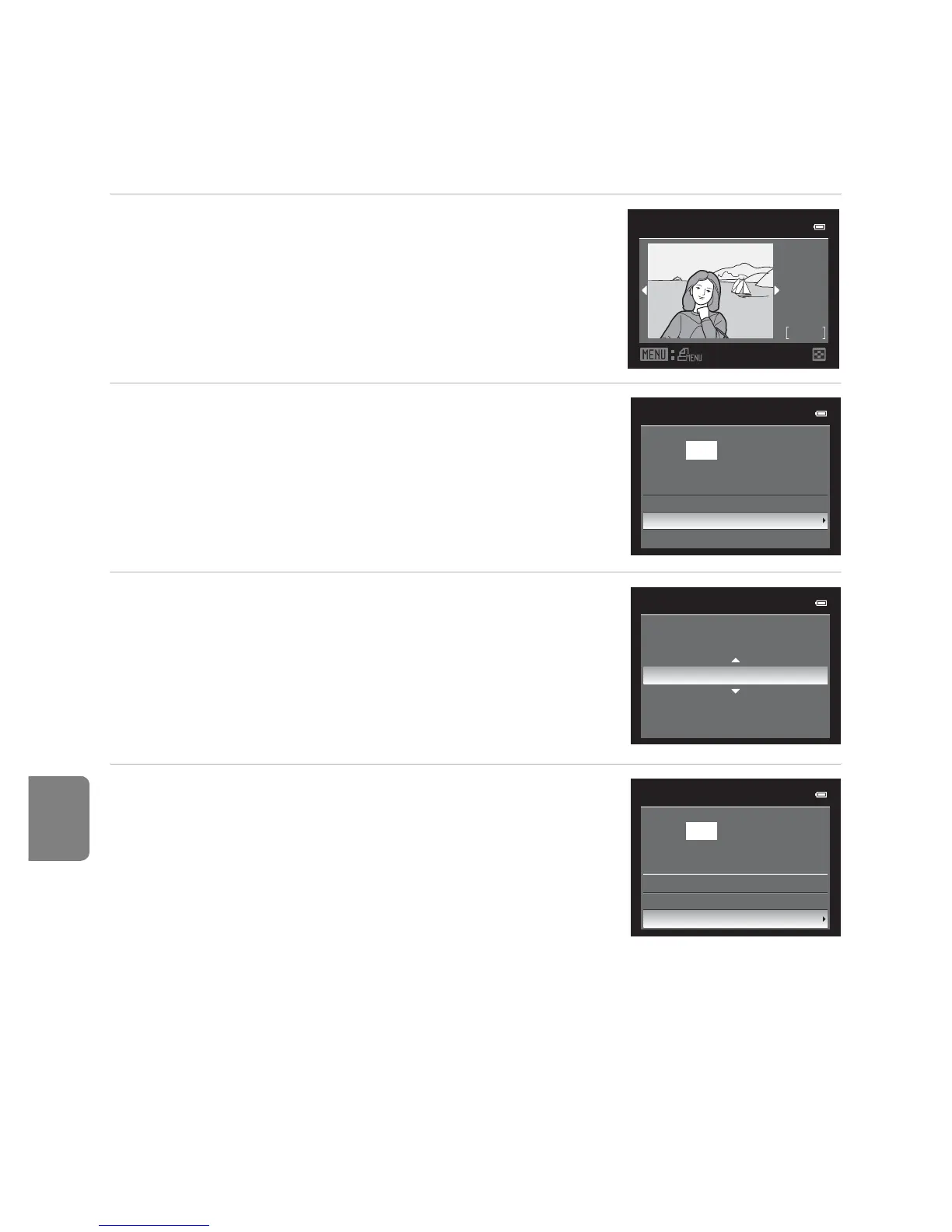
1 Use the multi selector to choose the picture to
be printed, and press the k button.
• Rotate the zoom control toward f (h) to display
12 thumbnails, or toward g (i) to switch back to full-
frame playback mode.
2 Choose Copies and press the k button.
3 Choose the number of copies (up to nine) and
press the k button.
4 Choose Paper size and press the k button.
C More Information
See “Printing Images of Size 1:1” (A74) for more information.
32
32
NO.
Print selection
15/05
2012
PictBridge
1 prints
Start print
Copies
Paper size
4
Copies
PictBridge
4 prints
Start print
Copies
Paper size














 To Next Page