12
Basic Operations
Parts of the Camera and Basic Operations
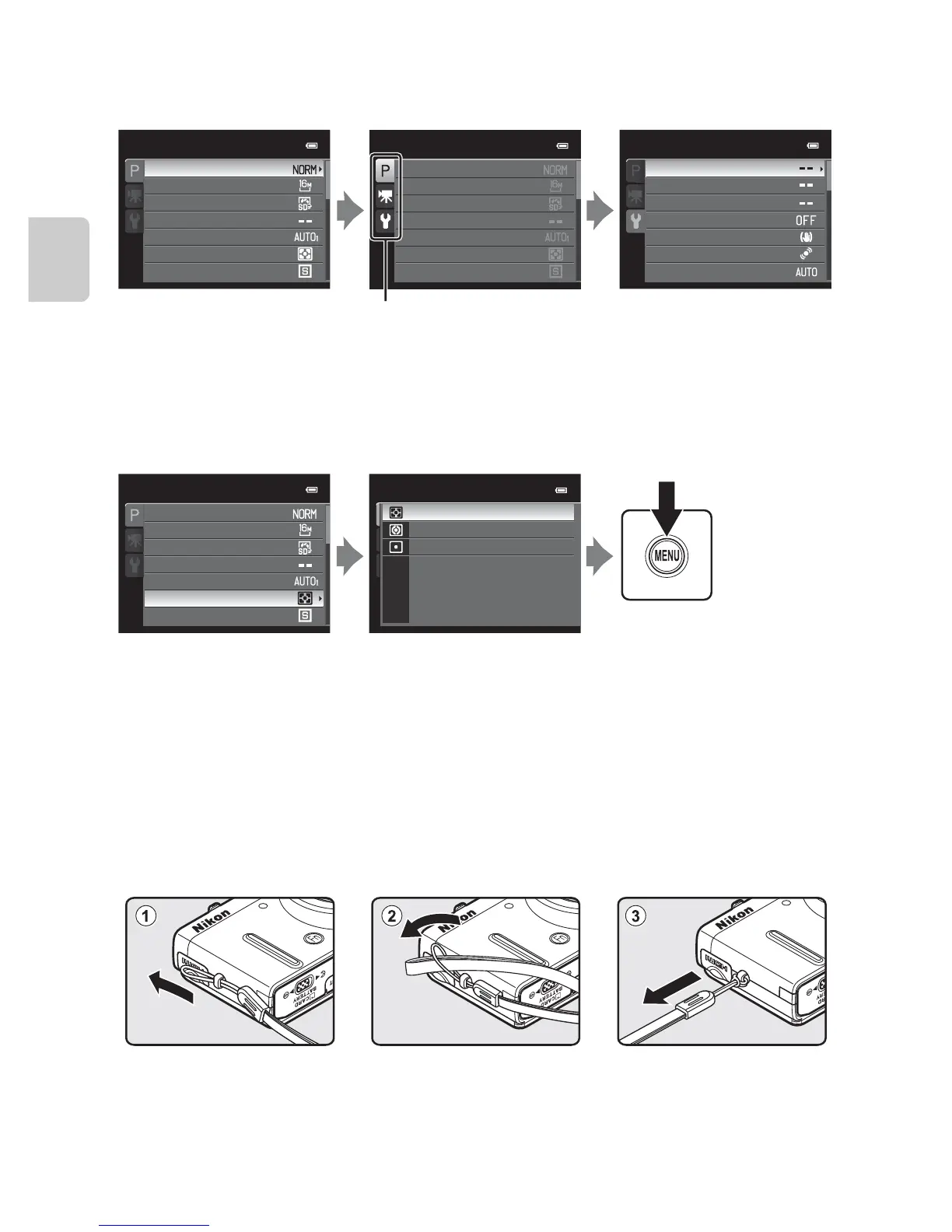
Switching Between Tabs
Selecting Menu Items
C Note on the Command Dial Operation When Menus are Displayed
Rotating the command dial when menus are displayed allows you to change the setting values of a
selected item. There are some setting values that cannot be changed using the command dial.
Attaching the Camera Strap
Set up
Print date
Monitor settings
Time zone and date
Welcome screen
Vibration reduction
Motion detection
AF assist
Shooting menu
Continuous
Metering
White balance
Image size
Image quality
Picture Control
Custom Picture Control
Shooting menu
Continuous
Metering
White balance
Image size
Image quality
Picture Control
Custom Picture Control
Press the rotary multi
selector J to highlight
the tab.
Press the rotary multi
selector H or I to select a
tab, and press the k
button or K.
The selected menu is
displayed.
Spot
Center-weighted
Matrix
Metering
Press the rotary multi
selector H or I to select
an item, and then press
K or the k button.
Press H or I to select an
item and then press the
k button.
When you finished
changing settings, press
the d (menu) button
to exit the menu.
Shooting menu
Continuous
Metering
White balance
Image size
Image quality
Picture Control
Custom Picture Control














 To Next Page