E67
The Movie Menu
Reference Section
Recording Movies in Slow Motion and Fast Motion (HS
Movie)
HS (high speed) movies can be recorded. Movies recorded using HS movie can be
played back in slow motion at 1/4 or 1/2 of normal playback speed, or played back
in fast motion at a speed two times faster than normal speed.
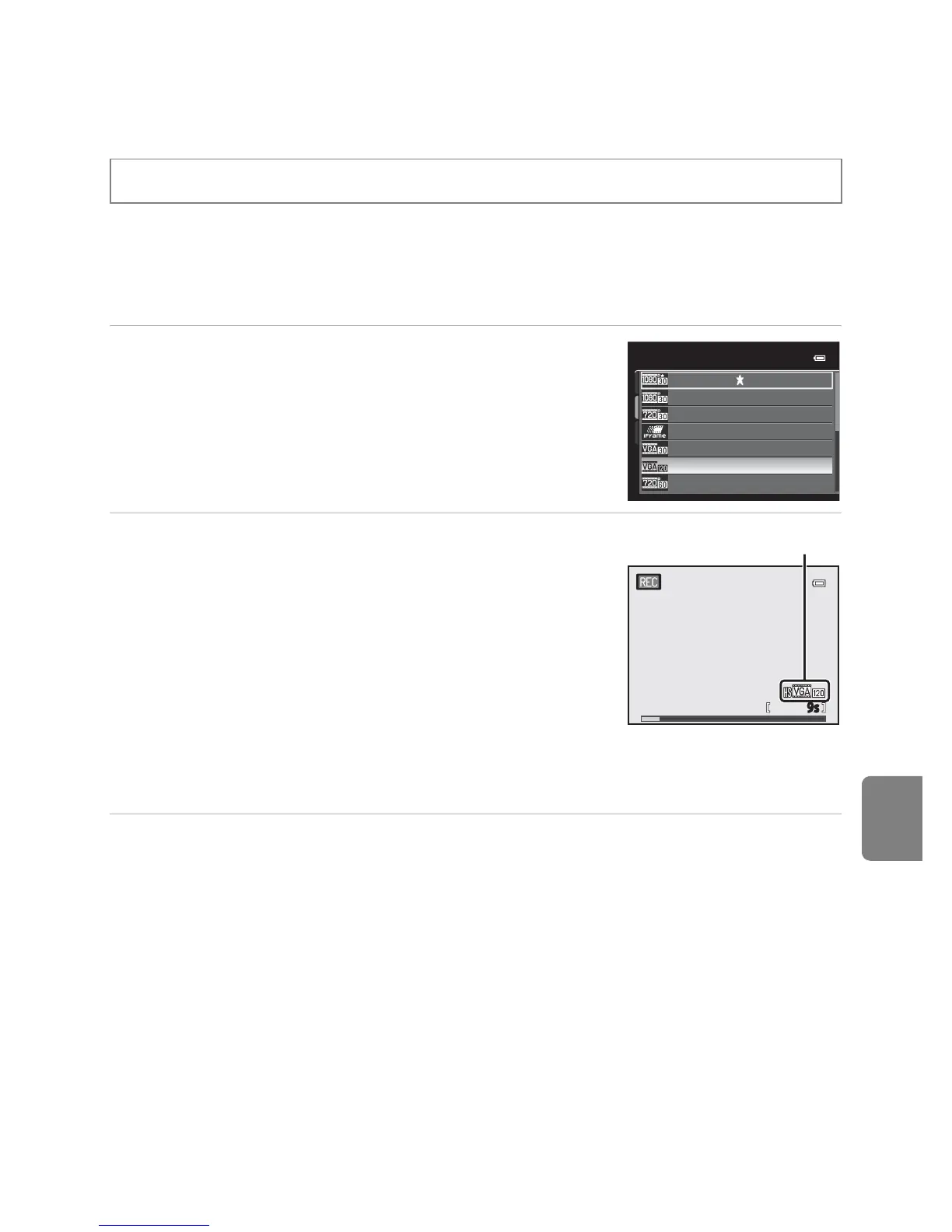
1 Use the multi selector to select HS movie
(E66), and press the
k button.
• Press the d button after changing the settings and
return to the shooting screen.
2 Press the b (e movie-record) button to start
recording.
• The monitor is turned off for a moment, and then the HS
movie recording starts.
• The camera focuses at the center of the frame. Focus
areas are not displayed during recording.
• When recording movies with i HS 60 fps
(1280×720) or j HS 15 fps (1920×1080), monitor
display changes to an aspect ratio of 16:9.
• The maximum movie length display indicates the
maximum HS movie length.
3 Press the b (e movie-record) button to end recording.
Display the shooting screen M d button M e (Movie) tab (A11) M Movie options
Movie options
VGA (640×480)
iFrame 540 (960×540)
HD 720p (1280×720)
HD 1080p (1920×1080)
HD 1080p (1920×1080)
HS 60 fps (1280×720)
HS 120 fps (640×480)
HS movie options
9s9s













 To Next Page