61
Features That Can Be Set Using the Multi Selector
Shooting Features
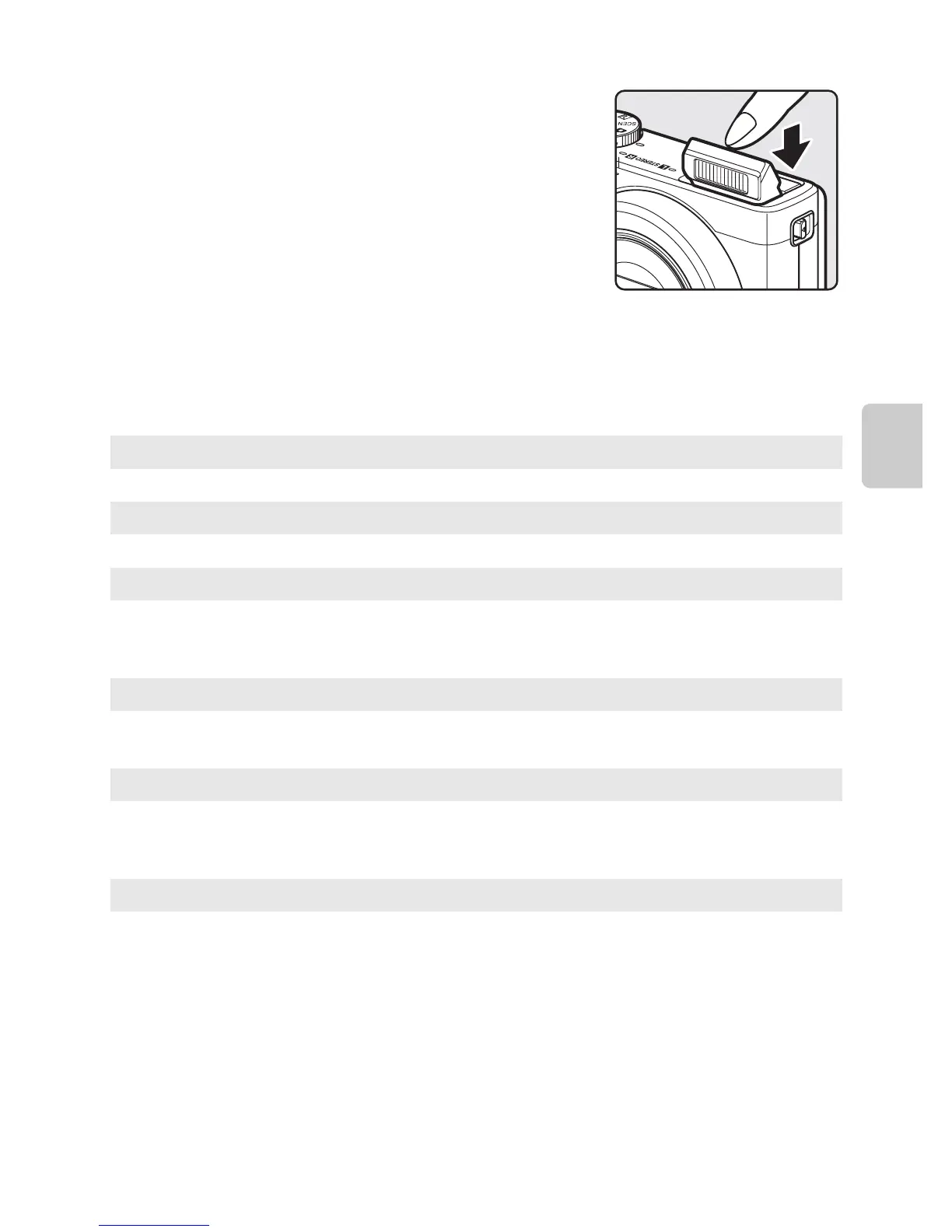
B Lowering the Flash
When not using the flash, gently push to lower the flash until it
clicks shut.
C Effective Range of the Flash
The flash has a range of about 0.5 to 6.5 m (1 ft 8 in. to 21 ft) for wide-angle position, and about
0.5to2.5m (1ft 8in. to 8ft 2in.) for telephoto zoom position (when ISO sensitivity is set to Auto).
Available Flash Modes
U
Auto
Flash fires automatically when lighting is dim.
V
Auto with red-eye reduction
Best choice for portraits. Reduces red-eye effect caused by flash in portraits (A62).
W
Off
Flash does not fire.
• Use of a tripod is recommended to avoid the effects of camera shake when
shooting in a dark location.
X
Fill flash
The flash fires when a picture is taken, regardless of how bright the subject is. Use to
“fill-in” (illuminate) shadows and backlit subjects.
Y
Slow sync
Fill flash is combined with a slow shutter speed. Suitable for portraits of human
subjects shot at night or under dim light. Flash illuminates main subject; slow
shutter speeds are used to capture background.
Z
Rear-curtain sync
Fill flash fires just before the shutter closes, creating the effect of a stream of light
behind moving subjects.














 To Next Page