11
Basic Operations
Parts of the Camera and Basic Operations
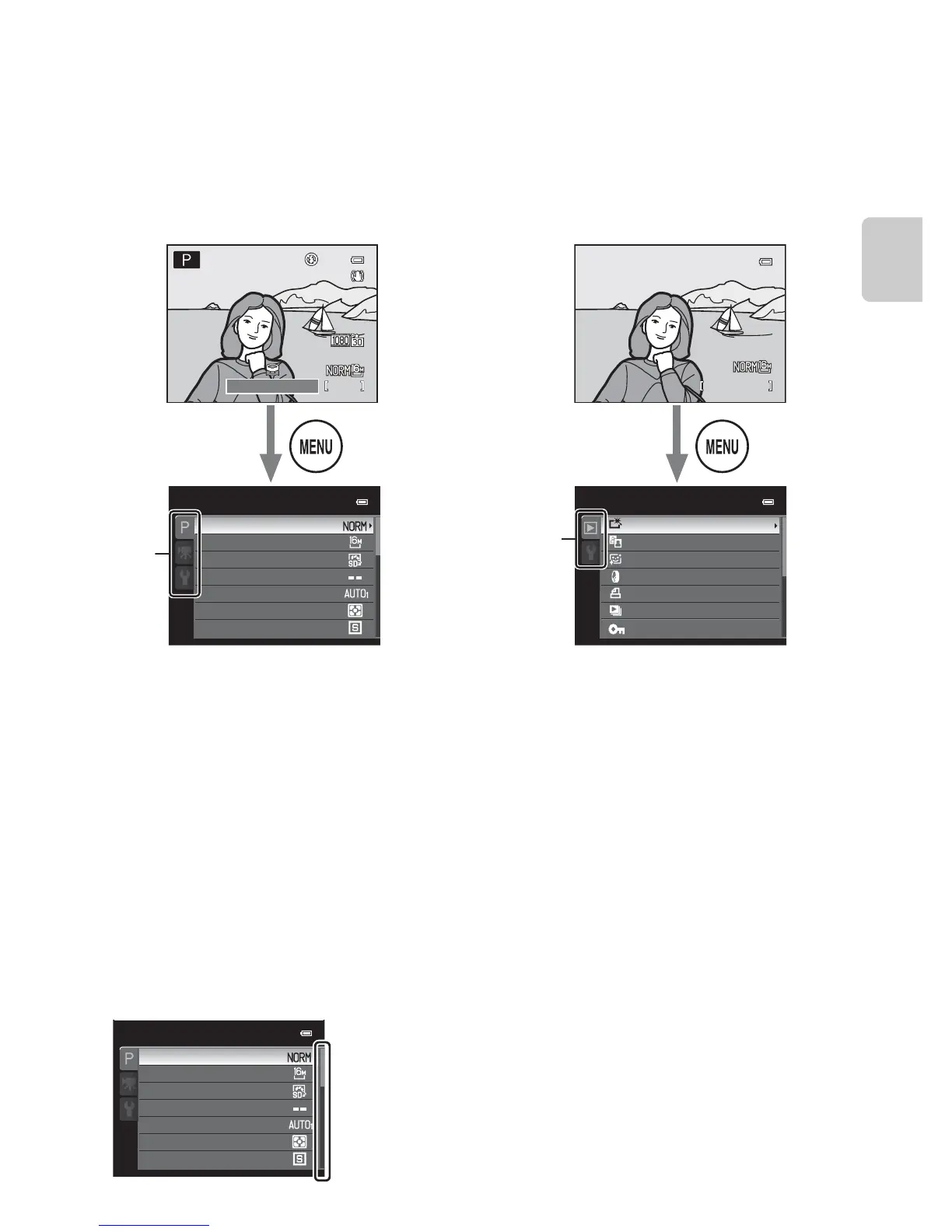
Using Menus (the d Button)
When the d button is pressed while the shooting screen or playback screen is
displayed, the menu for the current mode is displayed. Once the menu is
displayed, various settings can be changed.
C When the Menu Contains Two or More Pages
The scroll bar is displayed to indicate the current page.
1/125
15/05/2012
Playback menu
Quick retouch
D-Lighting
Skin softening
Filter eects
Print order
Slide show
Protect
Shooting mode Playback mode
Tabs
Tabs
A tab:
Displays the settings that can be changed
for the current shooting mode (A24).
Depending on the current shooting mode,
the tab icon that is displayed will be
different.
D tab:
Displays movie recording settings.
z tab:
Displays the setup menu, where you can
change general settings.
c tab:
Displays the settings available for the
playback mode.
z tab:
Displays the setup menu, where you can
change general settings.
Shooting menu Playback menu
Shooting menu
Continuous
Metering
White balance
Image size
Image quality
Picture Control
Custom Picture Control














 To Next Page