EasyManua.ls Logo

Nikon COOLPIX P310 - Page 195

Nikon COOLPIX P310
244 pages
Print Icon
To Next Page IconTo Next Page
To Previous Page IconTo Previous Page
Loading...
E75
The Setup Menu
Reference Section
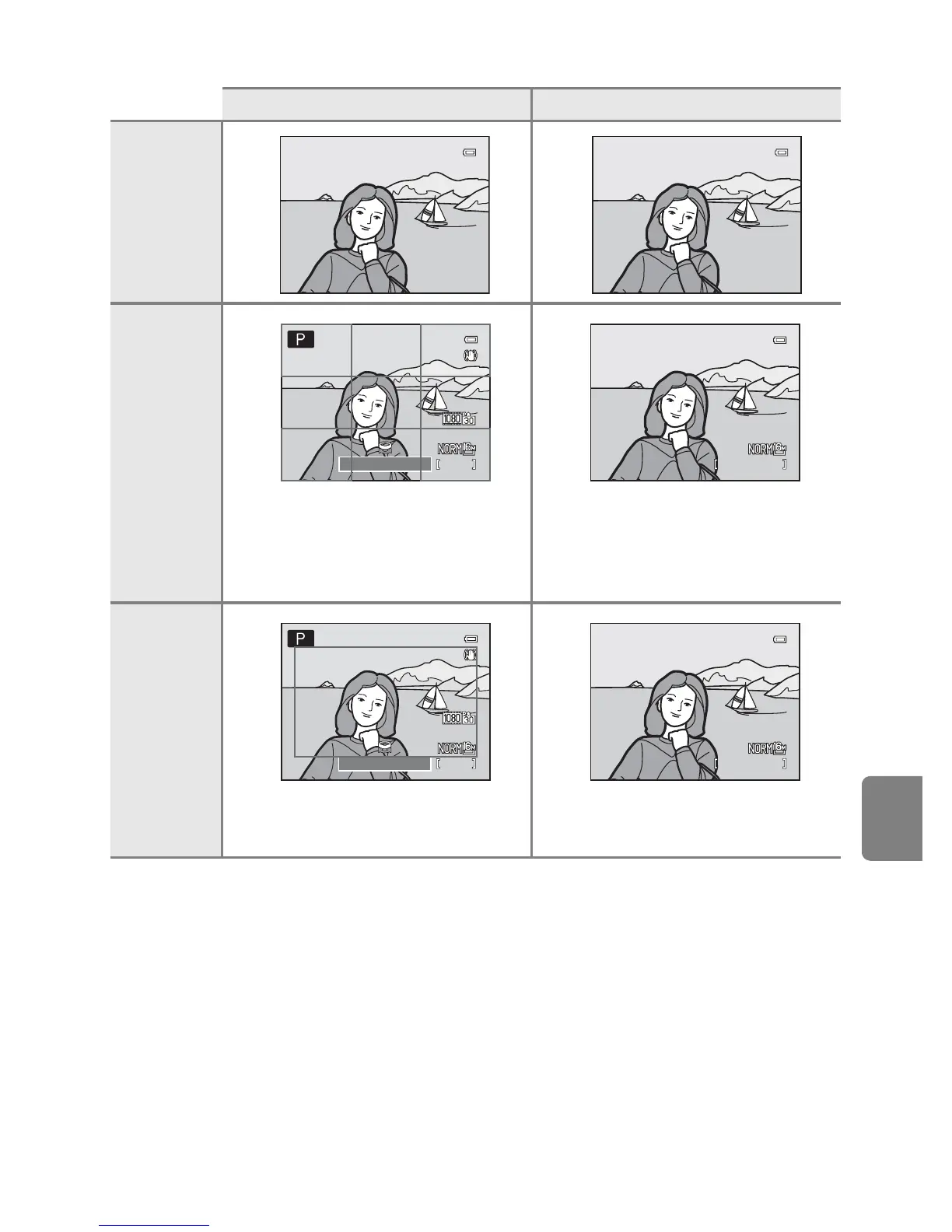
Hide info
Framing
grid+auto
info
In addition to information shown with
Auto info above, a framing grid is
displayed to help frame pictures.
It is not displayed while recording
movies.
The same information as in Auto info
is displayed.
Movie
frame+auto
info
In addition to information shown with
Auto info above, the movie frame is
displayed before recording movies.
The same information as in Auto info
is displayed.
Shooting mode Playback mode
1/250

1/250
1/250 F5.6
F5.6
F5.6
840
840
25m 0s
25m 0s
840
25m 0s
4/
132
132
4/ 132
0004.JPG
0004.JPG
0004.JPG
15:30
15:30
15:30
15/05/2012
15/05/2012
15/05/2012
1/250
1/250
1/250 F5.6
F5.6
F5.6
840
840
25m 0s
25m 0s
840
25m 0s
4/
132
132
4/ 132
0004.JPG
0004.JPG
0004.JPG
15:30
15:30
15:30
15/05/2012
15/05/2012
15/05/2012

Table of Contents

Related product manuals