98
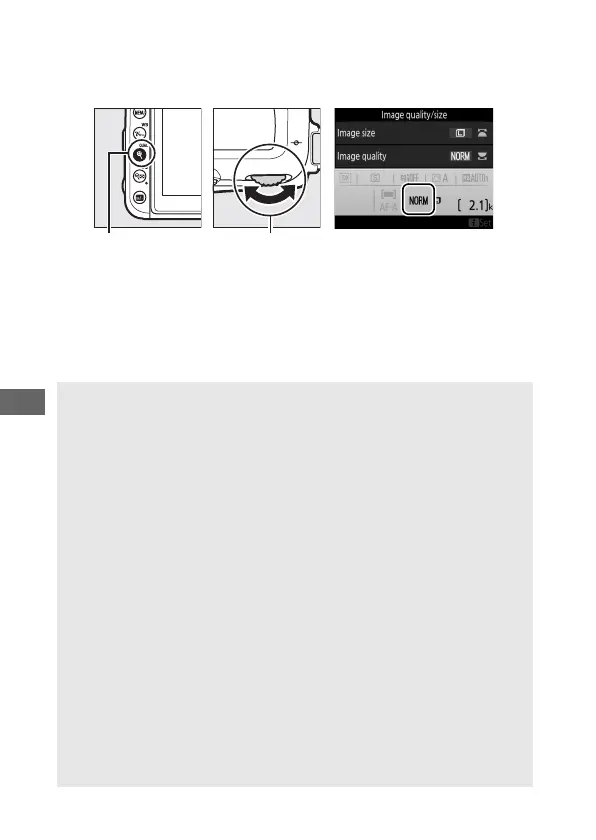
Image quality can be set by pressing the X (T) button and
rotating the main command dial until the desired setting is
displayed in the information display.
X (T) button Main command
dial
A JPEG Compression
Image quality options with a star (“★”) use compression intended to
ensure maximum quality; the size of the files varies with the scene.
Options without a star use a type of compression designed to produce
smaller files; files tend to be roughly the same size regardless of the
scene recorded.
A NEF (RAW) Images
Selecting an NEF (RAW) option fixes image size at Large. JPEG copies
of NEF (RAW) images can be created using Capture NX-D or other
software or the NEF (RAW) processing option in the retouch menu
(0 275).
A NEF+JPEG
When photographs taken at NEF (RAW) + JPEG are viewed on the
camera, only the JPEG image will be displayed. When photographs
taken at these settings are deleted, both NEF and JPEG images will be
deleted.
A The Photo Shooting Menu
Image quality can also be adjusted using the Image quality option in
the photo shooting menu (0 253).



 To Next Page