161
Manual Pop-up Modes
In P, S, A, M, and 0 modes, the flash must be raised manually. The
flash will not fire if it is not raised.
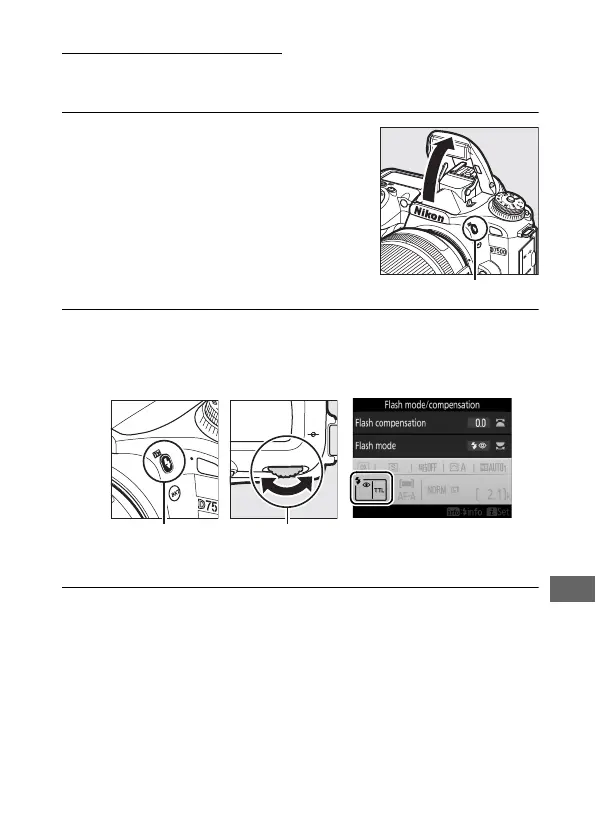
1 Raise the flash.
Press the M (Y) button to raise the
flash. Note that if the flash is off or an
optional external flash unit is
attached, the built-in flash will not
pop up; proceed to Step 2.
2 Choose a flash mode (P, S, A, and M modes only).
Keeping the M (Y) button pressed, rotate the main
command dial until the desired flash mode is displayed.
3 Take pictures.
If an option other than j is selected, the flash will fire
whenever a picture is taken.
M (Y) button Main command
dial



 To Next Page